What Macs it runs on
attn LED works on any MacBook with a built-in camera LED — that’s most models from the last decade, both Intel and Apple Silicon. It requires macOS 12 or later, which covers everything from the 2018 MacBook Air up through the latest M3 machines. If your MacBook has that little green dot next to the camera, you’re set.
How it thinks
The idea is simple. When a message comes in from an app you care about, the camera light blinks. No sound. No banner. Just a quiet pulse of green you can see from across the room. It’s meant for the kind of work where every interruption costs you ten minutes of thinking. I tried it with Slack and Mail while writing — and I stayed in the zone.
Deep focus without notification pings
- People who work in deep focus and can’t afford a ping every three minutes.
- Anyone who wants notifications without banners or sounds breaking their flow.
- Keeping an eye on Slack, Teams, Discord, or Telegram without staring at the Dock.
- Open-plan offices — the LED is visible from anywhere in the room.
Blinking stops only when you open the triggering app
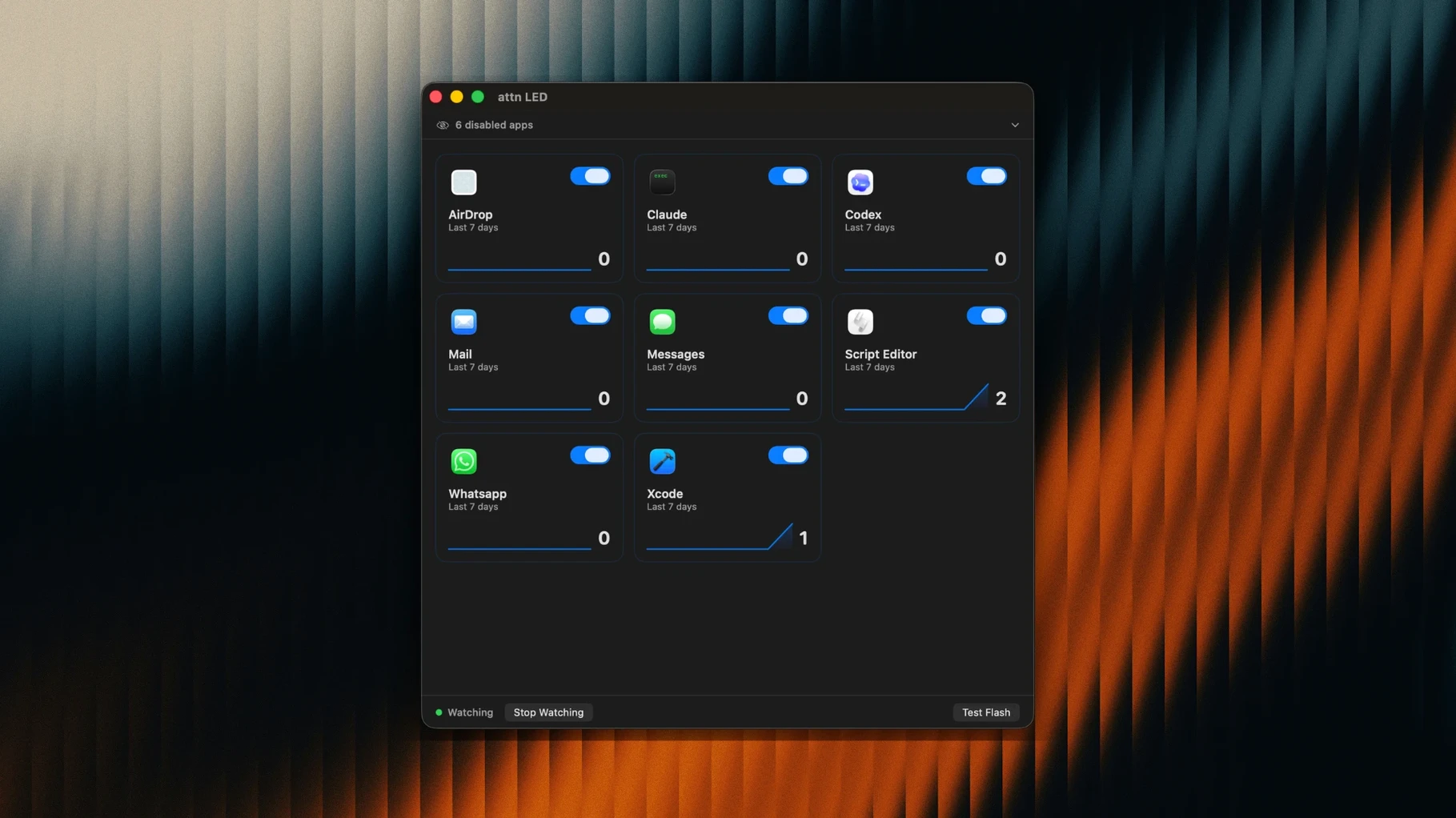
- You pick which apps get the LED treatment; it won’t blink for everything.
- The light keeps blinking until you open the app that triggered it.
- It pauses automatically during FaceTime and video calls so you don’t look distracted.
- It can auto-detect new apps that send notifications.
Bottom line: a one-trick tool that does exactly what it says. If you work in long stretches of concentration, it’s a clever way to stay reachable without being interrupted.
A visual cue that catches your eye off-screen
Most Mac notification tools try to make things quieter by hiding banners or scheduling a summary. attn LED goes the other way — it gives you a visual cue you can catch without looking at the screen. Things like BannerBuddy or HazeOver dim everything but the front window, which helps focus but tells you nothing about what’s waiting. Later collects notifications into a digest you check when you’re ready, which is useful but means messages sit unseen until you decide to look.
attn LED sits between those ideas. You don’t get a digest, and you don’t get a banner. You get a blinking green light that keeps going until you open the app that set it off. If you’re the kind of person who keeps Slack muted but still wants to know when the team is asking for you, that’s a different tool than anything else on the Mac.
Support lead in calls then answering tickets
Imagine someone running customer support for a small software company. She’s in back-to-back calls most mornings, then blocks off two hours after lunch to answer tickets. During calls, attn LED stays quiet because FaceTime and Zoom pauses are automatic. In the afternoon, she sets it to watch only Mail and Teams. When a priority request lands, the green light blinks on the lid of her MacBook. She finishes the sentence she’s writing, glances up, and opens Teams. No chime interrupted her train of thought, and the ticket didn’t sit for forty minutes. That’s the whole pitch for attn led mac — you stay in the work until the light says otherwise.
- macOS 12 or later
- Apple Silicon or Intel MacBook with a camera LED
Questions I actually get
Does attn LED work when Do Not Disturb or a Focus Mode is on?
Yes, it monitors the macOS notifications database directly, so it can still blink for apps you've chosen even when system notifications are suppressed.
Will the camera light blink during video calls?
No, the app pauses its blinking automatically when it detects an active camera session in FaceTime, Zoom, or other video conferencing apps.
Notes from the tables 0
Sign in or pull up a chair to leave a note.
No notes on this one yet. They go up after I read them.