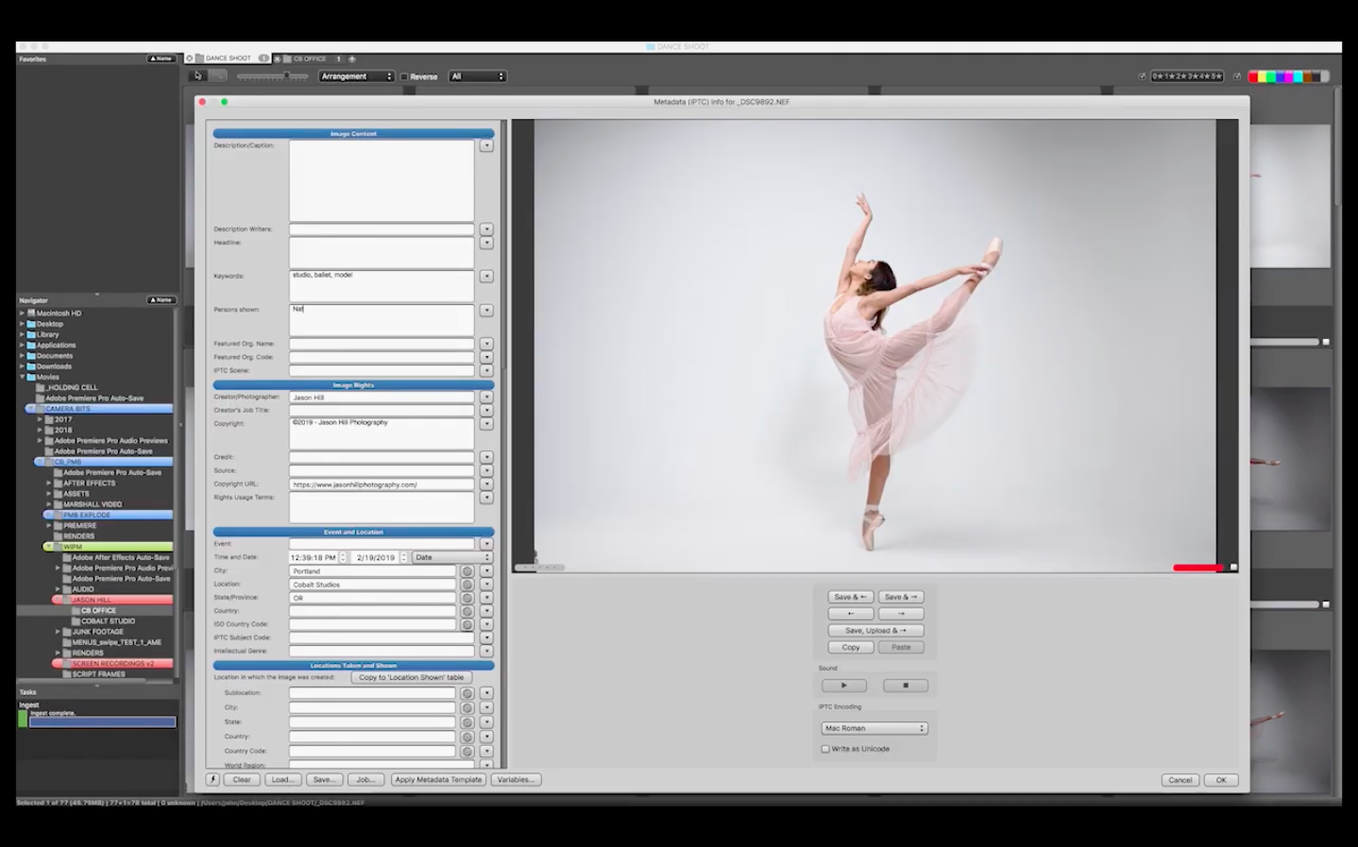
This release didn't add flashy new features — it tightened the bolts. Version 2025.1.8239 is a maintenance update that keeps the app running smoothly on Apple Silicon Macs, so the focus stays on what the tool does best: letting you fly through a card full of raw files without the beachball.
Your culling workbench before the raw editor
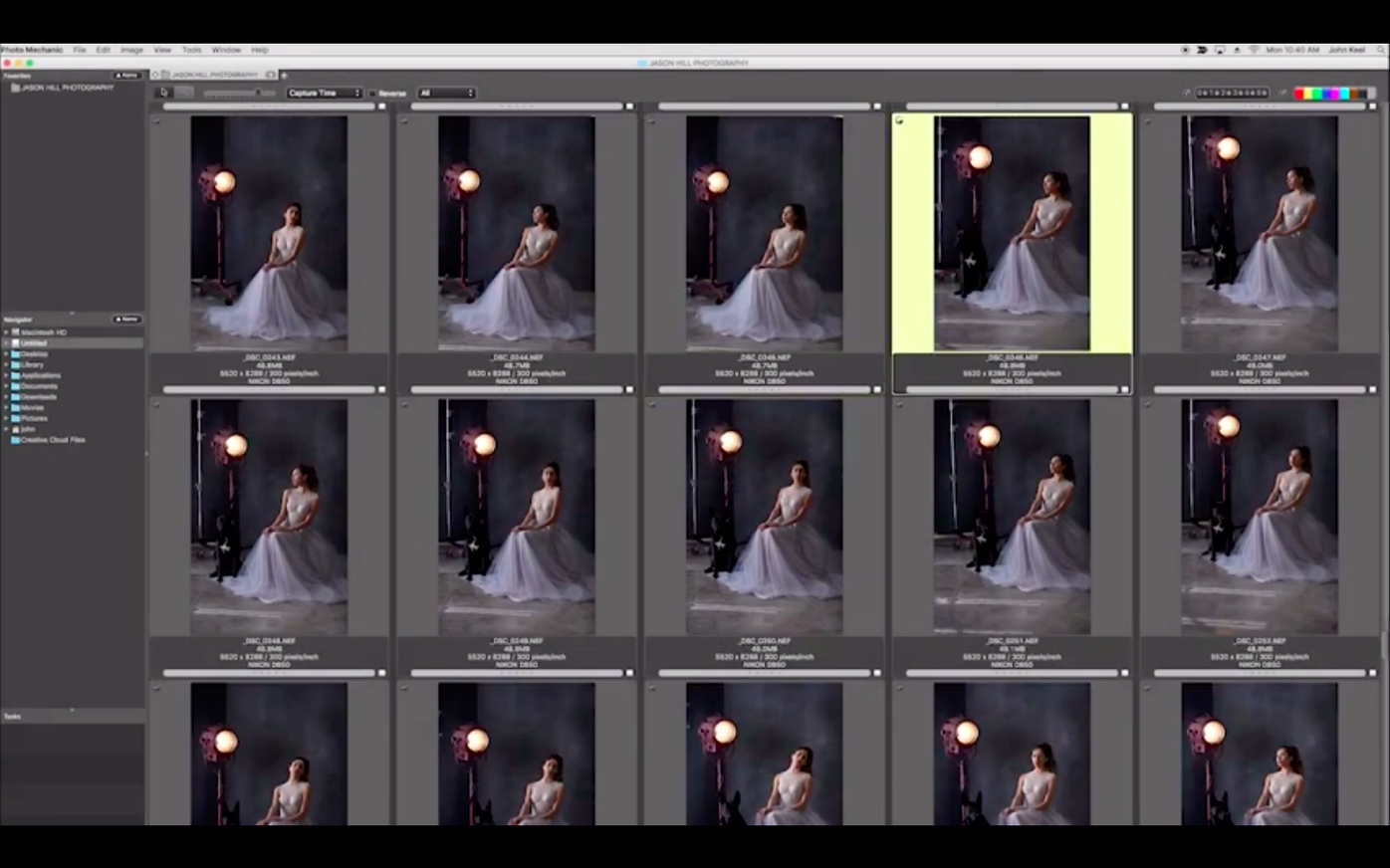
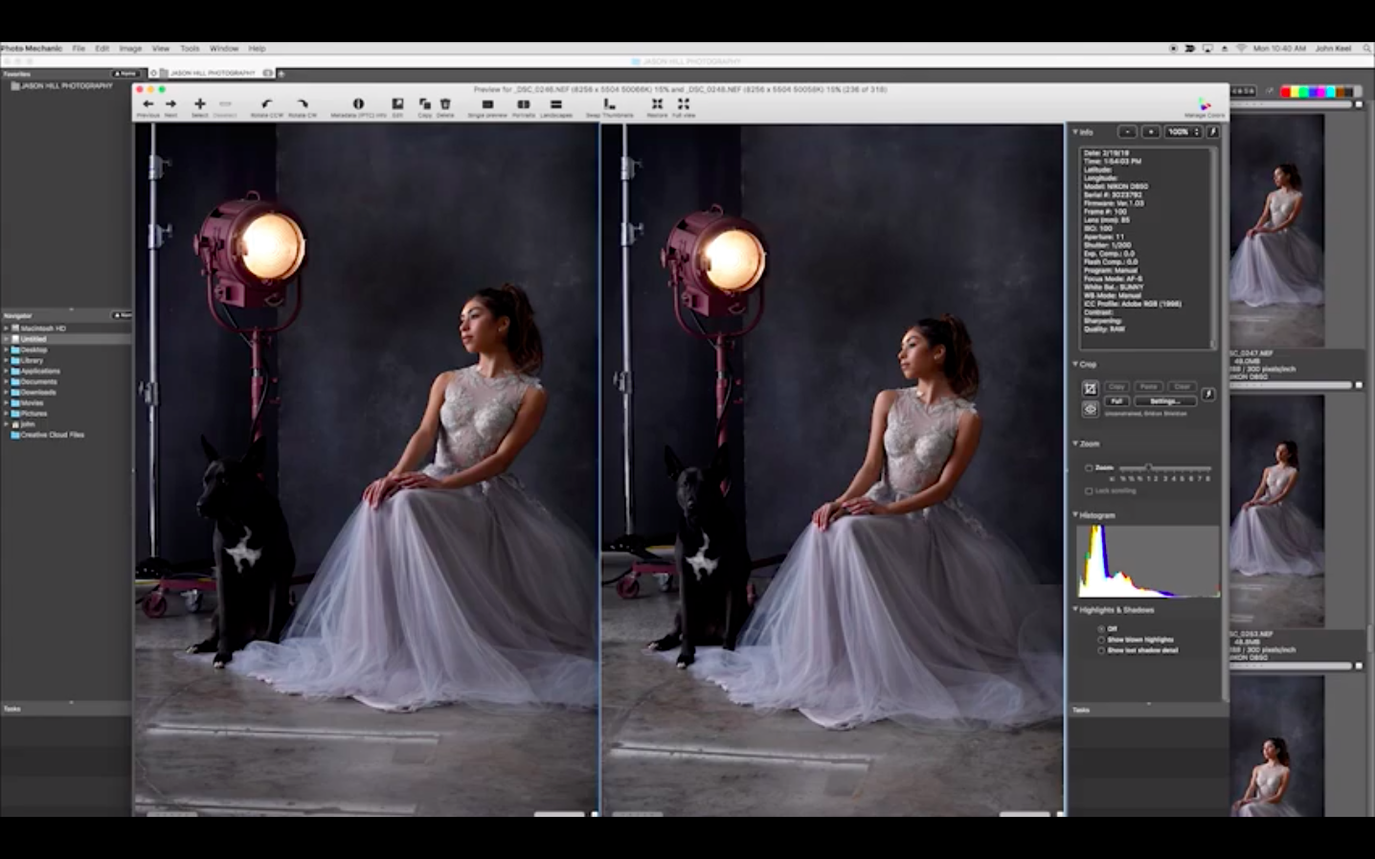
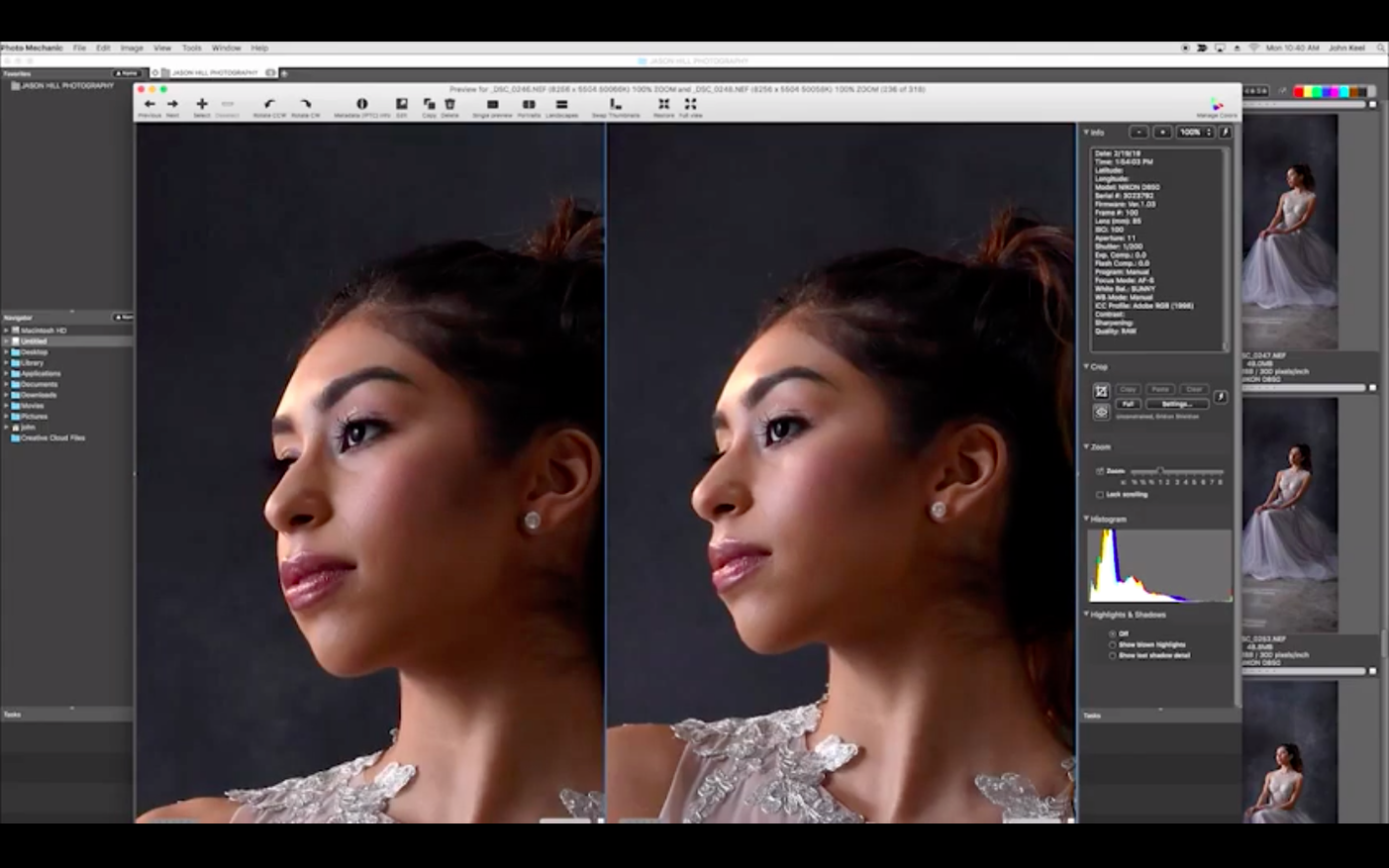
Photo Mechanic isn't a raw developer or a pixel editor. Think of it as the workbench you set up before the fine sanding begins. You pull images off a card, cull the blurry ones with the side-by-side comparison view, and stamp in your copyright, keywords, and location data while the files are still copying. It's a metadata-first browser that lets you rename entire folders, rate selects, and resize batches for client proofs — all before you ever launch Lightroom or Capture One. If you're already using an editor you love, this slots in right at the ingest and triage stage, where speed matters most.
Managing the mess
Once the shoot is organized, the app handles the unglamorous jobs that keep a library from becoming a digital junk drawer. You can search across drives, edit contact information embedded in the files, and even burn final selects to CD or DVD for a client who still wants a physical disc. The full-screen mode gives you a clean look at each frame, and the print layout is straightforward — no design tools, just a way to get a contact sheet on paper. Bottom line: it's the fast sort-and-tag partner your main photo editor never came with.
Beginners often fire up Photo Mechanic and start dragging sliders, expecting to adjust exposure. That’s not what this tool does, and the first ten minutes can feel disorienting if you’re used to all-in-one editors. The window is built around speed: keyboard shortcuts for culling, a contact sheet that renders previews from raw files almost instantly, and a metadata panel that expects you to fill in fields before you start editing pixels. A common stumble is forgetting to set the IPTC stationary pad before ingesting a card — you end up applying keywords and copyright afterward in a separate pass, which doubles the work. Another is treating the Navigator and Favorites panels like a Finder replacement; they’re fast for jumping between folders, but they don’t move or copy files the way macOS does, and dragging a folder out of the app can surprise you.
People also overlook the Color Class and star-rating filters during their first sort. They’ll tag keepers but never toggle the filter bar to hide the rejects, so the contact sheet stays cluttered. The trick is to tag ruthlessly on the first pass — one key for a keeper, another for trash — then flip the view to “tagged only” and do a second pass for ratings. It takes about three shoots before the finger memory kicks in, but once it does, culling a thousand frames in fifteen minutes stops feeling like a party trick and starts feeling like Tuesday.
Memory fixes for massive raw folders on Apple Silicon
Version 2025.1.8239 didn’t ship with a headline feature, and that’s the point. Camera Bits focused on stability under macOS 13 and newer, particularly around memory handling when scrolling through folders with thousands of raw files. Users on Apple Silicon machines had reported occasional slowdowns when jumping between contact sheets and full-screen previews; this build addresses most of those stutters. The FTP uploader got a small reliability tweak for connections that time out after long idle periods — helpful if you’re sending a wedding gallery to a client portal while still culling the reception shots. A handful of cosmetic fixes landed in the print dialog and the GPS import window, but nothing that changes the workflow. If you’re running an older build from early 2024, you’ll notice the app simply feels less grabby with system resources during batch renames and large export jobs.
It handles ingest and culling, not raw processing
Does it replace Lightroom or Capture One? No — and it doesn’t want to. Photo Mechanic handles the front end of your workflow: ingest, cull, tag, rename, and add metadata. You still need a raw processor or pixel editor downstream. The two tools play together; you point your editor at the folder Photo Mechanic organized and pick up from there.
Will it choke on my folder of forty thousand images? It shouldn’t. The app builds its previews from the embedded JPEG inside raw files, not by rendering the raw data itself, which is why browsing feels snappy even on older Apple Silicon Macs. The current build keeps memory usage in check during long scrolling sessions, though indexing a network-attached drive will always be slower than a local SSD.
Does it write changes to my original files? Most metadata edits go into sidecar XMP files or the file header, depending on your preferences. Photo Mechanic doesn’t touch pixel data, so your raw files stay intact. You can set it to embed IPTC data directly into JPEGs if needed, but the default behavior is cautious.
If you're looking to download Photo Mechanic for Mac, the disk image from Camera Bits mounts cleanly and the app lands in your Applications folder with a single drag. Some photographers search for a Photo Mechanic torrent or a Photo Mechanic 6 full crack for Mac when they're testing a workflow, and the build that runs especially smoothly on macOS 13 and Apple Silicon is the maintenance release sitting at version 2025.1.8239 — stable, native, and worth checking against your own system setup.
- macOS 13 or newer
- Apple Silicon Mac
Questions I actually get
Can Photo Mechanic actually edit photos?
No, it's not an image editor. It handles metadata, renaming, resizing, and organization — you'll still need a separate app for raw development and pixel-level retouching.
What kind of metadata can I add with it?
You can view and edit descriptions, titles, keywords, events, shooting locations, and your contact info right inside the file.
Notes from the tables 0
Sign in or pull up a chair to leave a note.
No notes on this one yet. They go up after I read them.