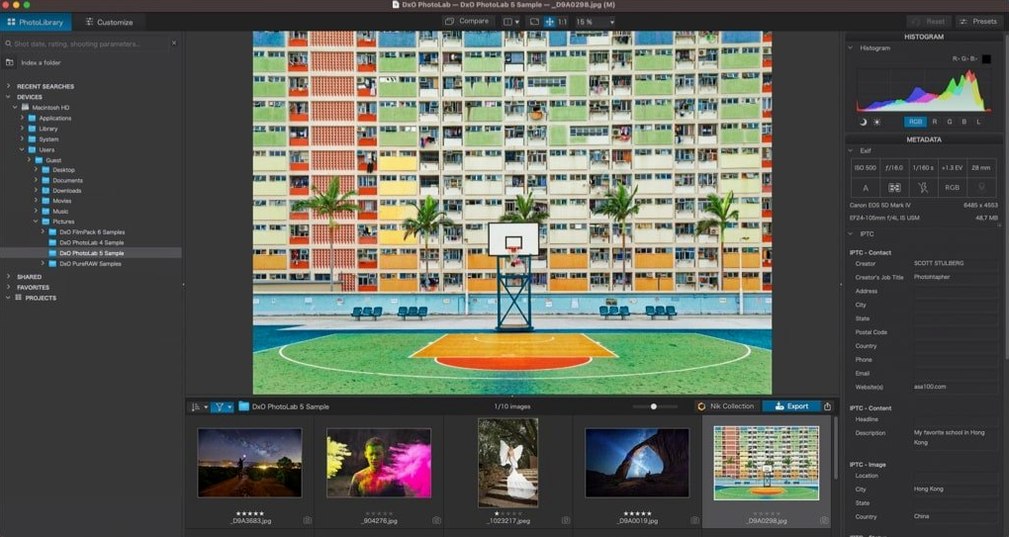
You come back from a shoot, pop the memory card into your Mac, and the RAW files look... flat. The light wasn't quite right, the lens added a little darkening in the corners, and the high ISO introduced that grainy speckle you hate. That's the gap DxO PhotoLab steps into. It reads your camera and lens combination, then applies a measured correction before you even touch a slider.
At its heart, this is a RAW developer that leans heavily on science. DxO Labs measures actual camera bodies and lenses in a lab to build what they call Modules. When it recognizes your gear, it straightens distortion, sharpens the edges, and clears up vignetting automatically. The noise reduction—branded DeepPRIME XD3—works on both standard Bayer sensors and Fujifilm's X-Trans layout, pulling clean detail out of shots you thought were lost to the dark.
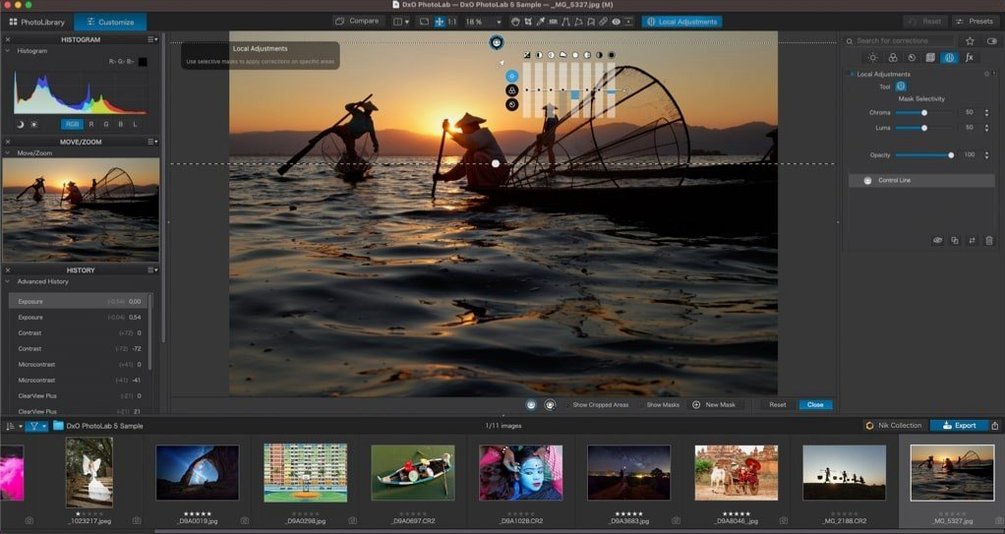
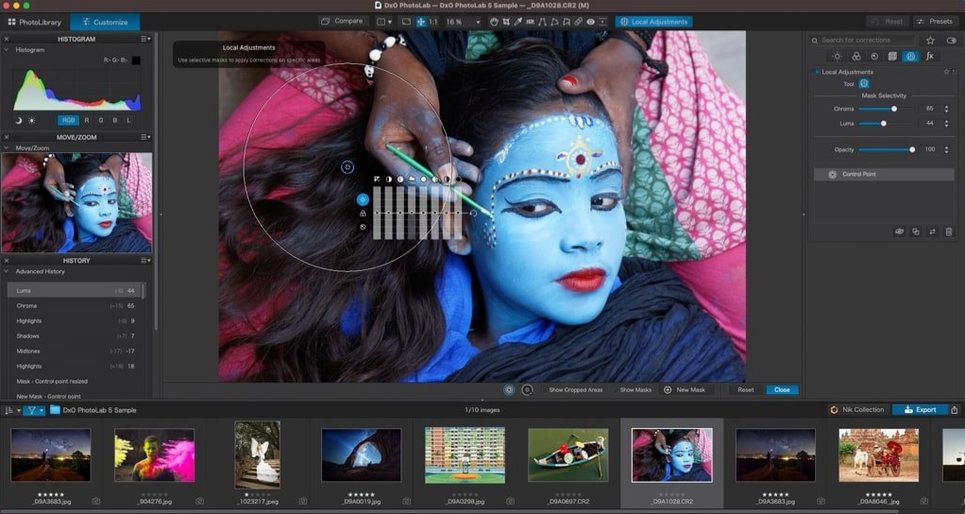
Where things get interesting is the local adjustments. You can drop an AI Mask onto a subject like a person, an animal, or a bright sky, then copy that exact correction across a batch of similar images. It's the kind of thing that turns an hour of clicking into five minutes of confirming. The software also plays nicely with Apple's world, handling HEIC, HEIF, and ProRAW files without fuss.
Bottom line: this is for photographers who want the first 80% of their edit done by a tool that knows their specific gear, leaving them to focus on the creative look rather than fixing lens flaws.
Pure RAW processing, not an all-in-one ecosystem
Put PhotoLab next to Adobe Lightroom and you'll notice a different philosophy. Lightroom wants to be your entire workflow—library, editing, sharing, the works. PhotoLab narrows its focus to pure RAW processing and leaves catalog management mostly to the side. For photographers who already file their work in Finder or a separate browser, that's a feature, not a shortcoming.
Capture One shares that image-quality-first DNA, and its color grading tools are genuinely excellent. But Capture One's noise reduction doesn't match what DeepPRIME XD3 pulls off at high ISOs. Where Capture One asks you to learn its way of working, PhotoLab tends to reward instincts—open the image, watch the optical corrections snap in, and start tweaking. The learning curve is shallower, especially if you've spent time in other RAW editors.
Then there's the free side of the fence. RawTherapee and darktable give you tremendous control, but they rely on community lens profiles that vary in quality. PhotoLab's lab-measured Modules are its party trick—automatic corrections that actually match your specific camera-and-lens pair, not a generic guess. That matters when you're printing large or pixel-peeping edges.
Who clicks with PhotoLab the most
If you shoot high-ISO work regularly—weddings in dim churches, live music in bars, wildlife at dawn—the noise reduction alone makes this worth the storage space. You'll rescue frames you'd normally delete, and the detail retention holds up better than most alternatives.
Lens nerds get a lot out of it too. The correction Modules cover an enormous range of glass, and the difference between a generic profile and a lab-measured one shows up in the corners of wide-angle shots. Travel photographers who carry one body and two zooms can set up a default preset and apply it on import, so the boring corrections happen before they've finished their coffee.
It's also a solid fit for anyone dipping a toe into a dxo photolab 9 download who isn't ready to commit to a subscription-shaped relationship with their editing software. The local adjustment tools—U Point in particular—let you brush in changes without building complex layer masks, which keeps the editing pace brisk.
- macOS 14.7 or newer
- Works on both Intel and Apple Silicon Macs
Questions I actually get
Does DxO PhotoLab support Fujifilm RAW files?
Yes, the DeepPRIME XD3 noise reduction engine works with both Bayer and Fujifilm X-Trans sensors.
Can it automatically mask a sky or a person?
It has AI Masks that can identify subjects like skies, people, backgrounds, and animals for local adjustments.
What was DxO PhotoLab called before?
The software was formerly known as DxO Optics Pro before the name changed to DxO PhotoLab.
Notes from the tables 0
Sign in or pull up a chair to leave a note.
No notes on this one yet. They go up after I read them.