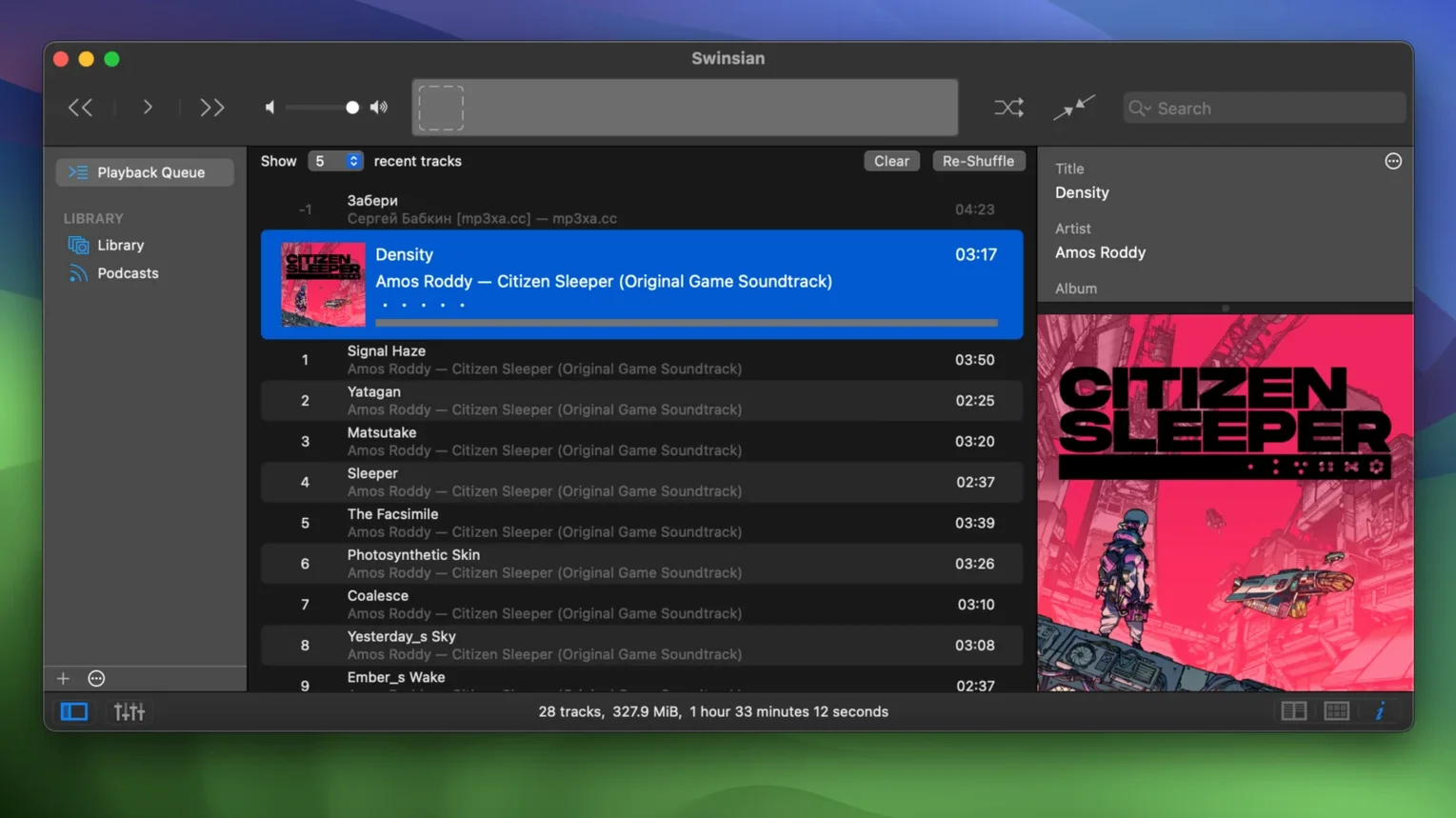
Over 50,000 tracks. That’s the point where Apple Music starts to feel slow and opinionated. Swinsian is the opposite — a standalone macOS player that stays out of your way and lets your folder structure do the talking.
Folder-watching that leaves your files alone
- People who organize music in folders and want the player to just watch them.
- Anyone who needs real tag editing — the kind with find-and-replace, batch changes, and a complete-tags window that actually sorts.
- Listeners who care about gapless playback and automatic sample-rate switching so the DAC runs at the right speed.
- Last.fm users who still scrobble everything.
- AirPlay homes where music gets sent around the house.
A local player with hidden interface tweaks
- It is a local-library player, not a streaming app.
- Artwork fetching is built in, but it works best with well-tagged files.
- Interface text is adjustable only through hidden options.
Bottom line: a player for people who already have the files and just want a fast, clean way to play and tag them on a Mac.
A radio host's afternoon
Think of a community radio host prepping a three-hour jazz block. She pulls tracks from a dozen different folders — some FLAC rips from her own collection, a handful of WAV files sent in by local musicians, and a folder of old AAC live recordings. She needs to clean up the tags so the station's playout system sees consistent artist names, and she wants cue sheets for the long jam tracks so the real start of the music lands right where it should. Swinsian watches her "Show Prep" folder, pulls in the new files without her lifting a finger, and gives her a regex find-and-replace to fix "Miles Davis Quintet" vs "The Miles Davis Quintet" in three keystrokes. While she edits, she can audition the tracks with gapless playback and know exactly how the transition will sound on air.
For the hundred-gigabyte library collector
There's a certain kind of Mac user who has been collecting digital music since the iPod Classic was new. Their library is measured in hundreds of gigabytes, they have strong opinions about file formats, and they stopped letting a streaming service decide what artwork a record deserves. For them, a Swinsian Mac download isn't about replacing Apple Music — it's about finally having a player that loads a 90,000-track library in seconds, respects their folder hierarchy, and handles FLAC and DSF files as naturally as MP3s. DJs and radio producers who need to audition and tag large batches of tracks quickly also lean on it, especially the duplicate finder and the smart playlist rules that can filter by bitrate or sample rate. If you have ever searched for a Swinsian torrent to try a build that can properly handle quadraphonic FLAC files, you are in this camp.
People who dock their Mac to an external DAC at a desk are another group that tends to stick around. The automatic sample-rate switching means the player tells the DAC to jump from 44.1 kHz to 96 kHz depending on the file, so you never get that silent flicker or a wrongly resampled track. And if you still scrobble to Last.fm — a habit that refuses to die — Swinsian does it natively without a helper app or a plug-in that breaks every six months.
Your folder structure stays untouched
Does it mess with my existing folder layout? No. Swinsian watches folders you point it at, but it doesn't move, rename, or reorganize anything unless you explicitly tell it to during a tag edit. Your carefully sorted directories stay exactly as you left them.
Can it read the iTunes library I already have? Yes. The import pulls in ratings, play counts, and playlists from an existing iTunes or Music library. You can run both side by side while you decide whether to switch.
Is swinsian 3 heavy on system resources? Not in my experience. The app is built to keep the interface snappy even when the library runs into six-figure track counts. The hidden options in version 3.0.8 let you bump up the text size if the default styling feels tight on a high-resolution display.
What about iPod syncing? Swinsian can manage tracks on an iPod classic or similar device. The 3.0.8 update fixed a few playlist-removal quirks, so it works more cleanly now. If you still carry an old click-wheel iPod, this is one of the few Mac apps that still treats it as a first-class device.
No detailed change log landed with this one. Swinsian 3.0.8 is a fix update — a tune-up rather than a feature drop. If something was acting up in your library, this build is the calm-after-the-storm version.
- macOS 10.13 or later
- Works on both Apple Silicon and Intel 64-bit Macs
Notes from the tables 0
Sign in or pull up a chair to leave a note.
No notes on this one yet. They go up after I read them.