
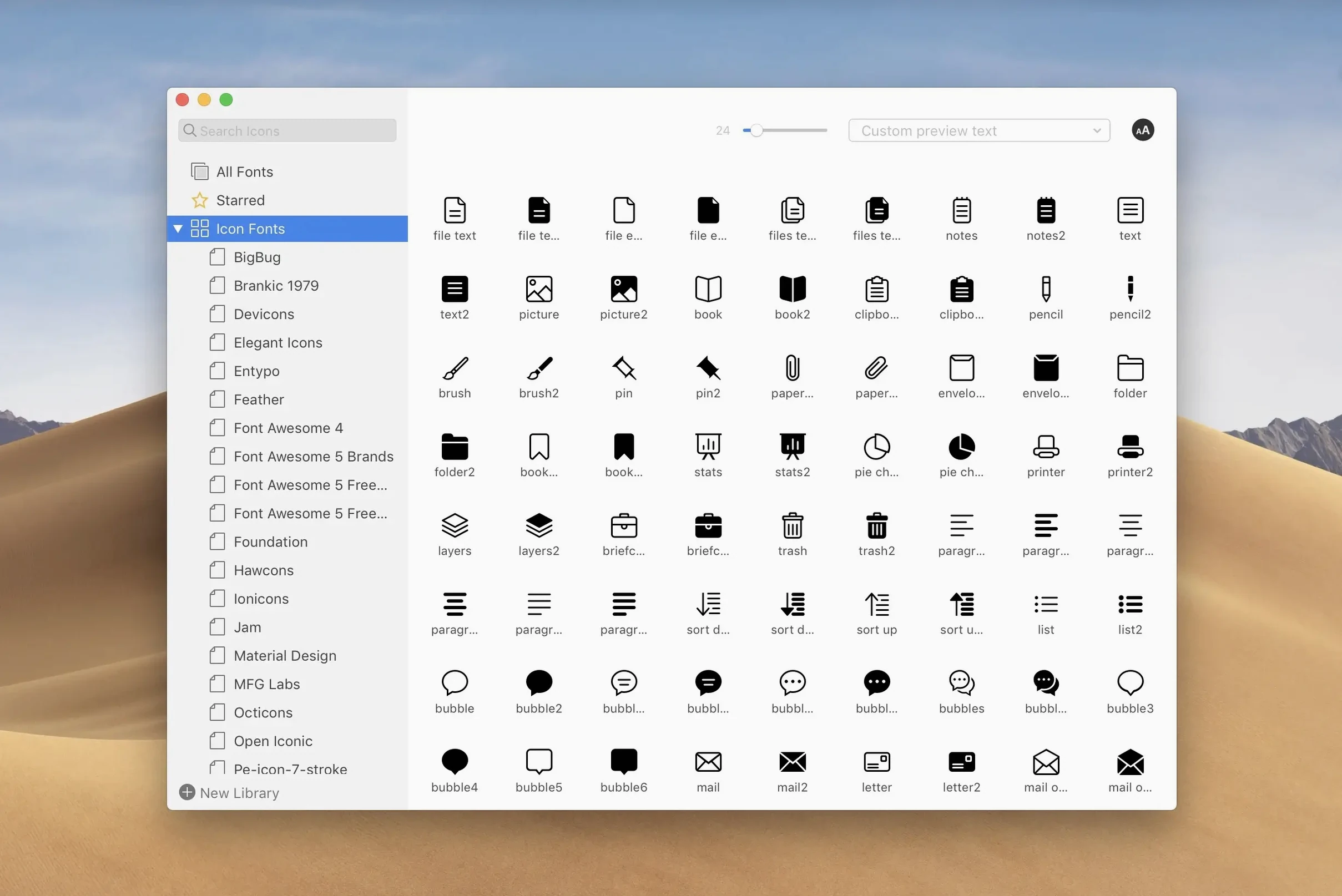
You've just wrapped a branding project and the client sent over three weights of a custom typeface. Dropping them into Font Book would create a mess you'd be sorting out for a week. Instead, you drag the folder into RightFont, tag it with the project name, and get back to layout work in Illustrator.
Building a system, not a pile
The real power comes from how you organize. Here's a workflow that goes beyond basic previewing:
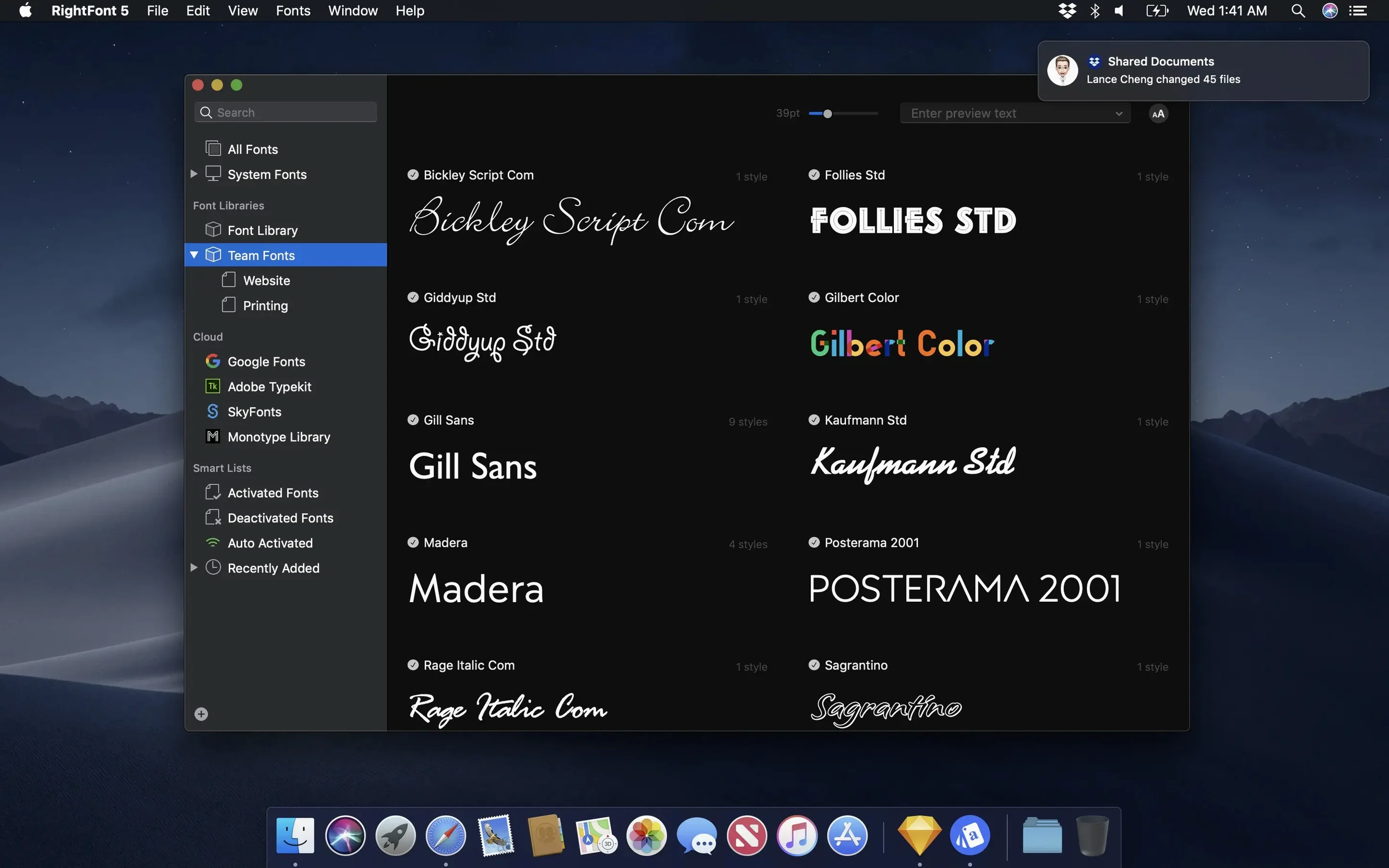
- Create a fresh font list for the project. This keeps client fonts separate from your permanent library without actually installing everything system-wide.
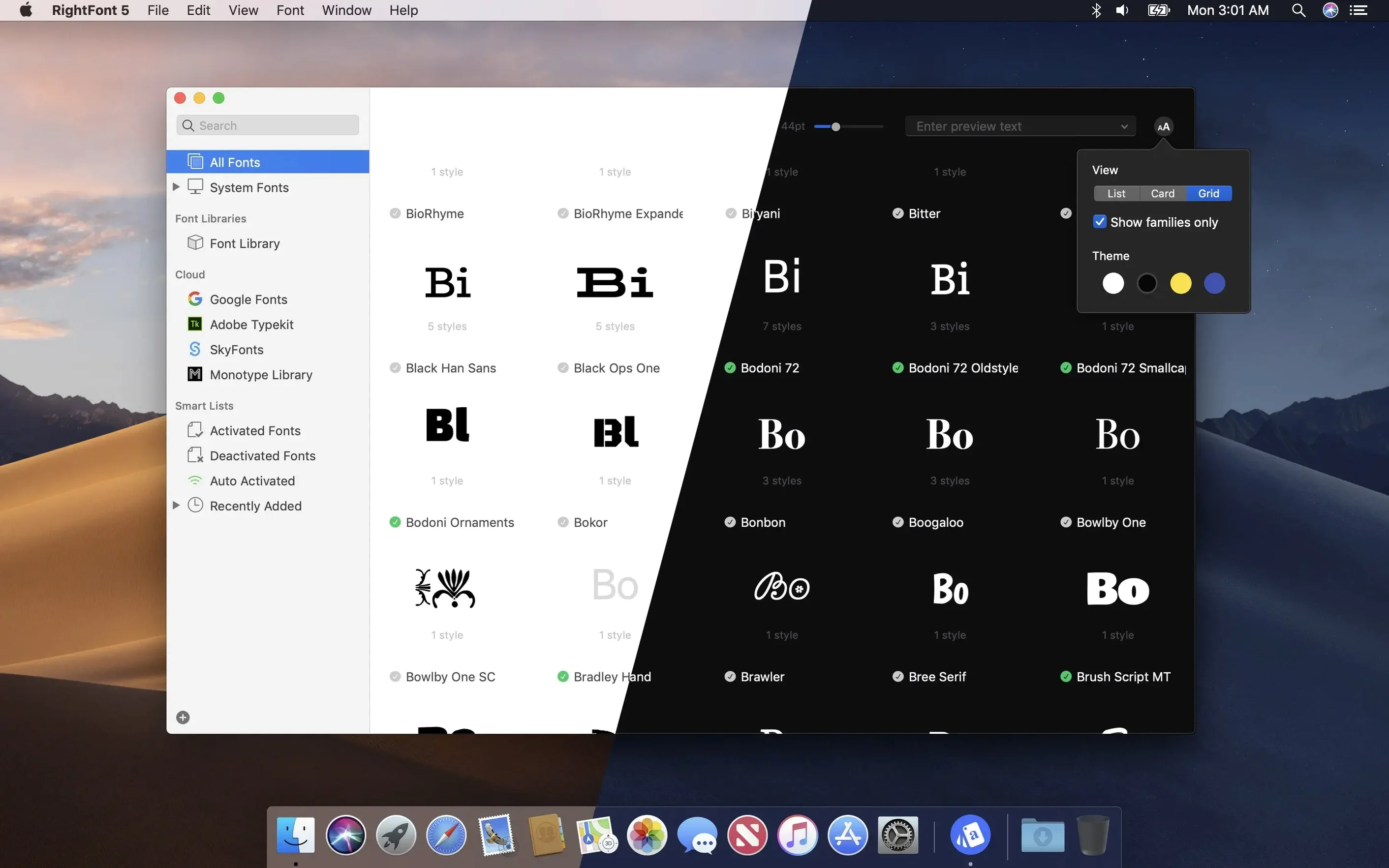
- Drill into the metadata. Use the classification, width, and weight filters to see only the condensed sans-serifs you actually need. The search updates as you type, so you're not waiting around.
- Tag strategically. Version 10.2.1 cleans up tag management—you can drag a subtag back into the main Tags section when a sub-category turns out to be more important than you thought.
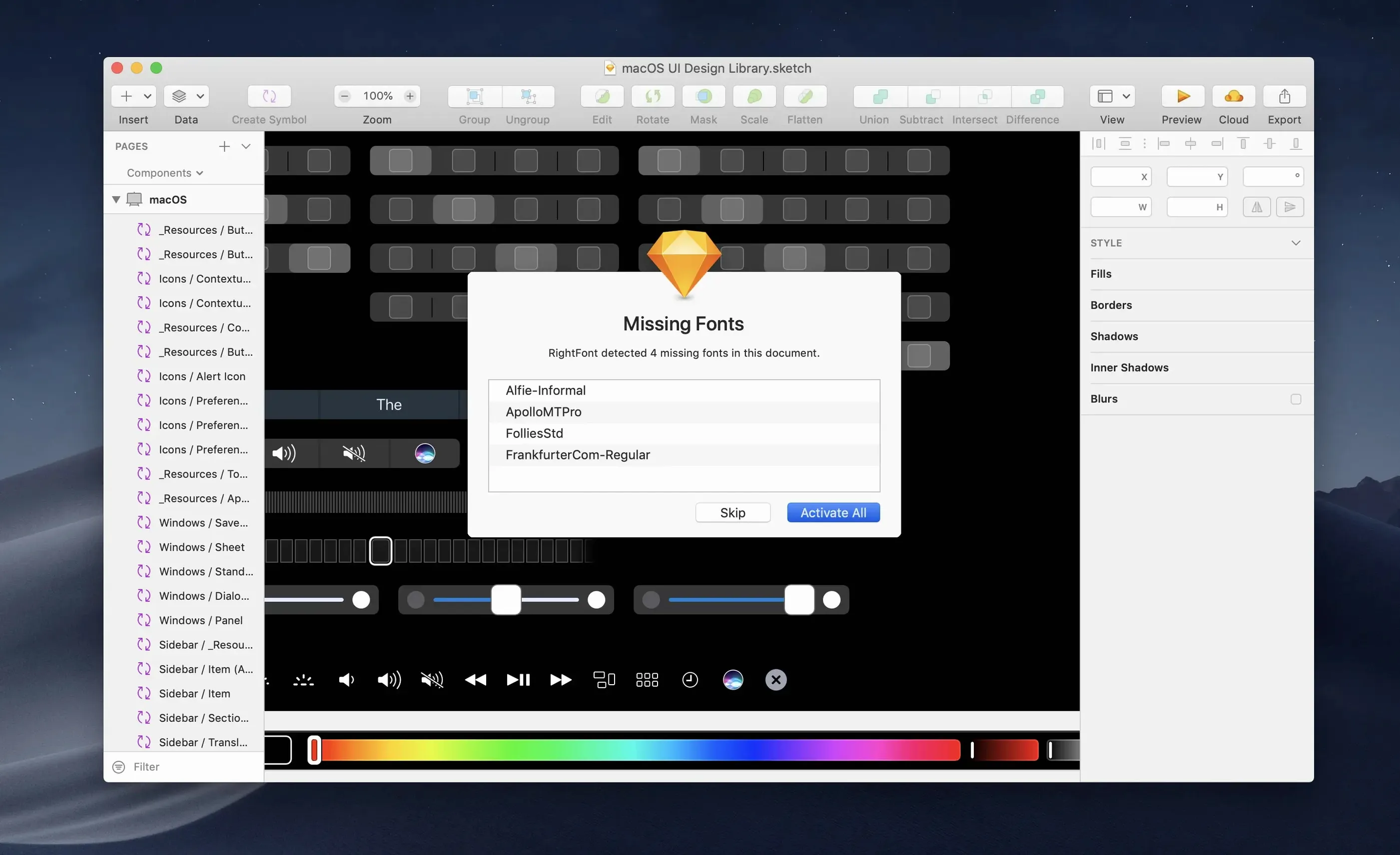
- Activate directly. RightFont talks to Adobe Illustrator and Sketch without fuss. Select the font, flip the switch, and it's available in your design app immediately. No restarting.
It's the kind of tool that stays out of your way until you need to compare two nearly identical grotesks at 9 points. Then the lightweight interface and fast filtering earn their keep.
Installing every font you see
I've watched a few designers fumble with RightFont in the first week, and it's usually the same three things.
First, they treat every new font as something to install permanently. Don't do that. Use font lists and activation toggles instead. Your system stays lean, and you avoid conflicts when a client sends a newer version of a typeface you already own.
Second, they ignore tags until the library hits four hundred fonts. Then organizing feels like a chore. Start tagging from day one—even if it's just client names. Version 10.2.1 makes tag management less painful, so there's no excuse to skip it.
Third, they forget the menu bar exists. You don't need to open the full window every time you want to check something. A quick click from the menu bar shows recent fonts, active lists, and search. It's faster than hunting through Finder.
Font Book chokes past a few dozen
Font Book comes free with every Mac, and that's its main advantage. It handles basic preview and installation, but forget about auto-activation in Illustrator or granular filtering. If you're working with more than a few dozen fonts, Font Book turns into a cluttered drawer.
Typeface is a solid alternative for anyone who wants a prettier interface and smart collections. It shines at visual browsing. But RightFont's integration with Adobe apps and its no-nonsense list view make it the better pick when you're jumping between InDesign, Sketch, and Figma all afternoon.
Suitcase Fusion used to be the heavyweight in this space. It does team syncing well, but it feels like running a commercial dishwasher when you only need to rinse a few plates. RightFont stays light on its feet.
Drag six fonts into a Tuesday project
Tuesday morning. A packaging client sends over six font files—two weights of a display face, four of a text face. You drag them into the RightFont window. Import progress shows up, clear about what's landing and what's unsupported.
You create a list called Harbor Coffee, drop the new fonts in, and tag them with the client name. One of the subtags you made last month—display—gets dragged back into the main Tags section because it's now useful across projects.
In Illustrator, you select a text layer, open RightFont from the menu bar, and double-click the display face. The layer updates instantly. You toggle between the two weights to see which reads better on the bag label. Ten minutes later, you're done and nothing extra got installed system-wide.
A handful of practical fixes that make the app feel more polished. Font imports are more reliable now, with clearer progress feedback—you'll see a finalization stage and a count of unsupported files instead of wondering what happened. Tag management got a welcome tweak: you can drag a subtag back into the main Tags section when you want to flatten your structure. Under the hood, there are fixes for Adobe Illustrator, QuarkXPress, and macOS 27.
- macOS 11 or newer
- Apple Silicon and Intel Macs
- English interface
Questions I actually get
Can I use RightFont with Adobe Illustrator?
Yes, RightFont provides direct font access to Adobe Creative Cloud apps, Sketch, and similar design software without manual installation.
How do I organize a large collection?
You can create and manage custom font lists, and filter by classification, width, and weight to narrow down what you see.
What changed in the latest version?
Version 10.2.1 brought more reliable font imports, improved tag management with draggable subtags, and fixes for Illustrator, QuarkXPress, and macOS 27.
Notes from the tables 0
Sign in or pull up a chair to leave a note.
No notes on this one yet. They go up after I read them.
More from the Mac Apps page
The whole page Mac Apps 760 MB
Raycast Pro
2.5.1.0
Mac Apps 760 MB
Raycast Pro
2.5.1.0
 Mac Apps Updated 100 MB
Screen Studio
3.7.5-4595
Mac Apps Updated 100 MB
Screen Studio
3.7.5-4595
 Mac Apps 715 MB
RAR Extractor
13.9.6
Mac Apps 715 MB
RAR Extractor
13.9.6
 Mac Apps Updated 14 MB
ScreenFlow
10.5.2
Mac Apps Updated 14 MB
ScreenFlow
10.5.2
 Mac Apps 95 MB
RAR Extractor - unzip
16.4.1
Mac Apps 95 MB
RAR Extractor - unzip
16.4.1
 Mac Apps Updated 16 MB
Sensei
2.1.2
Mac Apps Updated 16 MB
Sensei
2.1.2
 Mac Apps 30 MB
Radio Silence
3.4
Mac Apps 30 MB
Radio Silence
3.4
 Mac Apps