

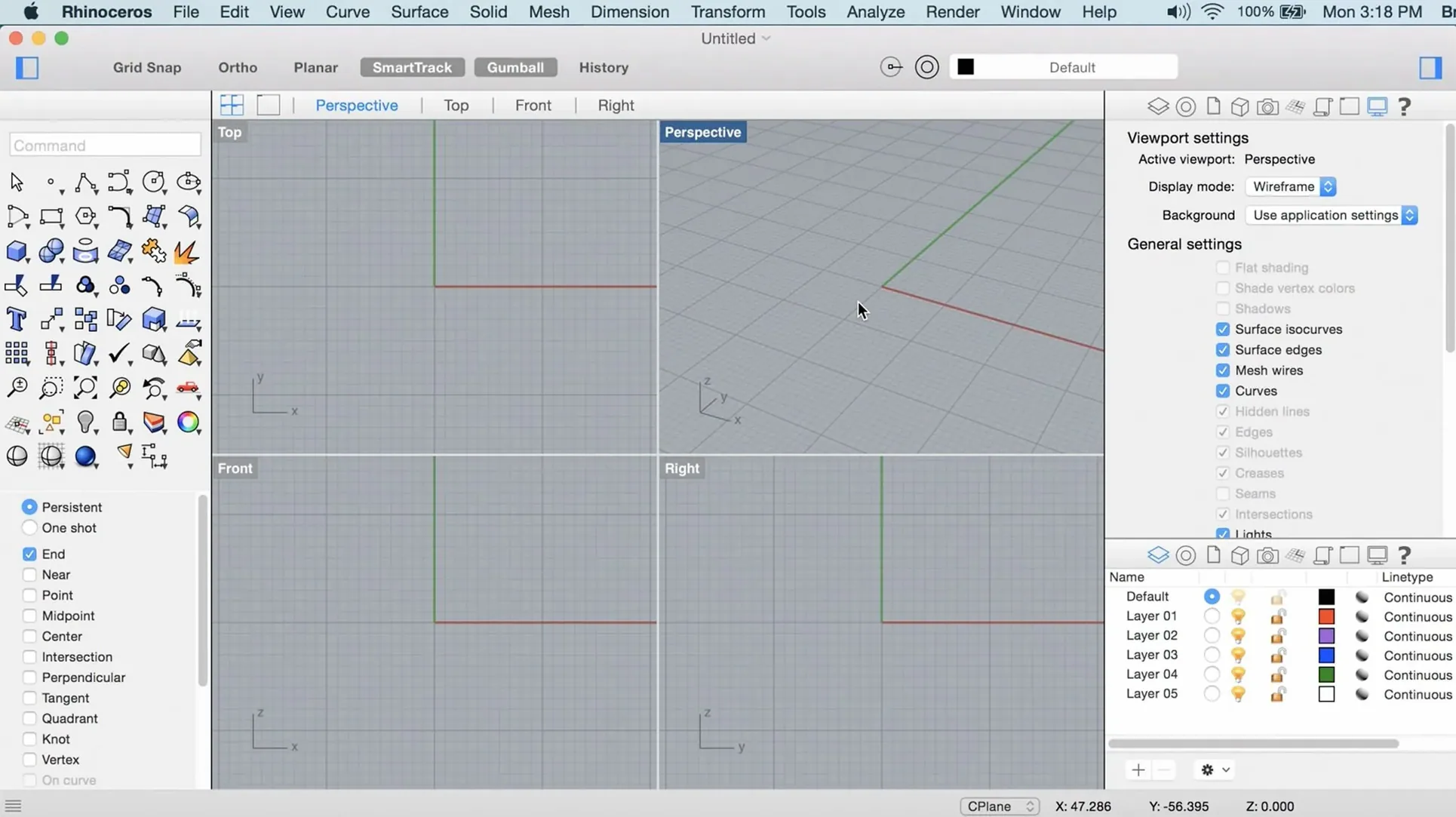
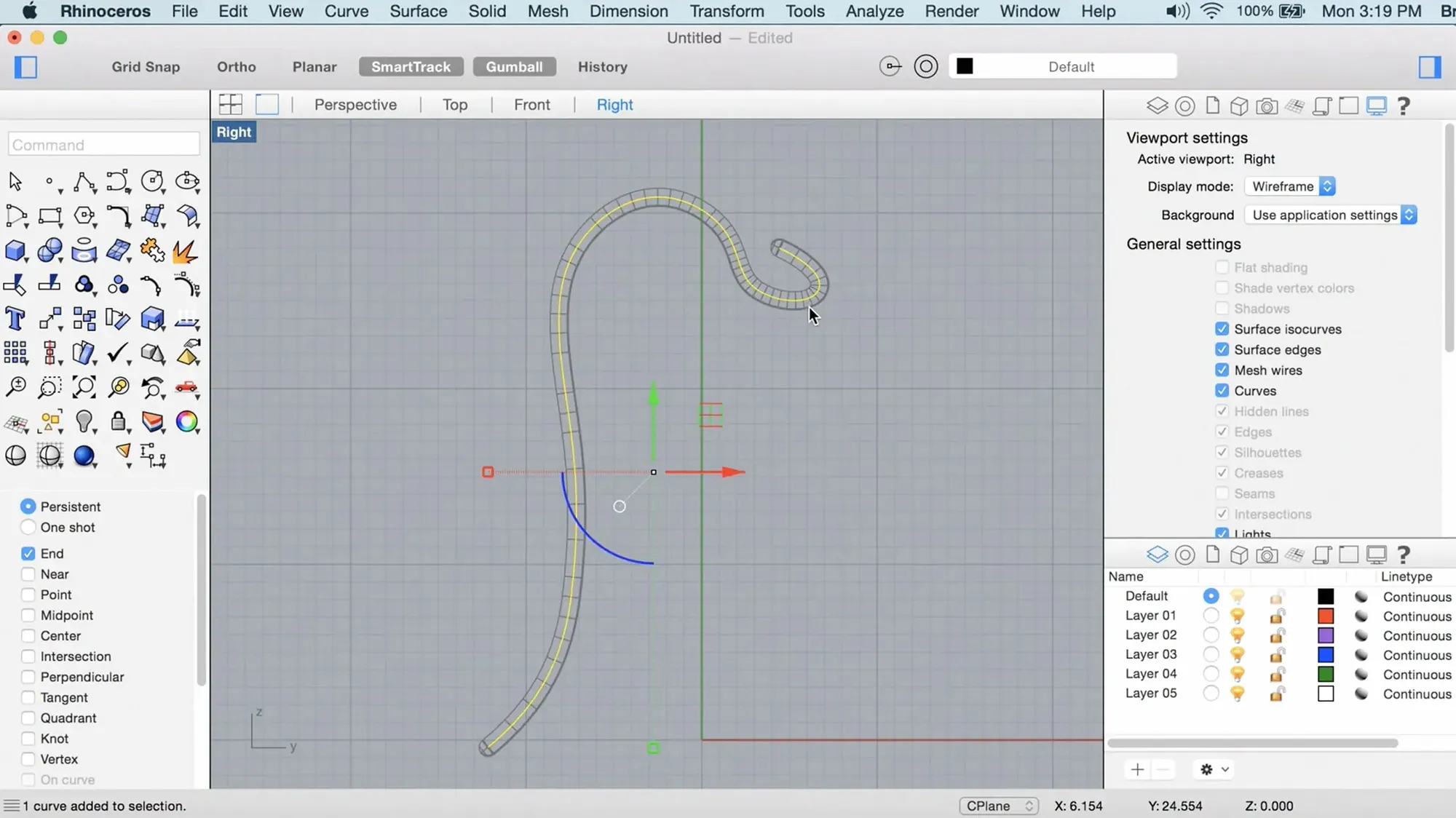
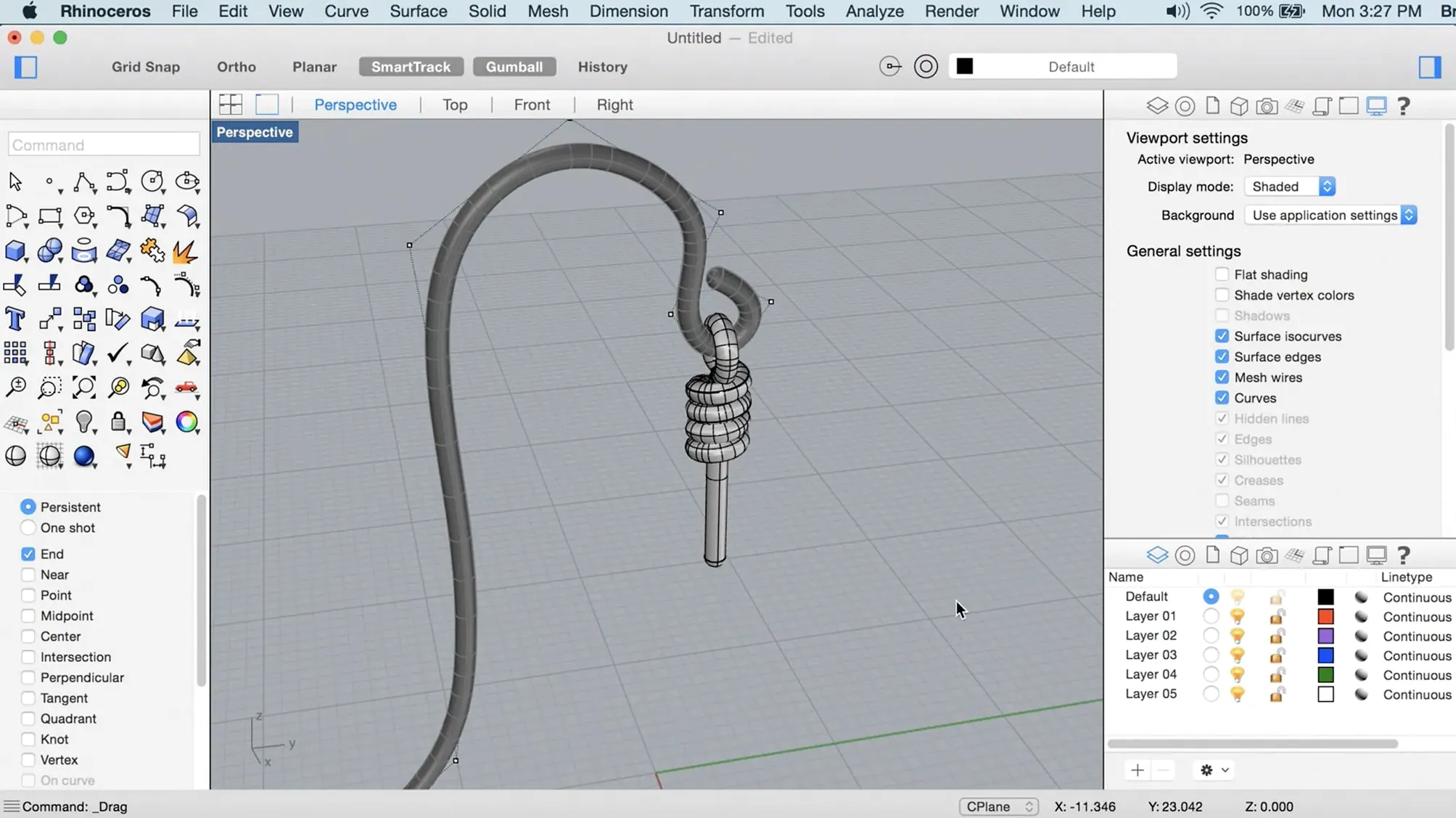
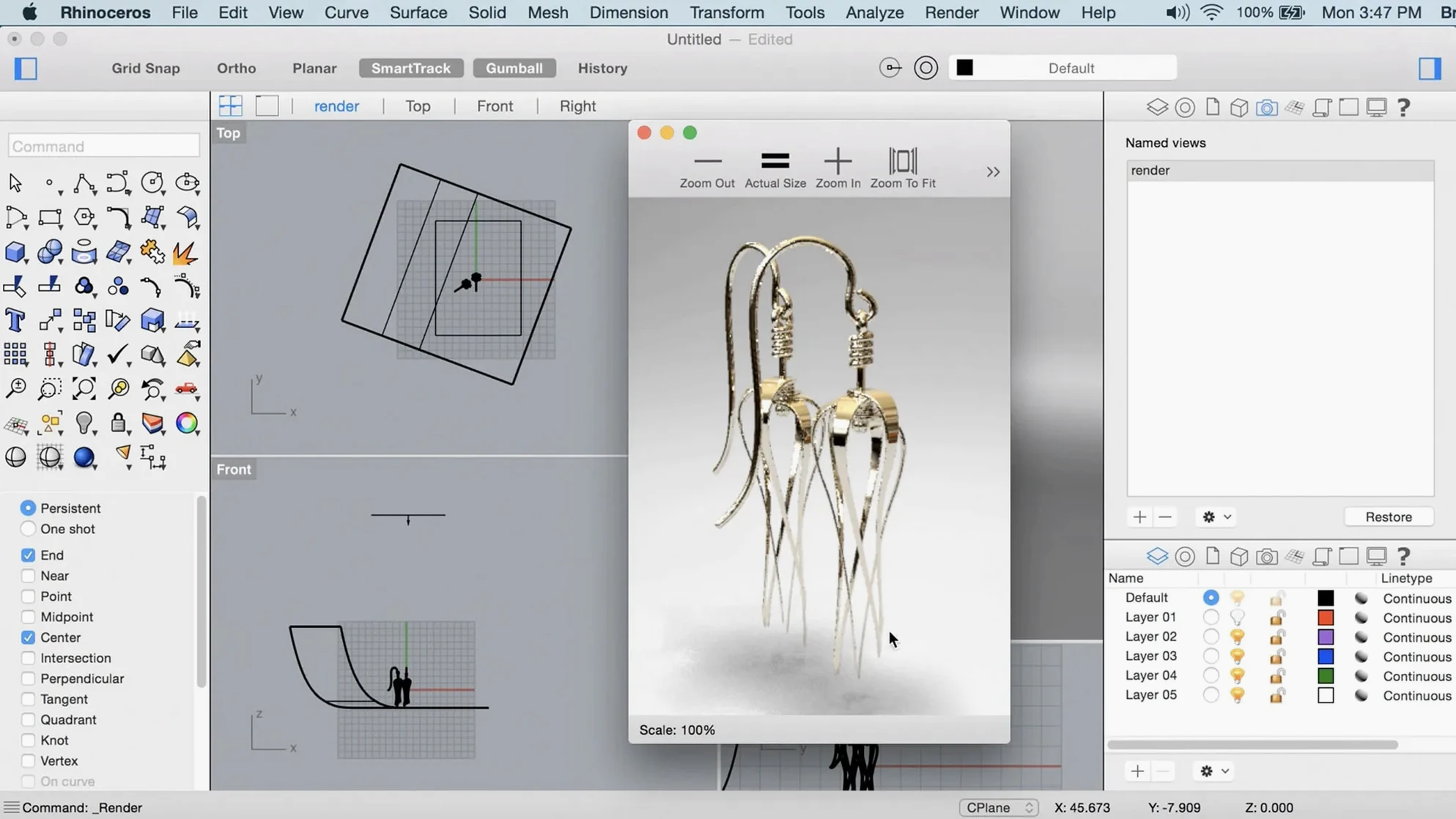
If you learned 3D inside a polygon modeler, you know the wall you hit when a shape needs to be accurate enough to mill, not just look good on screen. Rhino is the app that tears that wall down. It builds geometry from NURBS curves and mathematical surfaces, so you can model a boat hull, a packaging concept, or the grip of a surgical tool and trust the numbers behind every surface. Rhino 8 for Mac brings that same engine to a Mac-native workspace, with Apple Metal under the hood and a UI you can rearrange until it fits your habits.
ShrinkWrap turns messy scans into a watertight solid
| Detail | Info |
|---|---|
| Developer | Robert McNeel & Associates |
| Runs on | Apple Silicon & Intel |
| Current version | 8.30.26103.11002 |
ShrinkWrap closes messy scans, open meshes, or loose polysurfaces into a single watertight solid, so you can send a printable file to a 3D printer without a week of manual patching. SubD Creases let you mix the smoothness of subdivision surfaces with the sharp edges of a manufactured part—think a phone body with crisp parting lines and soft, organic curves in the same model. PushPull workflows bring a direct-modeling feel to solids: grab a face, pull it, and the surrounding geometry adjusts without rebuilding the history tree. When geometry needs to move from concept to CNC, those three tools make the trip a lot shorter.
Parametric timeline versus freeform direct modeling
On the Mac, the 3D modeling world splits into a few distinct camps. Knowing which one fits your brain makes the choice easier.
Fusion 360 lives in the parametric, timeline-driven world. You sketch a rectangle, extrude it, add fillets, and every step stacks in a history bar. That is great for a plastic enclosure that might need three rounds of dimension changes. It feels less great when you are pulling a complex surface and the timeline chokes. Rhino does not force you into a history tree. You build surfaces and solids freely, then adjust with control points, blends, and booleans. For industrial design that leans organic—footwear, marine hulls, furniture—Rhino is the more natural fit. Fusion’s CAM integration is tighter, but Rhino exports to just about every CAM package a shop might use.
Blender is the polygon powerhouse. It models, sculpts, animates, and renders under one roof. If your work ends on a screen—game assets, animation, visual effects—Blender is hard to beat. But polygons are approximations. A curved surface in Blender is made of flat triangles. Rhino’s NURBS kernel means a curve is truly curved, all the way down to the math. When that surface hits a five-axis mill, the difference matters. Blender can do precision work with add-ons and careful setup. Rhino was born for it.
SketchUp is the quick sketch on a napkin—fast, spatial, great for early massing studies and architectural concepts. It starts to groan when shapes get doubly curved. Rhino handles those without blinking, and its Grasshopper environment lets you script parametric relationships that SketchUp cannot touch. Many architects use both: SketchUp for feel, Rhino for the geometry that gets built.
Bottom line: if your work needs freeform surfaces that hold up under manufacturing tolerances, Rhino sits in a sweet spot that the others do not quite reach.
Blank viewport, so here is your flight plan
Rhino loads with a blank viewport and a lot of toolbars. It is not shy about showing its power, but that can feel like sitting in a cockpit without a flight plan. Here is what I would tell a friend on day one.
- Pick one small project. Do not try to model your entire portfolio. Grab something from your desk—a coffee mug, a stapler, a door handle. Rebuilding a real object forces you to think about curves, surfaces, and how they join, without the pressure of designing from scratch.
- Learn the command line. Every tool has an icon, but typing
LineorExtrudeCrvis often faster. The command line autocompletes, and once your fingers know a dozen commands, you stop breaking your flow to hunt through menus. - Turn on object snaps gradually. Osnaps are how Rhino locks onto exact points—end, midpoint, intersection, tangent. Turn them all on at once and the cursor grabs everything. Start with End, Mid, and Int. Add Near and Tan only when you need them.
- Watch the status bar. It tells you what the current command expects next. When a tool feels broken, the status bar usually explains why.
- Do not marry early geometry. Your first curves and surfaces will be practice. Save versions often, and expect to rebuild things cleaner once you understand how Rhino thinks.
Settings I change right away
Out of the box, Rhino 8 on Mac is perfectly usable. A few tweaks make it feel more like your own space.
- Display mode to Arctic. Rhino ships with several shaded modes. Arctic gives a clean, light background with soft shadows that are easy on the eyes during long modeling sessions. Find it in the viewport label dropdown.
- Shorten the right-click repeat delay. Under Rhino Settings > Mouse, drop the repeat delay. Right-click repeats the last command, and you will use that constantly. A shorter delay keeps the rhythm fast.
- Switch middle mouse to rotate. If you come from polygon modelers, you expect the middle mouse button to tumble the view. Rhino can do that—just set it in the mouse preferences instead of the default pan.
- Auto-save every 15 minutes. The default is longer. Tighten it. Rhino rarely crashes, but a power flick or an overly ambitious boolean is all it takes to lose an hour of surfacing.
- Customize the sidebar. Rhino 8 lets you drag panels and dock them to the edges. Pull the layer panel and properties panel into a right-side strip, leave the viewport dominant. The less you hunt for tools, the more you model.
Modeling a cast-aluminum bracket from scratch
Let me walk you through a real workflow. Say I am modeling a simple cast-aluminum bracket—something that might hold a shelf to a wall.
I open Rhino to a fresh file, switch the viewport to Arctic, and save immediately to my project folder. The file is empty, but naming it early keeps the auto-saves organized.
In the Top viewport, I sketch the bracket profile with Polyline and then smooth the corners with FilletCorners. Rhino snaps to right angles because Ortho is on. I type a radius, press Enter, and the sharp corners round off in one go.
I switch to Perspective view and run ExtrudeCrv. I pull the profile up by 8 millimeters, typing the number into the command line instead of eyeballing it. Rhino gives me a closed polysurface. That is already a solid I could export for a machinist, but the bracket needs mounting holes.
I draw a circle on the top face, using object snaps to center it precisely. ExtrudeCrv again, this time downward with the BooleanDifference option checked in the command line. Rhino subtracts the cylinder from the body and leaves a clean hole. I mirror the hole to the other side with Mirror, pick the center plane, and the second hole appears.
A quick ShrinkWrap test—I run the command on the whole bracket. Rhino wraps it in a single, watertight mesh. I toggle the mesh layer off and go back to the NURBS solid. The ShrinkWrap sits there ready if I need a fast STL for the printer, but the real geometry stays precise for the
Rhino 8 lands on the Mac with three changes I noticed right away. The interface no longer locks you into a single layout—toolbars, panels, and palettes move where your hand expects them. Under the hood, the viewport now runs on Apple Metal, so orbiting a heavy model feels less like dragging it through mud. And ShrinkWrap fills a gap that used to send people to a separate meshing tool: feed it a loose scan or an open mesh, and it wraps the whole thing in a tight, watertight solid.
- macOS 12.4 Monterey or newer
- Apple Silicon or Intel Mac
- At least 8 GB RAM (recommended)
- 10 GB available disk space
- A multi-button mouse with a scroll wheel is recommended
Questions I actually get
Does Rhino 8 run natively on Apple Silicon?
Yes. The Mac version runs natively on both Apple Silicon and Intel Macs, using Apple Metal for the display.
What operating system does Rhino 8 for Mac require?
You need macOS 12.4 Monterey or newer, at least 8 GB of RAM, 10 GB of disk space, and a multi-button mouse with a scroll wheel is recommended.
Notes from the tables 0
Sign in or pull up a chair to leave a note.
No notes on this one yet. They go up after I read them.
More from the Mac Apps page
The whole page Mac Apps 18 MB
Raycast Pro
2.5.1.0
Mac Apps 18 MB
Raycast Pro
2.5.1.0
 Mac Apps Updated 100 MB
RAR Extractor
13.9.6
Mac Apps Updated 100 MB
RAR Extractor
13.9.6
 Mac Apps Updated 14 MB
Screen Studio
3.7.5-4595
Mac Apps Updated 14 MB
Screen Studio
3.7.5-4595
 Mac Apps 715 MB
RAR Extractor - unzip
16.4.1
Mac Apps 715 MB
RAR Extractor - unzip
16.4.1
 Mac Apps Updated 16 MB
ScreenFlow
10.5.2
Mac Apps Updated 16 MB
ScreenFlow
10.5.2
 Mac Apps 95 MB
Radio Silence
3.4
Mac Apps 95 MB
Radio Silence
3.4
 Mac Apps
Quit All
1.3.6
Mac Apps
Quit All
1.3.6
 Mac Apps 5 MB