The scan found 4,200 duplicates on a single external photo drive — images, sidecar files, a few old zips. It didn't blink.
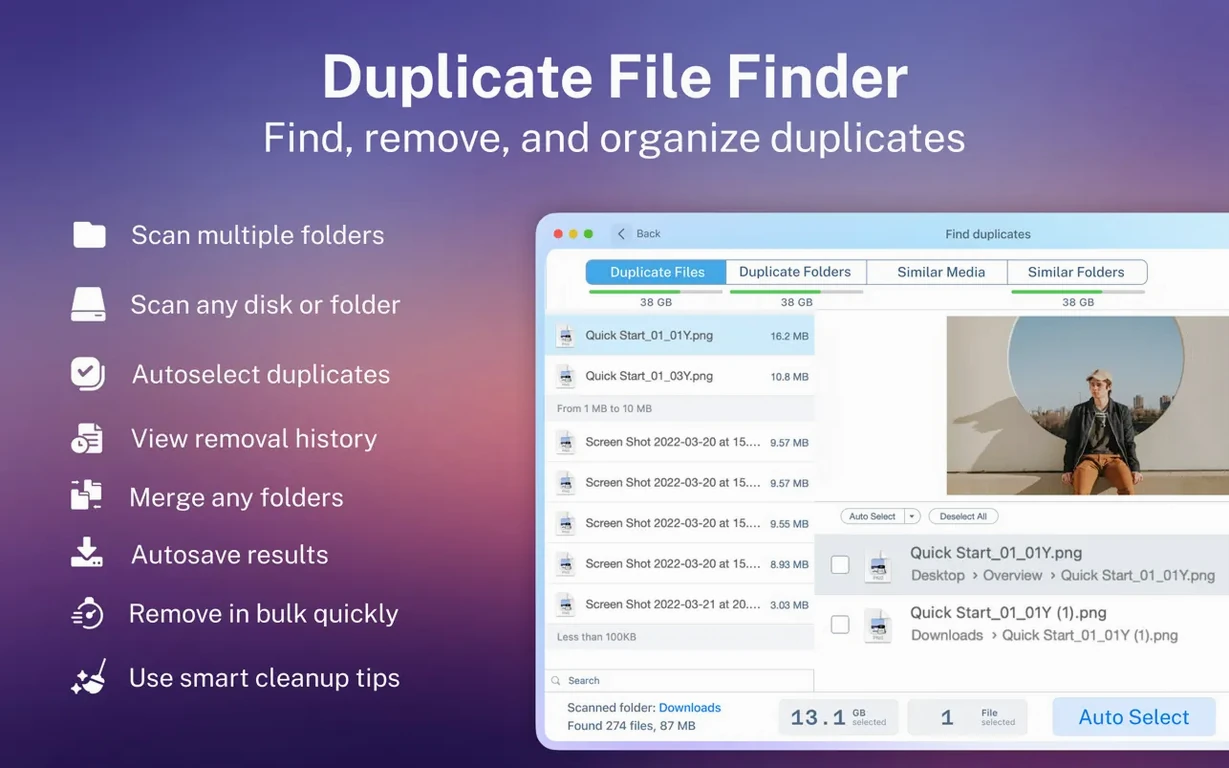
Duplicate File Finder Pro comes at the problem like a kitchen porter who has seen every spill: calm, methodical, no fuss. You point it at a folder, a drive, or a network share, and it sorts the mess into categories — images, video, music, archives, documents — then hands you the list.
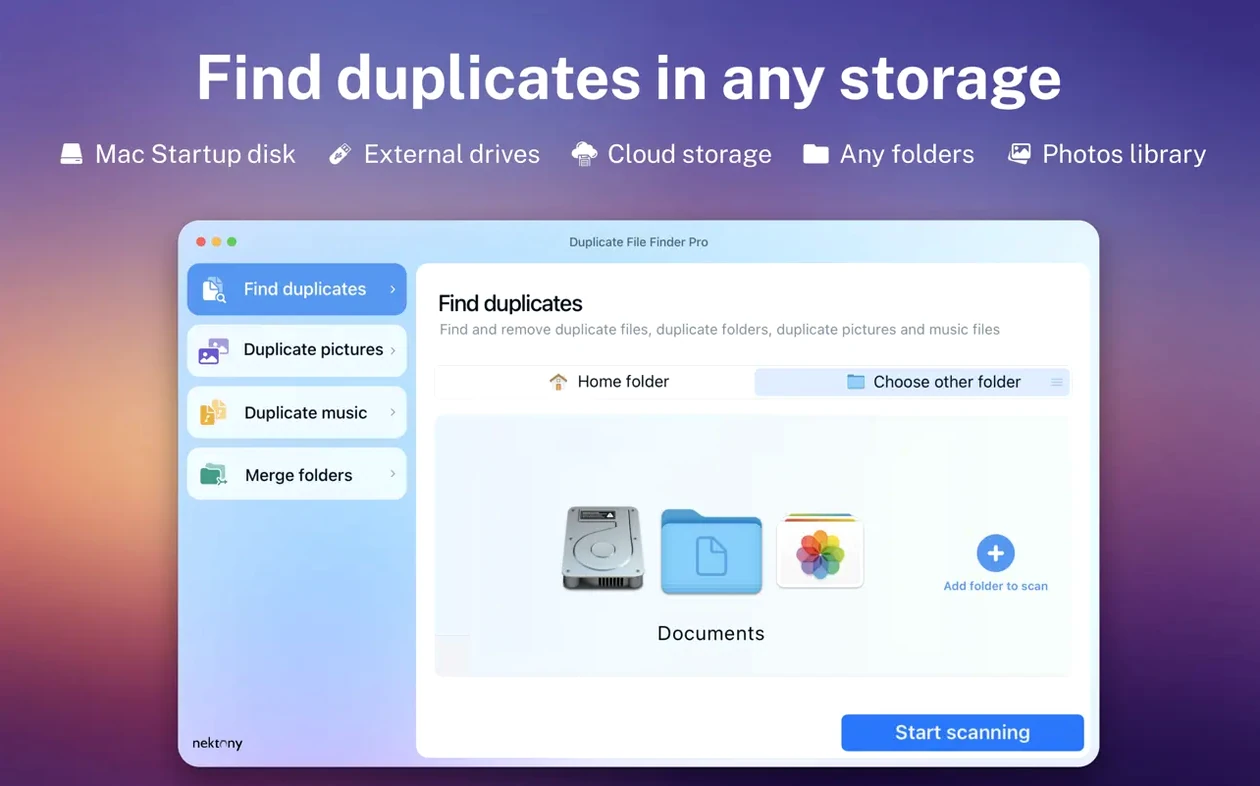
Tackle external drives and NAS folders in place
- Cleaning external hard drives and NAS folders without moving everything to the main Mac first.
- People who want categories, not one endless scan result. It groups by type, so you can tackle old video projects before you bother with tiny icons.
- Situations where similar folders are as much of a headache as duplicate files. The folder-merging tools go a step beyond most finders.
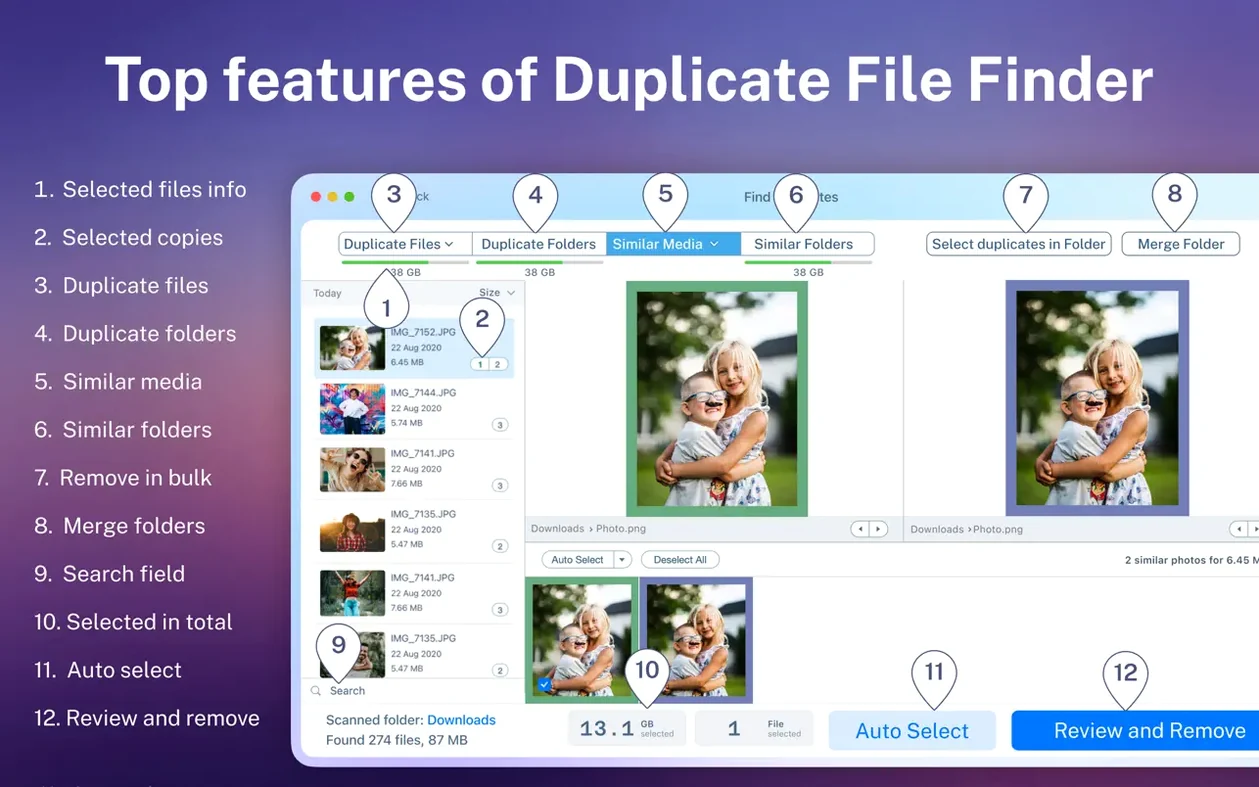
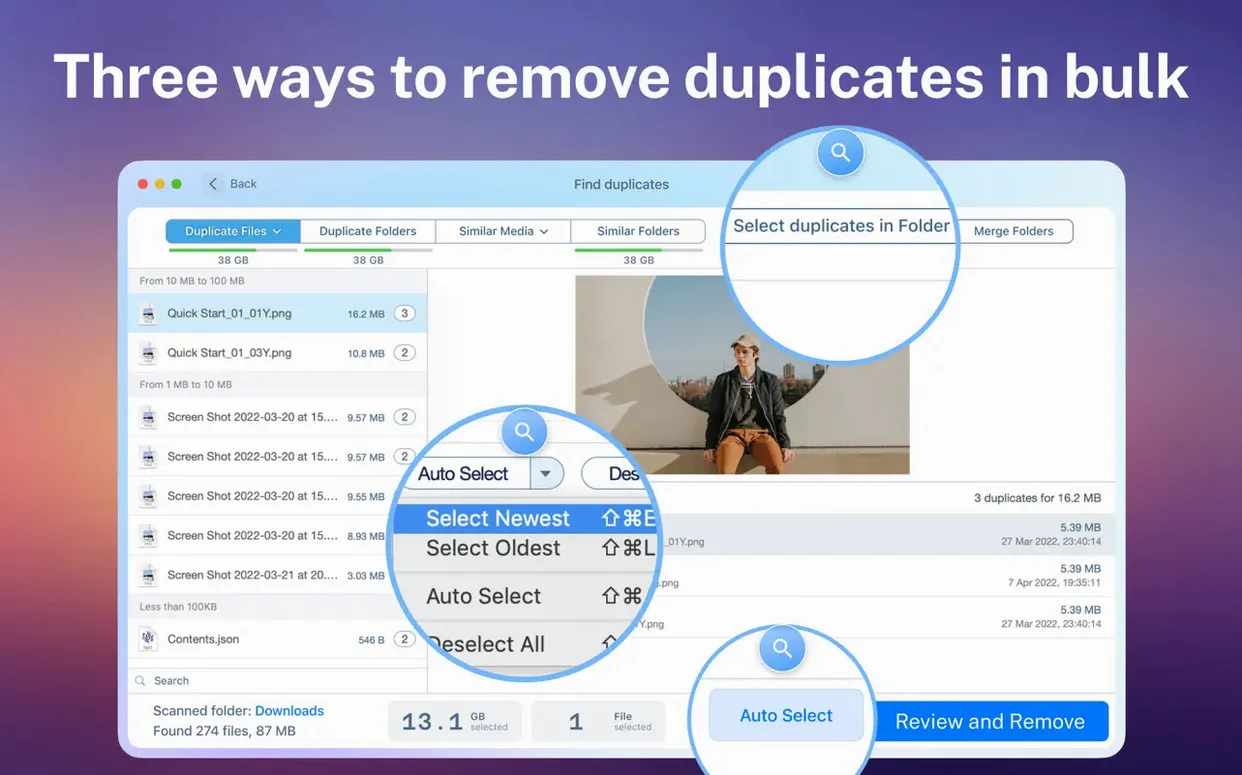
- Quick bulk selection — one button selects all but the original in each duplicate group, which beats clicking checkboxes for an hour.
Quick scans over sleek interface design
- The interface works, but don't expect the polish of a big-name utility. It feels like a tool built by people who care more about scan speed than window dressing.
- Sorting is there — by name, size, count — but the results view can get dense when you have thousands of hits.
- It needs macOS 10.13 or later, which covers most machines still in service but leaves truly old Macs out.
Cleaning up a messy photo library — a real workflow
Here's how I tackled an external drive with three years of unsorted photos. I'd copied folders from old laptops, imported from two cameras, and somewhere along the way created backup folders of backup folders.
I started by adding just that external drive to the scan list. No need to drag anything to the Mac first — the app reads right from the drive over USB. I unchecked my internal SSD so the results would stay focused. Then I let it run while I made coffee.
The scan report broke everything into categories. I clicked Images and sorted by total size, largest first. That surfaced a batch of TIFF scans I'd duplicated three times. The preview pane let me check each file before deciding — one click on a thumbnail showed me the actual photo, not just a filename. Once I was sure, I used the smart selection to keep one copy per group and move the rest to Trash.
Next, the Similar folders feature caught something I'd missed: a "Photos Backup" folder and a "Pictures_old" folder that were 90% identical but had different names. I merged them into one folder right from the app, then ran one last scan to confirm nothing slipped through. Whole process took about twenty minutes.
NAS scans no longer time out on weak Wi-Fi
The move to version 8 brought a scan engine that handles network folders better. In earlier builds, scanning a NAS over Wi-Fi could time out on large shares. Now it paces itself — slower on weak connections, but it finishes.
Apple Silicon support is native now, not translated. Scans on an M1 or M2 machine feel snappy, especially when comparing file contents instead of just names and sizes. The folder-merging tool also got a safety improvement: it previews exactly what will move where before you commit, so you don't accidentally flatten a folder structure you meant to keep.
One quiet fix in 8.5.2: the duplicate folder detection stopped flagging Time Machine backup folders as duplicates of your main drive. That used to clutter results for anyone who had a local backup disk attached during a scan.
Version 8.5.2 keeps things steady — no new features to learn, just the usual under-the-hood fixes that keep scans running clean.
- macOS 10.13 or later
- Runs on Intel and Apple Silicon Macs
Questions I actually get
Can I use this with an external hard drive?
Yes, it scans external drives and network folders, not just the internal Mac disk.
What happens when I delete duplicates — are they gone for good?
You can move them to the Trash for safety or delete them permanently, depending on what you choose.
Notes from the tables 0
Sign in or pull up a chair to leave a note.
No notes on this one yet. They go up after I read them.