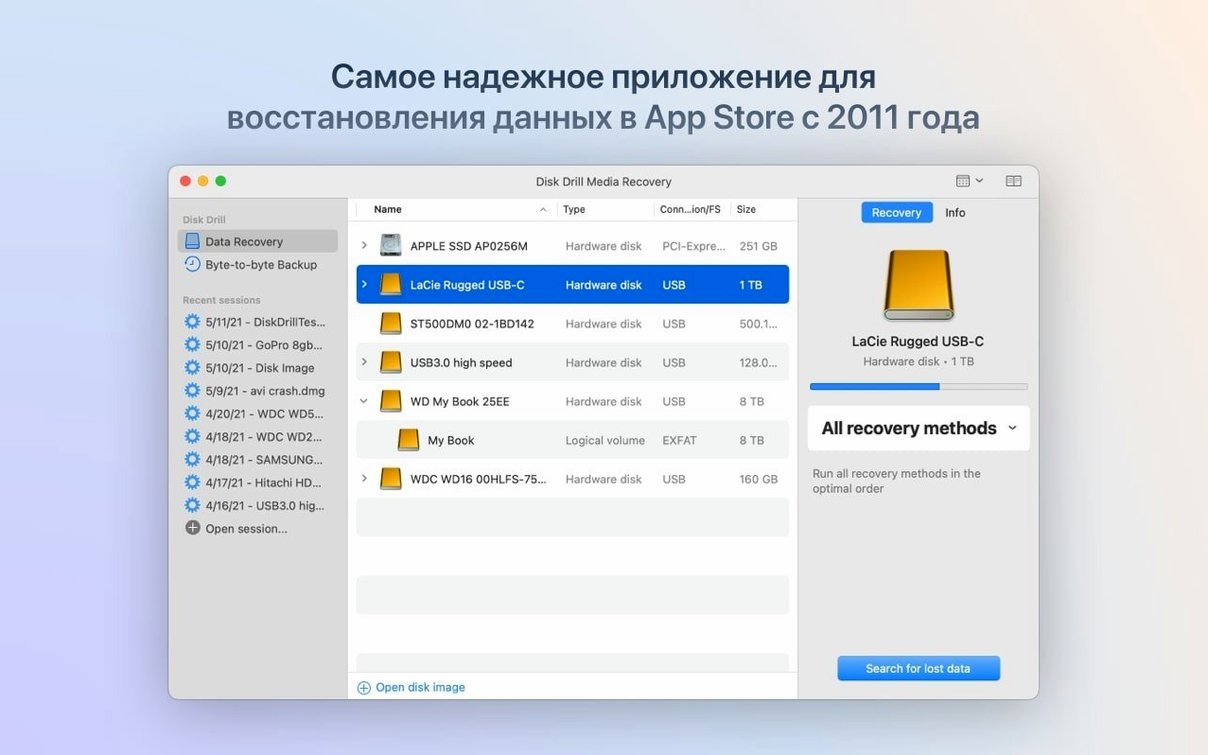
Disk Drill is a data recovery tool that scans your Mac's drives and helps pull back files you thought were gone for good. It sits alongside the other utilities you already keep around—like your backup software and disk cleanup tools—and steps in when those fall short.
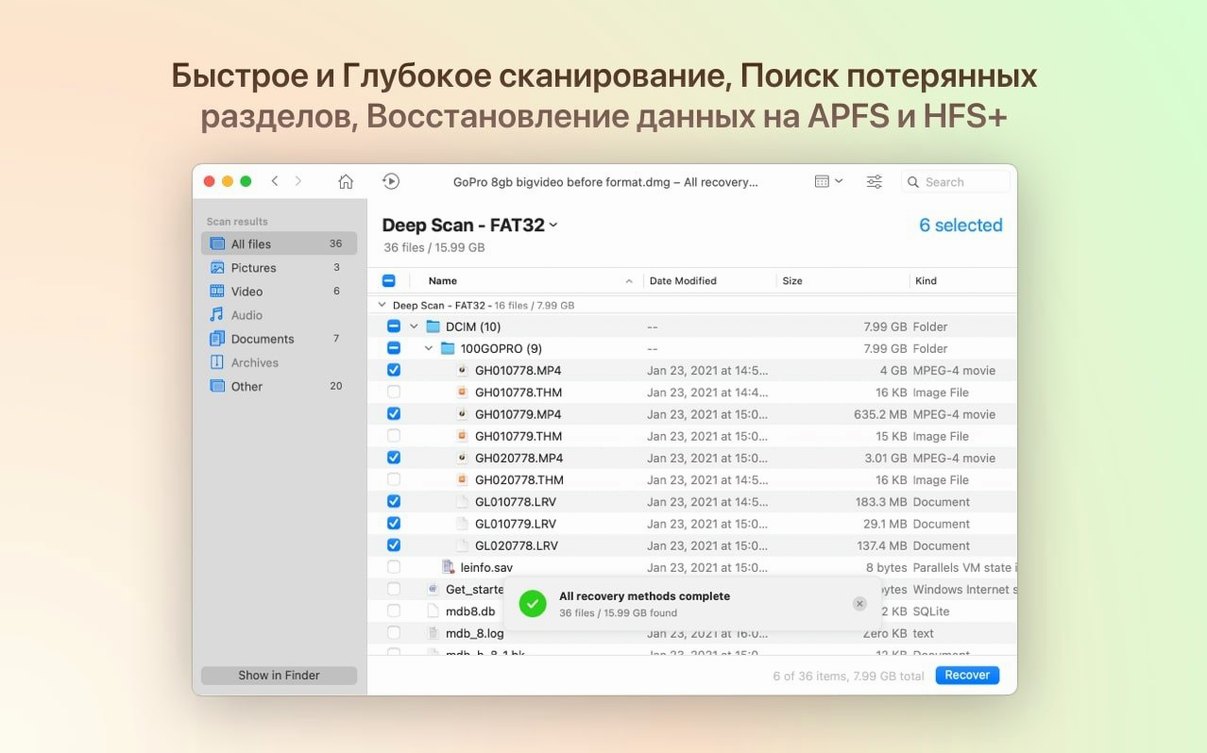
- Scan the problem drive. Pick any internal or external disk and let Disk Drill run its scan. It digs through the drive sector by sector, looking for file signatures even if the directory structure is toast.
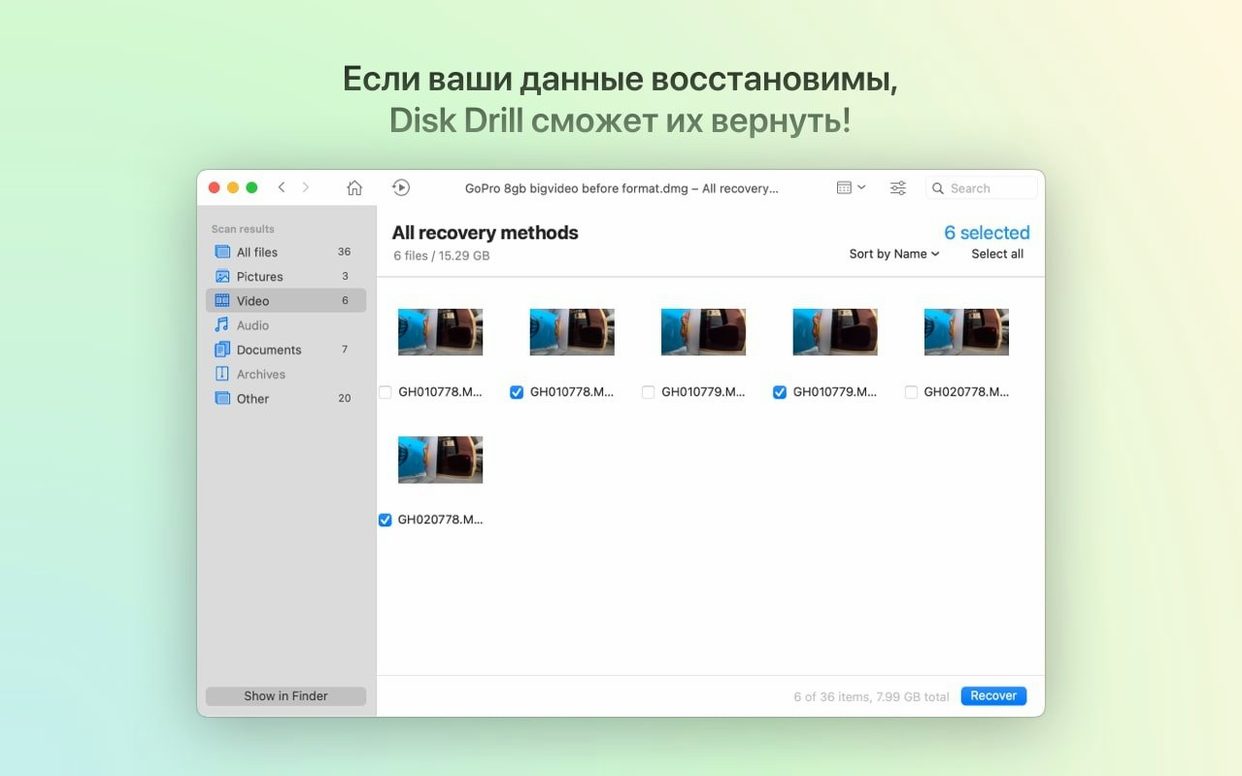
- Preview what it finds. Before you commit to recovering anything, you can peek at the files right in the app. Photos, documents, videos—you see exactly what you're getting back.
- Recover to a safe location. Once you've spotted your missing files, recover them to a different drive. Never write rescued data back to the same disk you're scanning; Disk Drill nudges you in the right direction here.
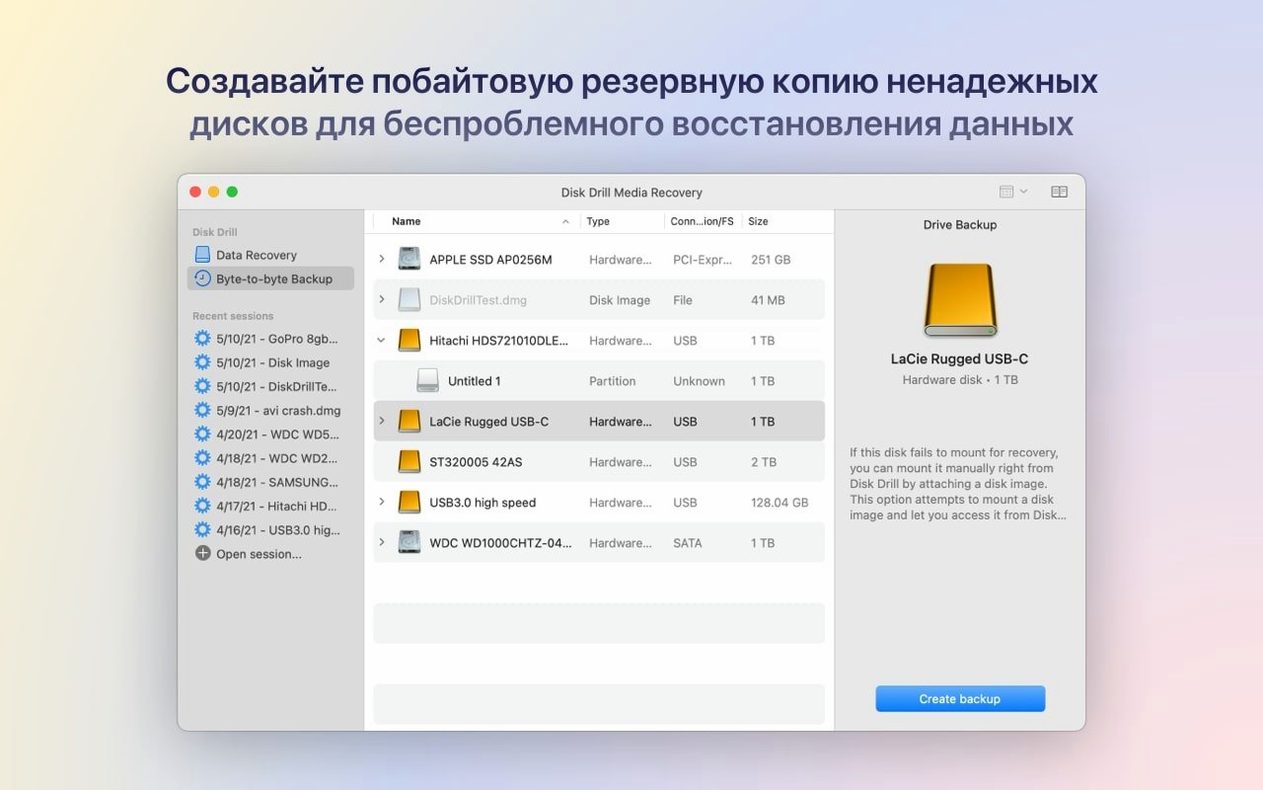
- Use the extra tools as needed. The app also includes disk cleanup, a duplicate-file finder, backup creation, and disk health monitoring. They're handy companions to the main recovery job, especially when you're trying to prevent future disasters.
It handles formatted devices without drama, works on both Intel and Apple Silicon Macs, and speaks seventeen languages. The recent 6.3 update brought better handling of encrypted APFS partitions and BitLocker partition detection, which matters if you're juggling drives between Mac and Windows machines. It's the kind of tool you hope you never need, but when a client's external drive goes silent or a memory card craps out before a deadline, you'll be glad it's in your arsenal.
Bringing back a dead SD card, start to finish
Let’s walk through a real scenario. You shot a family event on a DSLR, popped the SD card into your Mac, and nothing mounts. The card doesn’t even show up in the Finder. You haven’t formatted it—it just quit.
Launch Disk Drill. The card should still appear in the app’s disk list even when Finder ignores it. Select it and hit Search for lost data. The app runs through two passes: a quick scan of the existing file system, then a deeper sector-by-sector dig that reconstructs files from raw signatures. On a 64 GB card, the deep scan might run twenty minutes. Grab a coffee.
When it finishes, you’ll see a results tree broken down by file type. Your camera’s .cr2 raw files and .mov clips sit under Pictures and Video. Tick the ones you care about, use the preview pane to confirm they’re intact, and click Recover. Point the destination to a folder on your desktop—never back to the card—and let it copy everything across. Nine times out of ten, you’ll have every shot back, metadata and all.
Scanning large drives can drag on
A few common headaches surface once you start using Disk Drill for more than a quick undelete. Here’s what trips people up and how to work through it.
- The scan takes forever. That’s normal on large mechanical drives or when the disk has physical problems. Pause the scan and resume it later—Disk Drill saves the session as a .dskan file. You can also limit the scan to specific file types if you only need photos or documents. Cuts the time in half.
- Files come back with gibberish names. When the original directory structure is gone, Disk Drill reconstructs files using signature detection. You’ll see generic names like
file001.jpg. Annoying, but not a bug. Sort recovered files by date modified and rename them in batches afterward. The data itself is fine. - Byte-to-byte DMG scans fail. Older builds had a hiccup here, but version 6.3.2326 fixed it. If you’re on a newer version and still see errors, make sure the DMG isn’t encrypted with a password Disk Drill can’t handle. Strip encryption first with Disk Utility, then scan the decrypted image.
- iPhone photos group poorly. The ACR module would sometimes scatter Live Photos into separate stills and video clips in earlier releases. The current build tidies that up. If you see duplicates, re-scan the backup you’re pulling from—it usually resolves on a fresh pass.
One more thing: if you’re hunting for a disk drill pro mac torrent or a disk drill mac crack reddit post, you’ll trip over plenty of outdated builds. Those often lack the BitLocker detection and APFS improvements from 6.3.2326. A disk drill pro 5.4 crack + activation 2025 won’t touch a modern encrypted partition properly, so to get the full recovery reach you’ll want to check that the build you grab actually ships with those newer modules.
Recovers corrupted memory cards mid-shoot
Disk Drill isn’t a one-size-fits-all tool. Certain Mac users lean on it harder, and the workflow clicks fastest for them.
Photographers and videographers live and die by their memory cards. When a card corrupts mid-shoot, Disk Drill recovers .rwl, .dng, and raw video formats that cheaper tools miss. The preview function alone saves hours of guesswork—you don’t waste time recovering files that turned out to be thumbnail cache junk.
IT support folks juggling mixed environments get the BitLocker and ReFS improvements daily. A disk drill for macos code that handles Windows-formatted drives without a separate machine is a real time-saver. They’re also the ones who’ll use the disk health monitor to catch failing drives before the office panics.
People recovering from a bad format—whether it’s a Mac user who accidentally wiped an external drive or someone resurrecting an old Kindle—find the formatted-device recovery straightforward. The app doesn’t make you understand partition tables; it just digs in and lists what it can save. If you’ve ever stared at a blinking cursor after a botched APFS reformat, you know the relief of seeing your files reappear in that results pane.
Bottom line: if your data lives on removable media, or you’re the person friends call when a drive makes clicking noises, Disk Drill earns its keep.
Version 6.3.2326 landed on July 22, 2026, with a focus on broader file support and partition handling.
- Detects and recovers lost BitLocker partitions.
- Adds support for .p8 and .pfx files.
- .m4a support now included in the ACR module.
- Improved handling of encrypted APFS partitions.
- Fixed byte-to-byte DMG scanning.
- ACR module now groups iPhone photos and videos faster.
- Better detection of ReFS partitions with sparse files.
- ACR module can now recover .rwl files.
- macOS 10.15.7 or later
- Works on Apple Silicon and 64-bit Intel Macs
Questions I actually get
Can Disk Drill recover files from a drive I already formatted?
Yes, it can scan formatted devices and often finds recoverable data, as long as the sectors haven't been overwritten by new files.
Does Disk Drill let me see files before I recover them?
It does—the preview feature shows you photos, documents, and other files right in the app so you can confirm they're intact before restoring them.
Notes from the tables 0
Sign in or pull up a chair to leave a note.
No notes on this one yet. They go up after I read them.