

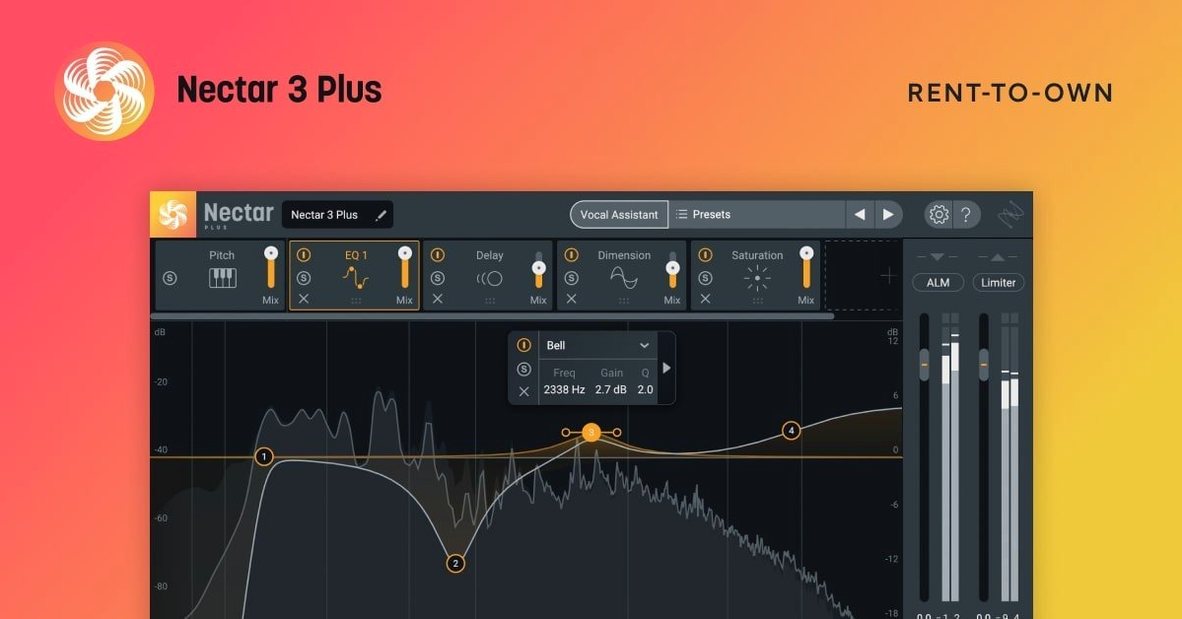
Voices module
You don't always have a stack of backing tracks or a singer who can double their own part perfectly. The Voices module creates those extra layers — harmonies, octaves, or unison doubles — right inside the plugin. It reads the MIDI you feed it or follows a set scale, so the added parts actually fit the song. No extra recording pass needed.
Auto-Level
Riding a fader through an entire vocal take gets old fast. Auto-Level acts like a quiet assistant who smooths out the loud and soft spots before the signal even hits your compressor. The result is a more consistent vocal that sits in the mix without constant automation tweaks.
Vocal Assistant
Hit play on a section of audio and the assistant listens. It builds a starting point — EQ curve, compression amount, de-essing — tailored to what it hears. Think of it as a line cook prepping your station: you still make the dish, but the tedious chopping is done. From there you tweak to taste.
Backer module
Background vocals can clutter a chorus if they fight the lead. Backer carves out space dynamically. It ducks the background parts whenever the main vocal is singing, keeping the focus where it belongs without losing the width the extra voices provide.
Bottom line: Nectar 4 bundles the core jobs of vocal mixing into one window, with assistants that give you a running start and modules that handle the heavy lifting.
Running the assistant on a poorly chosen clip
I see the same handful of stumbles when someone first opens Nectar. None of them are fatal, but they can make a vocal sound worse instead of better.
- Letting the Vocal Assistant run on a bad clip. If the singer was off-mic, the room was boomy, or the gain was too hot, the assistant builds a profile from garbage. Clean up the raw audio first — trim silence, tame any obvious clipping — then let it listen.
- Stacking modules without listening. New users drag in compression, then EQ, then a second compressor, then saturation, all before hitting play solo. Turn one module on at a time and hear what it actually does.
- Overusing Auto-Level. It is not a compressor, and running it deep into a heavy compressor afterwards flattens every natural rise and fall. Let the vocal breathe a little. Back Auto-Level off until you only catch the truly wayward peaks.
- Feeding Voices the wrong MIDI. Dropping a full piano chord track into the Voices module when you only want a third above the lead creates a mess. Give it just the notes you want doubled — a simple monophonic guide line works best.
- Forgetting to gain-stage after Backer. Backer ducks background vocals, but the listener still hears the sudden drop in level if the blend is off. Ride the makeup gain or follow it with a gentle limiter so the transition feels invisible.
A six‑fader alternative versus a full vocal suite
Put Nectar next to something like Waves CLA Vocals and the difference is immediately clear. CLA Vocals gives you six faders — bass, treble, compression, reverb, delay, and a widening knob. It is fast, it sounds good on a rock vocal, and you can set it in thirty seconds. But there is no harmony generator, no dynamic background ducking, and no assistant that reads your audio. It is a channel strip, not a full vocal toolkit.
Antares Auto-Tune Pro does one thing extraordinarily well: pitch correction. It also includes a basic harmonic doubler, but it does not touch EQ, dynamics, or spatial placement. You use Auto-Tune to fix intonation, then you still need a separate chain for everything else Nectar handles in one window.
Where Nectar pulls ahead is the combination of assistant-driven starting points and creative modules like Voices and Backer. A producer who tracks their own vocals gets a full signal path plus layering tools without leaving the plugin. The trade-off — and it is worth mentioning — is that someone who already owns a dedicated pitch plugin and a favorite channel strip may only reach for Nectar for the harmonies and the assistant. But for a songwriter building a demo alone at midnight, that single-window workflow saves real time.
Untreated room, no engineer, one polished vocal
Singer-songwriters recording at home top the list. You track a vocal in an untreated room, you have no engineer, and you need a clear, radio-ready sound without spending two hours on a single channel. The assistant gives you a usable starting point, and Voices fills out a chorus without phoning a friend for overdubs.
Content creators with speaking parts — podcasters, tutorial makers, streamers who post-process — benefit from the breath control and Auto-Level more than they expect. Spoken word tends to bounce around in level, and Nectar smooths it into something that sounds deliberate rather than raw.
Bedroom producers working across genres get the modular flexibility. You can build a tight, dry rap chain one session, then switch to an airy, doubled indie-pop vocal the next, all from the same plugin. The assistant adapts to whatever you throw at it, so you are not starting from scratch every time the style changes.
If you only mix other people's professionally tracked vocals through a console-grade chain you already trust, Nectar may feel like more than you need. But for anyone wearing three hats at once — writer, performer, mixer — it shrinks the distance between a raw take and a finished vocal.
- macOS Ventura 13.7.4 or later
- Intel or Apple Silicon processor
- 64-bit audio host
Questions I actually get
Does Nectar 4 work on Apple Silicon Macs?
Yes, it runs natively on both Intel and Apple Silicon Macs as a 64-bit plugin.
What is the Voices module in Nectar 4?
Voices generates harmonies and vocal doubles from a single vocal track, and is included in the Standard and Advanced editions.
Can Nectar 4 remove breath sounds from a recording?
Yes, it can remove breath noise along with evening out loudness and adding vocal layers.
Notes from the tables 0
Sign in or pull up a chair to leave a note.
No notes on this one yet. They go up after I read them.
More from the VST Plugins page
The whole page VST Plugins
iZotope Neutron
5.2.0
VST Plugins
iZotope Neutron
5.2.0
 VST Plugins 928 MB
iZotope RX
12.0.0
VST Plugins 928 MB
iZotope RX
12.0.0
 VST Plugins 2.1 GB
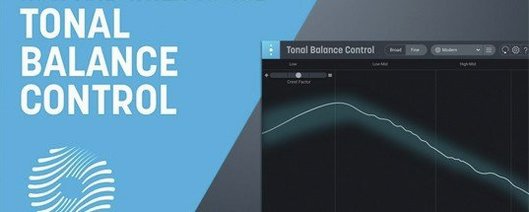
iZotope Tonal Balance Control
3.0.0
VST Plugins 2.1 GB
iZotope Tonal Balance Control
3.0.0
 VST Plugins 264 MB
Kalifornia Dynamic KD Alkane
1.0.17.0
VST Plugins 264 MB
Kalifornia Dynamic KD Alkane
1.0.17.0
 VST Plugins 270 MB
Komplete FX Bundle
2026.1
VST Plugins 270 MB
Komplete FX Bundle
2026.1
 VST Plugins 3.2 GB
Komplete Kontrol
3.5.4
VST Plugins 3.2 GB
Komplete Kontrol
3.5.4
 VST Plugins 785 MB
KORG Collection
1.0.3
VST Plugins 785 MB
KORG Collection
1.0.3
 VST Plugins 175 MB