
You plug a second monitor into your MacBook, arrange the displays just so, and open your photo editor—only to have everything shift because the external screen is now running at the wrong refresh rate. SwitchResX is the tool you reach for when macOS display settings don't give you enough rope.
What version 4.14.2 fixes
The October 2025 update tidies up a handful of rough edges. On Apple Silicon Macs, you can now quit the Dock without a fuss when you disable a display—a small thing that saves a headache if you regularly switch between single and multi-screen setups. It also stops settings from looping an update when no display is attached, and handles those rare monitors that show up nameless in macOS. If you've ever had a Display Set misbehave after you deleted the one before it, that's sorted too.
App-based resolution switching still works the same
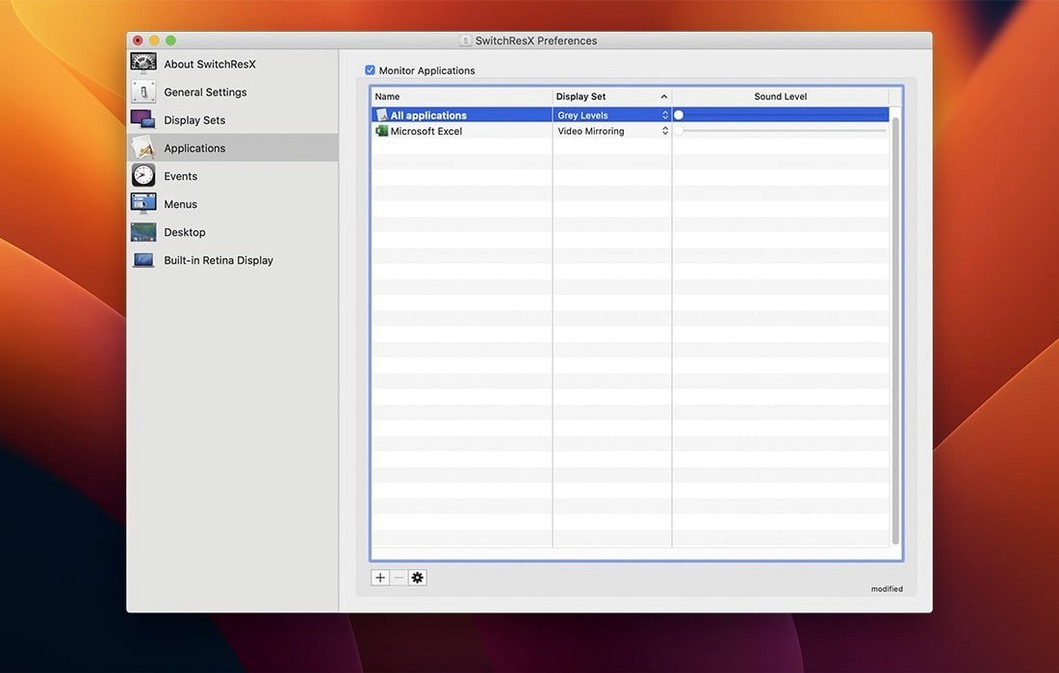
Under the hood, it's still the same utility that lets you assign a specific resolution to an application the moment it launches—your code editor opens on the big screen at full resolution while the browser stays scaled for reading. You can build color-and-resolution profiles for projectors, plasma panels, or older third-party monitors that macOS doesn't quite understand. Retina displays are fully supported, and you still get that fine-grained control over timing and refresh rates that the built-in system preferences never offered.
Where SwitchResX really earns its keep isn’t in what it does alone—it’s how it settles into the cracks between other parts of your Mac. Hook up a display that macOS treats like a guessing game, and the custom resolutions you build here show up right in the Displays pane of System Settings, just like the factory ones. Assign a profile to a specific app, and it kicks in the moment that app comes forward, no scripting required. If you do like scripting, the AppleScript support means you can fold it into a larger automation alongside things like Keyboard Maestro or a folder action. I know a guy who triggers a specific resolution only when he opens his video editing project file—not the editor, the file itself—using a tiny script that SwitchResX picks up without blinking.
Menu bar shows resolution and quick toggles
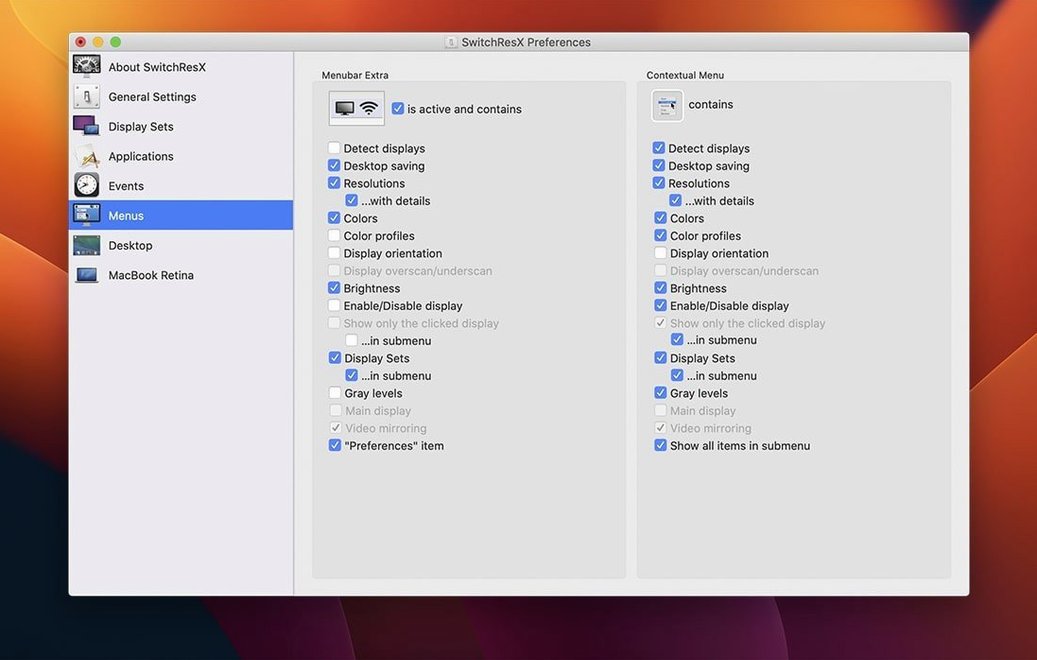
There’s a handful of conveniences tucked away that nobody talks about. The menu bar icon shows your current resolution at a glance, so you don’t have to dig into preferences to confirm what’s active. Right-click that icon and you can jump between saved Display Sets faster than opening the full application window. If you ever mirror to a projector that doesn’t match your Mac’s native ratio, the rotation and mirroring controls let you flip the image cleanly—no stretched slides or sideways desktops. And the color-plus-resolution profiles can tie brightness and gamma to a resolution switch, which means your external monitor can dim slightly for long reading sessions and snap back to full contrast when you open a color-critical application.
Closed-lid MacBook users regain hidden HiDPI modes
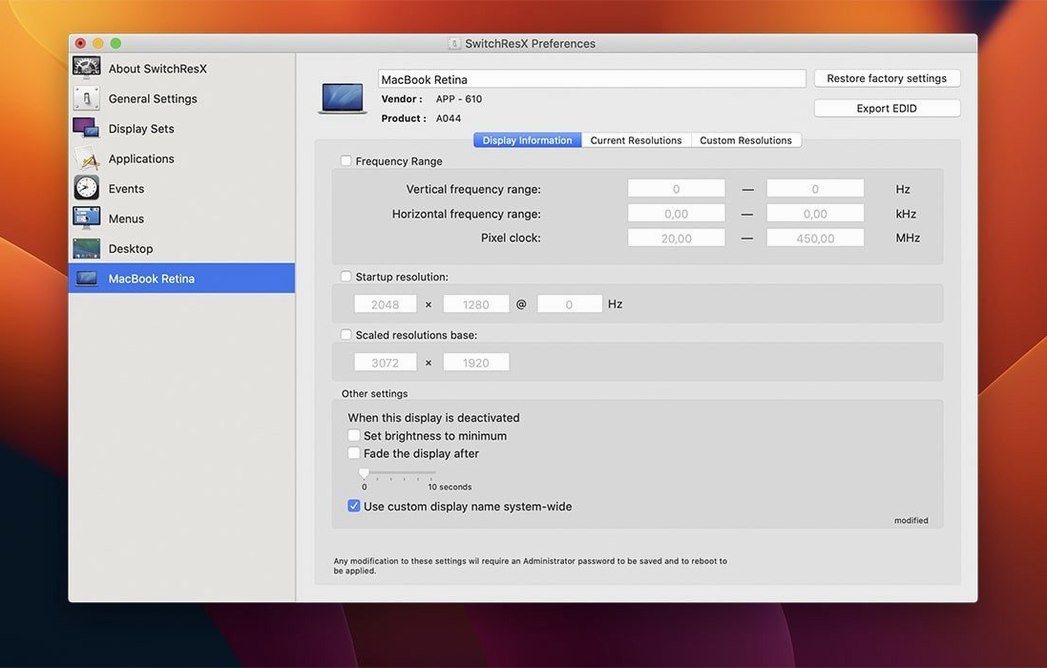
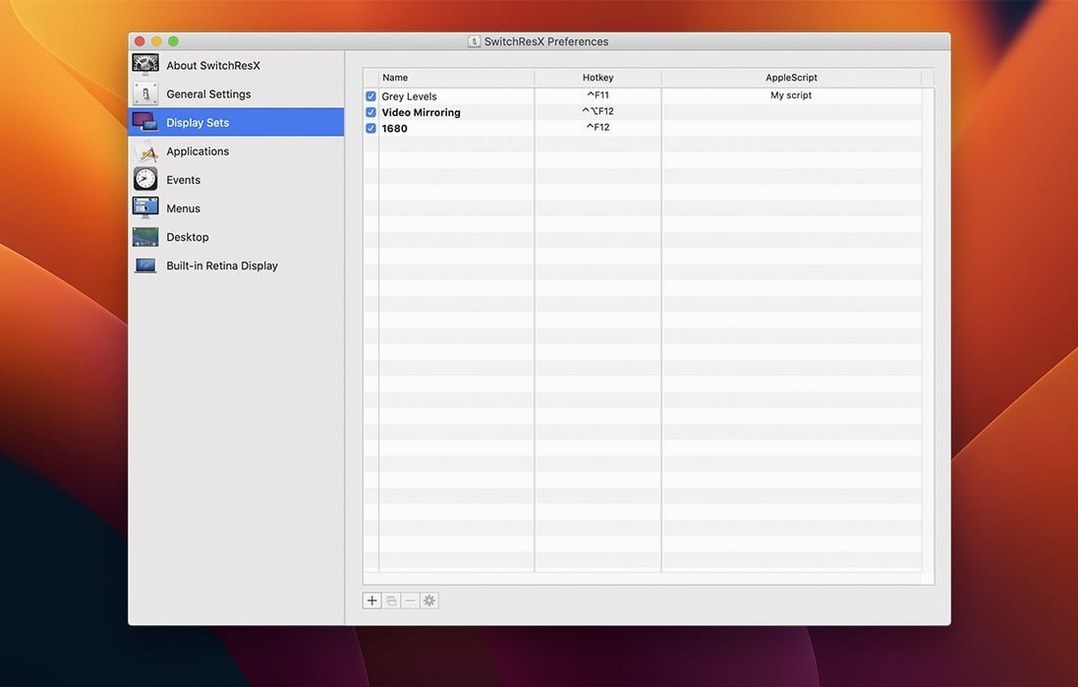
Anyone running a MacBook with a lid closed and an external screen as the sole display tends to stumble into resolution limits faster than they expect. SwitchResX gives them back HiDPI modes that the system hides once the internal display is off. Photographers and video editors working with reference monitors appreciate the precise timing controls—sometimes you need 24 Hz to match footage, not the 23.976 Hz approximation macOS offers by default. Developers running ultrawide monitors often want a resolution between the two or three options the system presents, and that’s where a switchresx macos setup becomes less of a tweak and more of a daily driver. Even presenters who juggle projectors in different conference rooms get mileage out of it: build a Display Set for the boardroom, one for the lecture hall, and switch with two clicks instead of reconfiguring every time.
Version 4.14.2 is a maintenance release that irons out a few display quirks.
- Stops settings from repeatedly self-updating when no display is connected.
- Fixes recognition for displays that appear without a name in macOS.
- Resolves an issue where deleting one Display Set could affect the next one in line.
- Lets you quit the Dock normally after disabling a display on Apple Silicon Macs.
- macOS 10.10 or later
- Runs on both Intel and Apple Silicon Macs
Questions I actually get
Can SwitchResX create different profiles for different monitors?
Yes, it lets you save color-plus-resolution profiles and can even switch monitor settings automatically based on which application you open.
Notes from the tables 0
Sign in or pull up a chair to leave a note.
No notes on this one yet. They go up after I read them.