

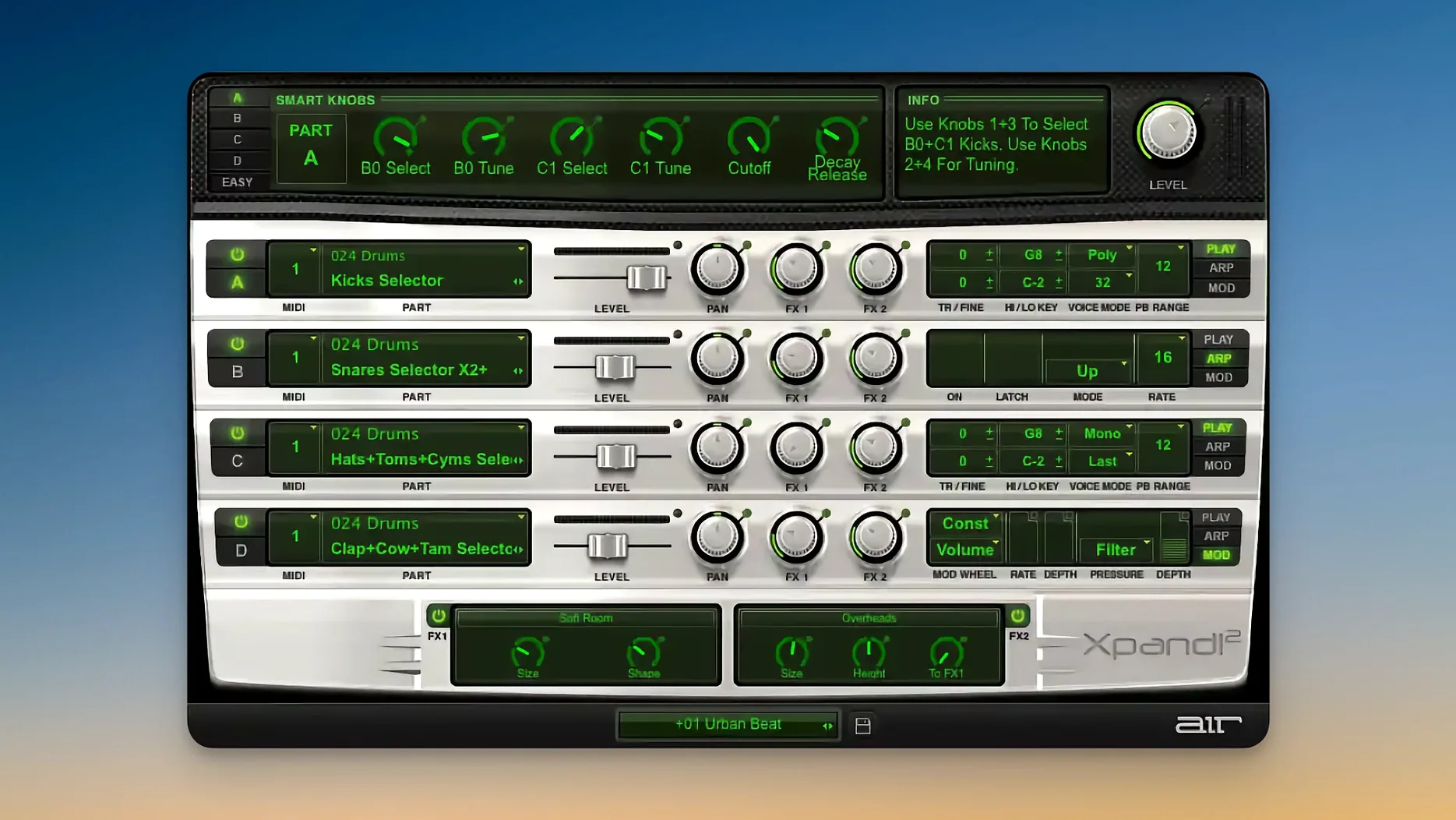
Xpand!2 is a multitimbral workstation plugin that gives you four independent sound slots in every preset, so one instance can cover bass, pads, leads, and percussion at the same time.
Sketch full ideas on one track with four parts
- Quick sketching sessions — open it on a single instrument track and build a full idea across four parts without loading separate plugins.
- Separating note ranges — each slot gets its own zone, so a bass sits low, a pad lives in the middle, and a lead takes the top, all from one MIDI keyboard.
- Stacking sounds — layer a pluck with a slow attack pad on the same keys, then dial in the mix per slot.
- Bus processing — drop it on a bus, assign one or two slots, and use the onboard arpeggiators to feed rhythm into a reverb or delay chain.
- Live performance — Pitch Bend, Aftertouch, and MIDI Learn are all supported, so a controller mapped to slot volumes or mod wheel targets works right away.
64-voice ceiling can steal notes in dense stacks
- Each polyphonic part taps out at 64 voices, so dense four-slot stacks can steal notes if you get heavy with sustain.
- Monophonic parts support First, Last, Highest, or Lowest priority — useful for bass and leads, but you'll want to set that priority deliberately per slot.
- The 2,500 presets are sorted into 29 categories, which is a lot to browse. You'll find yourself favoriting a handful and building from those.
A short session, start to finish
I open an empty project, load Xpand!2 on an instrument track, and reach for the category browser first. Drums aren't what I need right now, so I skip Percussive and head straight to Pads. Slot A gets something warm and slow — Soft Analog Pad, preset 014. I drop its level to around 90 and pull the low cut up a touch so it doesn't fight the bass later.
Slot B is the bass. I flip to the Basses category, land on a round sub patch, and set its MIDI channel to match slot A for now. The key range gets restricted to C-2 through B3 with a quick drag on the note range handles. Mono mode goes on, priority set to Last — that way a new note always steals the voice cleanly.
Slot C becomes a pluck. Short decay, tight arpeggiator on sixteenth notes, rate locked to host tempo. I widen the stereo spread and nudge the mix fader until it sits just behind the pad. Slot D stays empty. Three parts are doing enough work.
I map a couple of smart controls to filter cutoff and reverb send, tap MIDI Learn on each, twist the knobs on my controller, and save the patch. From blank track to a textured, playable sound took about six minutes.
Settings I always change first
- Voice mode per slot — mono for bass and leads, poly for pads and keys. The defaults are sensible, but checking them avoids mud in the low end.
- Arpeggiator latch — I turn latch on for slots that drone or pulse, and leave it off for parts I play live. Having both behaviors in one patch is half the fun.
- Effect order — the two effect slots run in series, so swapping chorus into reverb versus reverb into chorus changes the tail character. I try both once, save what works.
- Smart control assignments — the six knobs are blank until you map them. I usually tie one to a filter, one to mix balance between slots, and one to the Chaos Delay feedback, because that delay is wild when pushed.
- MIDI channel routing — if I'm sequencing, each slot gets its own channel. If I'm playing live from a single keyboard, they all sit on channel 1 and I rely on note ranges to split the parts.
Apple Silicon build loads faster and switches patches instantly
Version 2.3.1 landed as a maintenance build for Apple Silicon, and that alone changed everyday use the most. On an ARM Mac the plugin loads faster, patches switch without the small pause earlier Intel builds had, and the scalable interface finally looks sharp on a Retina display without any fiddling.
Before the HiDPI support arrived, the text and knob positions could feel cramped on a modern screen. Now the window resizes cleanly, so I can shrink it when I'm checking a mix or stretch it larger when I'm deep in sound design. The arpeggiator timing also tightened up across host sync — older versions could drift slightly when stacking slots with different rate divisions, and that's been solid for a while now.
AIR didn't overhaul the preset library, but the tagging got a quiet cleanup. Browsing the 29 categories feels snappier, and the search bar actually returns results while you type instead of waiting for you to finish the word. Small stuff, but when you're flipping through 2,500 patches at two in the morning, it adds up.
If you grabbed an earlier cracked build from some xpand 2 torrent or dug around for an xpand 2 crack, you were probably stuck on a version that didn't scale properly and glitched on newer macOS releases. The current xpand2 torrent floating around with 2.3.1 fixes that — the interface behaves, the arpeggiator stays in time, and the plugin doesn't vanish when you wake the machine from sleep. For anyone who found an old xpand 2 mac torrent and wondered why the GUI looked fuzzy, the Retina update alone is worth the fresh install.
Bottom line: these aren't flashy changes, but they make the plugin feel like it belongs on a current Mac instead of a legacy setup.
- macOS 13 or later
- Apple Silicon
- Supports HiDPI and Retina displays
Questions I actually get
How many separate sounds can I play in one instance of Xpand!2?
Each preset holds four active sound slots, and you can set independent note range, mix, arpeggiator, modulation, and effects for every slot.
Notes from the tables 0
Sign in or pull up a chair to leave a note.
No notes on this one yet. They go up after I read them.
More from the VST Plugins page
The whole page VST Plugins 2.3 GB
XLN Audio Life
1.2.3
VST Plugins 2.3 GB
XLN Audio Life
1.2.3
 VST Plugins 442 MB
WaveLab Pro
13.0.30
VST Plugins 442 MB
WaveLab Pro
13.0.30
 VST Plugins
VocalSynth 2
2.6.1
VST Plugins
VocalSynth 2
2.6.1
 VST Plugins 259 MB
VocalNet
1.0.4
VST Plugins 259 MB
VocalNet
1.0.4
 VST Plugins 669 MB
Valhalla DSP Bundle
2025.12
VST Plugins 669 MB
Valhalla DSP Bundle
2025.12
 VST Plugins 61 MB
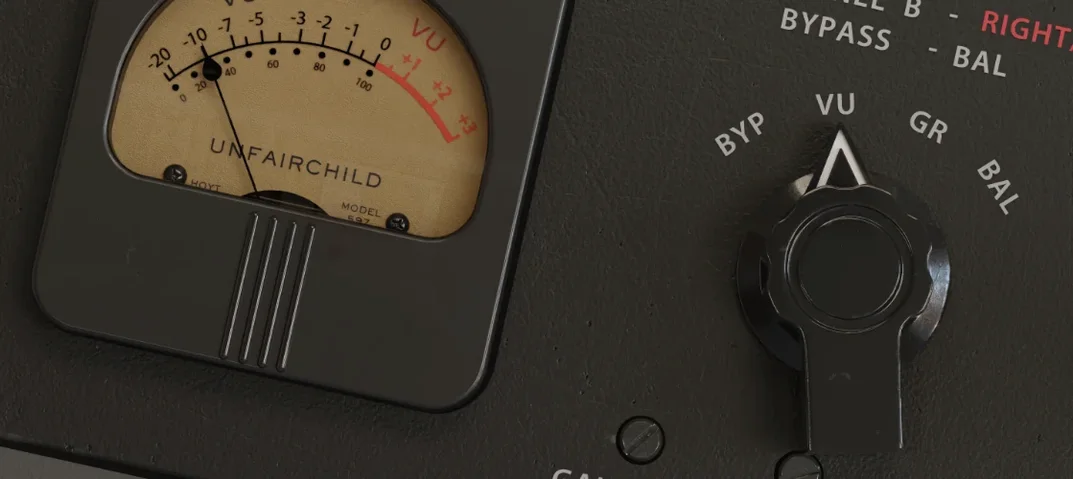
UnderTone Audio UnFairchild
1.0.8
VST Plugins 61 MB
UnderTone Audio UnFairchild
1.0.8
 VST Plugins 220 MB
Ultra Audio Ultra
1.1.4
VST Plugins 220 MB
Ultra Audio Ultra
1.1.4
 VST Plugins 293 MB