

Field recordists, beat makers, and anyone who taps on tabletops will feel at home with Life. It's built for people who want to shape everyday sounds into rhythmic patterns without overthinking the process. You feed it audio — a recording from the companion mobile app, a file dragged in from the desktop, or a loop captured directly from your DAW — and it churns out beats that feel alive.
Listens to your audio, not just the transients
| What it runs as | What it works with |
|---|---|
| Standalone app | macOS 10.13 and later |
| VST, AU, AAX plugin | Intel and Apple Silicon Macs |
| Companion iOS/Android app | DAW buffered input (since v1.2) |
The sound engine doesn't just slice and loop. It listens to the character of the source material and builds patterns that groove around the transients and texture. You can record street noise on your phone with the Life Field Recorder, pull it into the plugin, and get a hi-hat pattern made of gravel crunches and distant voices. The DAW Recorder app routes audio straight from your session, so resampling a synth line into a kick drum pattern takes about three clicks. Offline mode landed in version 1.2, letting you store and work with files right on the computer without needing the mobile apps at all.
Mistakes I made early on (and see others repeat)
Throwing long, unstructured recordings at Life and expecting magic. It works best when you feed it short, deliberate captures — a single door slam, three footsteps, a spoon hitting a bowl. Give it two minutes of park ambience and it'll struggle to find the transients that make rhythms feel locked. Trim your source audio before importing.
Another one: ignoring the Duck feature added in version 1.2. Sidechaining a sequencer lane to the kick tightens the low end instantly, but people leave it untouched and wonder why the mix sounds muddy. Route your bass-heavy slice to a lane, assign the kick as the duck source, and pull the threshold down until things breathe.
Lastly, forgetting that the mobile apps are capture tools, not mixers. The Life Field Recorder grabs audio anywhere — that's its job. Don't try to polish the recording on your phone. Get it into the plugin, where the real sculpting lives.
Turn a coffee shop recording into a shaker
Producers who build tracks around texture and rhythm rather than melody tend to click with it fastest. If you're making lo-fi hip-hop, experimental electronic music, or underscoring for video, the ability to turn a coffee shop recording into a shaker pattern saves hours of sample hunting. Sound designers appreciate how the engine respects the timbre of the source — metallic hits stay metallic, wood stays wood — so the beat retains the character of the original recording instead of flattening it into generic clicks.
Bedroom producers with a phone and curiosity also thrive here. You don't need a treated room or expensive microphones. The companion apps turn a walk around the block into a percussion library, and offline mode in version 1.2 means you can build a personal archive of sounds without cluttering your phone storage. If you already work in a DAW and enjoy resampling your own synth parts, Life slots into that workflow without friction.
Drag in any audio file without the mobile apps
Does it work without the mobile apps? Yes. Version 1.2 introduced offline use, so you can drag any audio file from your computer into Life and start generating beats. The apps are handy for capturing sounds on the go, but they're not required once the plugin or standalone app is running.
Will it bog down an older Mac? Life runs on macOS 10.13 and supports both Intel and Apple Silicon Macs. The audio engine processes in real time, so a machine from the last five or six years handles it comfortably. If you're stacking multiple instances in a project, freeze tracks as you would with any processor-heavy plugin.
How does it compare to a traditional step sequencer? Life doesn't ask you to program individual hits. You feed it audio and it generates patterns based on transients and texture. It's less about precise grid placement and more about grooves that surprise you. For people used to drawing in MIDI notes, the first half hour feels unfamiliar — then it clicks, and you start thinking about rhythm differently. There's a 25 to Life torrent floating around for those curious about trying it, and the XLN Audio Life torrent contains the same version 1.2.3 build with the DAW Recorder and Field Recorder apps included. The XLN Life torrent installs the same way as the standard disk image — mount it and run the installer — so you get the full feature set either way.
- macOS 10.13 or newer
- Intel or Apple Silicon processor
- English interface
Questions I actually get
Do I need the mobile apps to use Life?
No. Since version 1.2 you can work offline with audio files stored or recorded directly on your computer.
What formats does the plugin come in?
Life runs as a VST, AU, and AAX plugin, plus a standalone application.
Notes from the tables 0
Sign in or pull up a chair to leave a note.
No notes on this one yet. They go up after I read them.
More from the VST Plugins page
The whole page VST Plugins 2.3 GB
Xpand!2
2.3.1
VST Plugins 2.3 GB
Xpand!2
2.3.1
 VST Plugins 1.2 GB
WaveLab Pro
13.0.30
VST Plugins 1.2 GB
WaveLab Pro
13.0.30
 VST Plugins
VocalSynth 2
2.6.1
VST Plugins
VocalSynth 2
2.6.1
 VST Plugins 259 MB
VocalNet
1.0.4
VST Plugins 259 MB
VocalNet
1.0.4
 VST Plugins 669 MB
Valhalla DSP Bundle
2025.12
VST Plugins 669 MB
Valhalla DSP Bundle
2025.12
 VST Plugins 61 MB
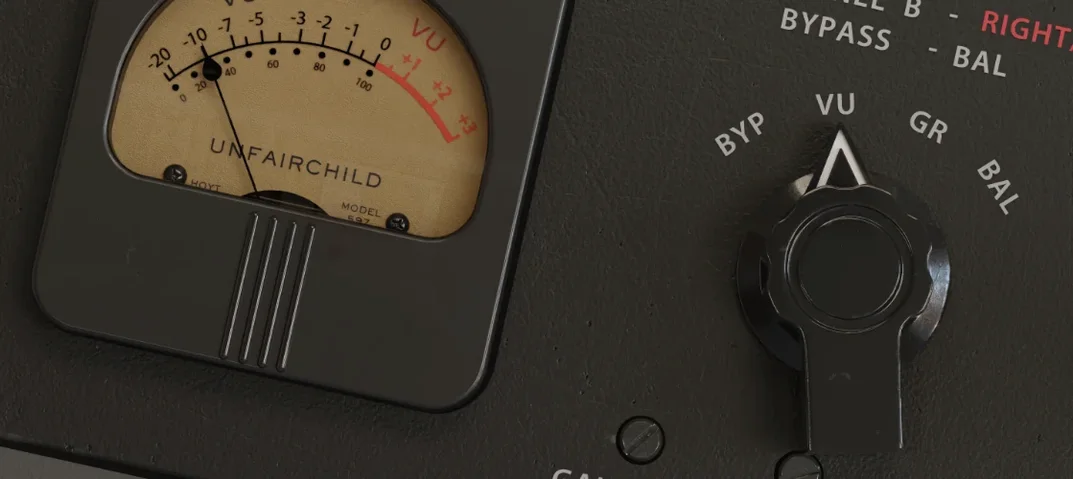
UnderTone Audio UnFairchild
1.0.8
VST Plugins 61 MB
UnderTone Audio UnFairchild
1.0.8
 VST Plugins 220 MB
Ultra Audio Ultra
1.1.4
VST Plugins 220 MB
Ultra Audio Ultra
1.1.4
 VST Plugins 293 MB