
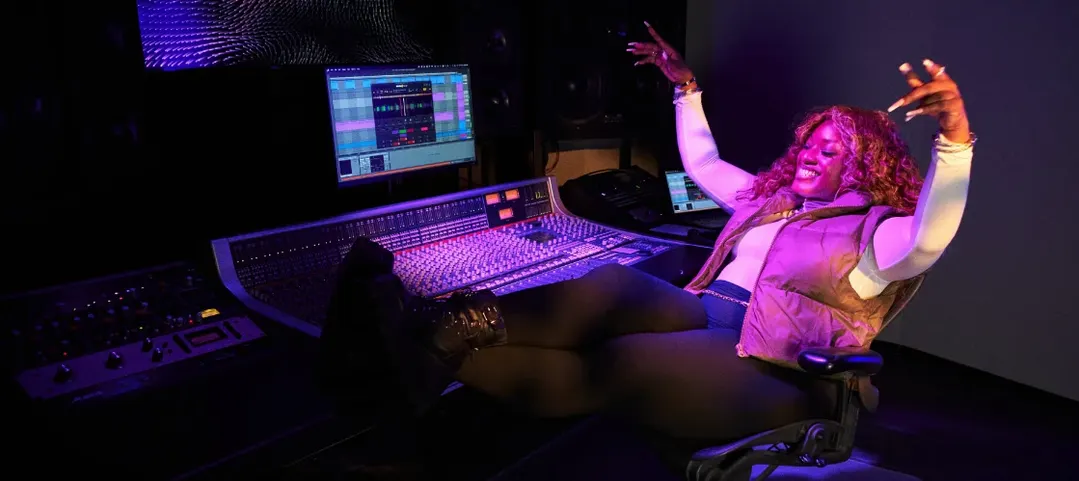
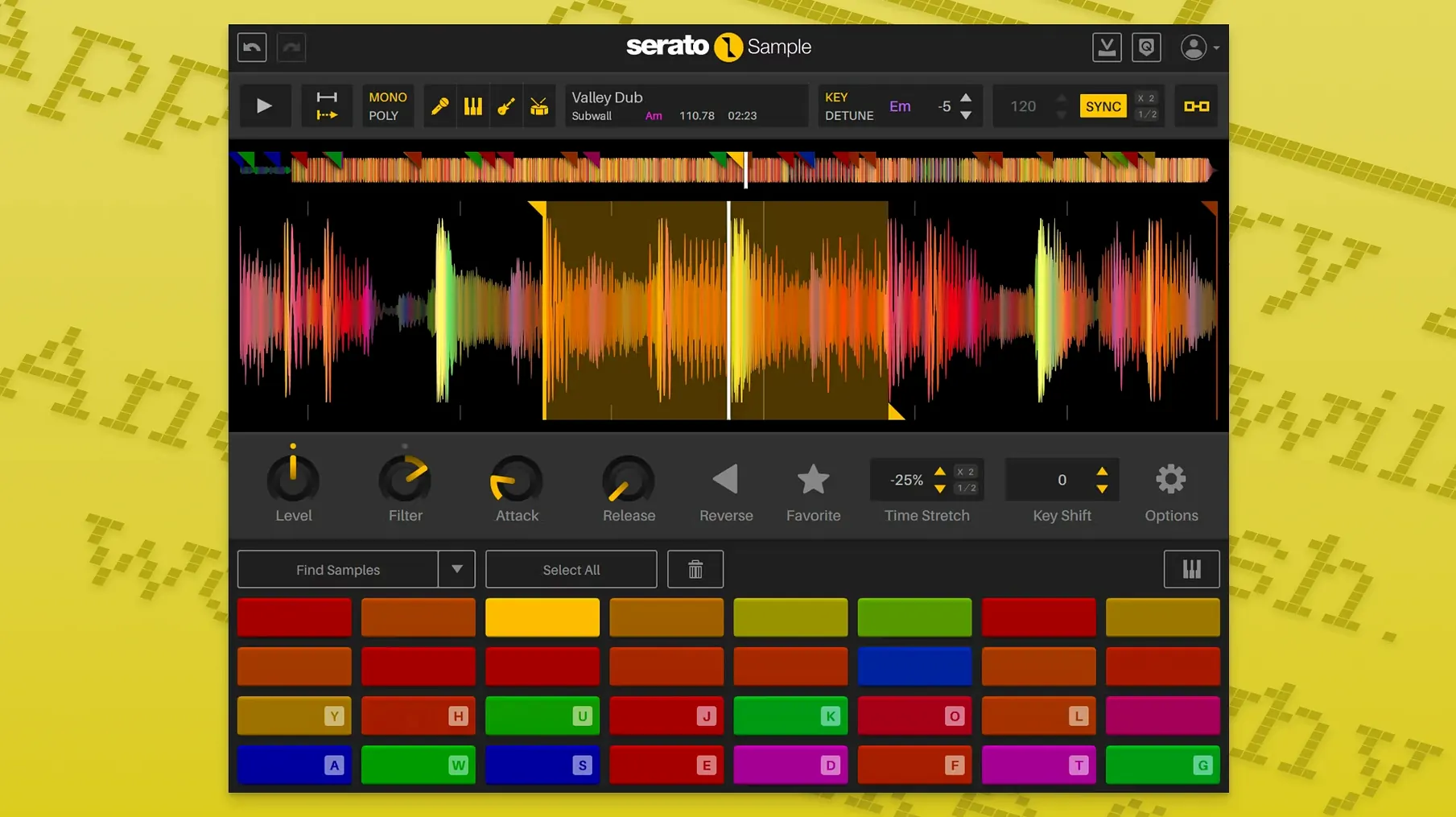
Serato Sample is a plugin that puts a fast, straightforward sampler right inside your DAW so you can grab a loop, chop it, and play it without leaving the session. It’s built to sit next to your drum machine and synth plugins, pulling the same kind of quick, in-the-moment sampling you’d expect from hardware but with tools your timeline already understands.
- Pull apart any sample. Isolate vocals, drums, bass, and melody into separate stems. You can mix the acapella up front, bury the bass, or drop the drums out completely — all with faders for each stem.
- It locks to your project. Find the sample’s key and BPM, then hit sync. It snaps the pitch and tempo to match whatever else is playing in your session, so you spend less time tuning and more time building.
- Play it your way. A MIDI keyboard, your laptop’s keyboard, a piano roll, or a mouse — pick whichever feels right. Keyboard Mode makes the QWERTY board act like a pad controller.
- Automate the slices. Stem On and Stem Levels show up as automation parameters. Ride the vocal stem up for a chorus and drop it back down for the verse without touching a fader.
It runs natively on Apple Silicon, works as VST, AU, AAX, or VST3, and handles the chopping and cleanup so you can focus on whether the part actually works in the track.
Treating it like a one-shot player instead of a sampler
Watching someone open Serato Sample for the first time, you notice the same few stumbles. Most of them come from treating it like a simple one-shot player when it wants to be a lot more.
The big one is ignoring the beatgrid. People drag in a funky old break, tap out a rough BPM, and start slicing before they ever look at the grid markers. Then every chop feels a little late, a little rushed, and they blame the plugin. The fix takes thirty seconds: let the auto-detect find the transients, then drag a few markers so the downbeats land where your ears say they should. An unquantized sample turns into something your drum bus actually grooves with.
Another classic: playing every stem at full volume and wondering why the loop sounds like a muddy garage recording. The four stem faders are there for a reason. Pull the bass stem back a few dB, nudge the drums up, and suddenly the sample breathes. You don’t need the original recording to be perfectly mixed — the stems give you a second chance at the balance.
Then there’s the producer who maps samples across sixteen pads and never touches the pitch settings. Fine for percussion, but when you’re working with a horn stab or a vocal phrase, a semitone up or down can be the difference between something that fights the track and something that settles into it. Pitch ’n Time does the heavy lifting — use it.
No splash screen or library scans on an Apple Silicon Mac
In daily use, Serato Sample loads fast. Drop it on a channel in Logic or Ableton, drag audio in, and you’re playing within seconds. There’s no splash screen, no library to scan, no nonsense. On an Apple Silicon Mac it idles at barely a blip on the CPU meter. The real work — real-time time-stretching and stem separation — does wake the processor up, but it’s smart about it. Once the stems are separated, playback is light.
I’ve run sessions with three or four instances, each pulling apart a different loop, and the fan never kicked on. The old Intel machines feel it more during stem analysis, but the plugin processes that upfront and then coasts. No crashes, no corrupted plugin states, no mysterious silence when you reopen a project. It’s stable in the way that makes you stop thinking about it — you just trust it’ll be there tomorrow.
RAM usage sits moderate. A stem separation holds the separated audio in memory, so if you’re the type who stacks twelve instances on a 200-track project, you’ll feel it. But for the kind of focused sampling workflow this is built for — a few key loops, well chosen — it runs lean.
MPC Beats gives you a mini-DAW, Serato doesn’t try
People sometimes cross-shop this with Akai MPC Beats as a plugin. MPC Beats gives you the full MPC workflow — pads, sequences, a whole environment. It’s more of a mini-DAW inside your DAW. Serato Sample doesn’t try to be that. It does one thing: grab audio, chop it, pitch it, sync it. No sequencer, no drum programs. If you want the MPC philosophy but already have a timeline you like, Serato fits cleaner. If you want the full MPC experience, you’ll feel constrained here.
Then there’s New Sonic Arts Vice, which is closer in spirit — a straightforward sampler with auto-slicing and time-stretch. Vice has a lovely modulation section and sounds excellent, but it lacks stem separation entirely. You get the chops and the pitch, not the ability to unmix a finished track. For crate-digging sample-flippers, that stem isolation puts Serato in a different category.
Initial Audio Slice pops up in searches too, often through routes like serato sample crack mac or serato sample torrent when people are comparing what's out there. Slice is simpler across the board — fewer key detection smarts, no stems, a smaller feature set that suits quick triggering more than deep manipulation. The people hunting serato sample mac torrent links usually land on Serato because they've outgrown the basics and need the beatgrid and stem controls. If you grab a serato sample crack you'll find the feature gap is real once you're past the first few chops.
A vocal chop workflow, start to finish
Here’s a real scenario: you found an old soul acapella and want to turn a two-bar phrase into something that works under a house beat at 122 BPM. The original is around 108 and drifts a little.
Open Serato Sample on a new MIDI track. Drag the acapella file straight onto the waveform panel. Serato analyzes it — key comes up as A-flat minor, tempo guesses 108. Your project is D minor at 122. Hit Sync. Pitch snaps up, tempo locks in. The phrase is now in key and in time before you’ve touched a single pad.
Flip to the stem view. Pull the Melody fader down to zero — you only want the voice. The acapella already is a voice, but if there’s any bleed or harmonic pad in the background, the stem separation knocks it out. Now you’re working with a clean, isolated vocal.
Switch to Keyboard Mode. Your QWERTY row becomes sixteen pads. Tap through the default slices — they’re placed on the transients, but you want more control. Grab a few slice markers and nudge them so the phrase breaks on the consonants, not just the waveform peaks. A “t” or “k” sound lands tighter when you catch it right at the attack.
Assign the best four chops to pads 1 through 4. Play them in with your computer keyboard — short stabs on the verse, a longer held note for the turnaround. The timing feels right immediately because the beatgrid already did the work.
Now add automation. Create an automation lane for Stem Level — Vocal. Ride it down by 4 dB during the verse so the vocal sits under a lead synth, then push it back to unity for the chorus. Your DAW records the moves; on playback, the vocal breathes with the arrangement without a single fader ride in real time.
Twenty minutes from drag-and-drop to a vocal hook that’s in key, in time, cleaned up, and mixed dynamically into the track. That’s what the plugin is built to do.
A quiet update that tightens up the controls and adds proper automation lanes for the stem mix.
- Stem Levels can be automated. Your DAW can now ride the faders for the acapella, melody, bass, and drum stems via host automation.
- Stem On is automatable too. Engage or bypass the stem separation at any point in the timeline.
- Fine adjustments are easier. Hover over any parameter and scroll with the mouse wheel to nudge the value.
- Added support for AlphaTheta SLAB and macOS Tahoe.
- macOS 11 Big Sur or newer
- Apple Silicon or Intel processor
- VST, AU, AAX, or VST3 host
Questions I actually get
Can Serato Sample separate a full mix into stems?
Yes. It can split a sample into acapella, melody, bass, and drum stems, and you can adjust the volume of each stem individually.
Does Serato Sample work with a regular computer keyboard?
It does. Keyboard Mode lets you play and trigger samples directly from your Mac’s keyboard, without needing a MIDI controller connected.
Notes from the tables 0
Sign in or pull up a chair to leave a note.
No notes on this one yet. They go up after I read them.
More from the VST Plugins page
The whole page VST Plugins 105 MB
Serum
2.0.24
VST Plugins 105 MB
Serum
2.0.24
 VST Plugins Updated 30 MB
ShaperBox
3.6.1
VST Plugins Updated 30 MB
ShaperBox
3.6.1
 VST Plugins 111 MB
Scaler 3
3.3.2
VST Plugins 111 MB
Scaler 3
3.3.2
 VST Plugins 1.4 GB
Safari Pedals Everything Bundle
2026.05
VST Plugins 1.4 GB
Safari Pedals Everything Bundle
2026.05
 VST Plugins 628 MB
Slate Digital Fresh Air
1.0.9
VST Plugins 628 MB
Slate Digital Fresh Air
1.0.9
 VST Plugins 40 MB
Roland ZENOLOGY Pro
2.0.7
VST Plugins 40 MB
Roland ZENOLOGY Pro
2.0.7
 VST Plugins 1.8 GB
Roland Cloud Legendary Series
2025.06.29
VST Plugins 1.8 GB
Roland Cloud Legendary Series
2025.06.29
 VST Plugins 1.3 GB