

If your to-do list lives in Reminders and your big ideas land in a Word doc, there comes a point where a project outgrows them. OmniPlan Pro from The Omni Group steps in when you need to see how tasks depend on each other, who’s overloaded, and whether the finish date is actually possible. It’s not a simple checklist — it’s a full project planner that splits work into tasks, optimizes resources, and tracks progress against your budget. And because it speaks a few languages your other software understands, it can fit into a setup you’re already using.
Working well with others
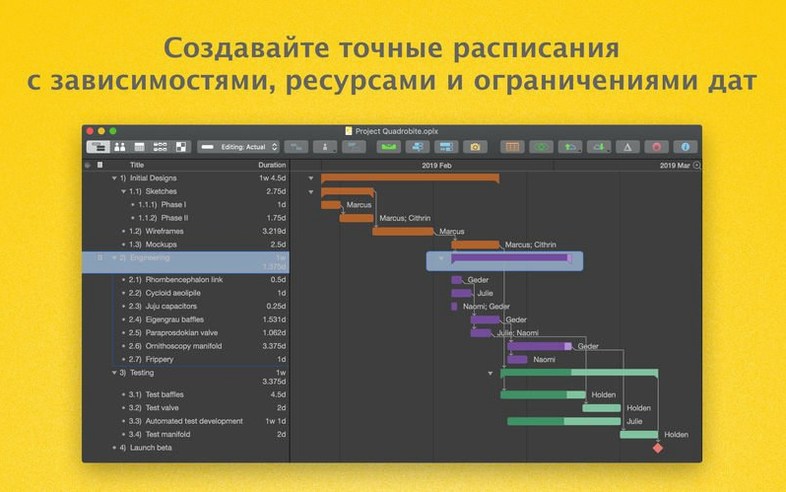
One of the quieter strengths here is how OmniPlan Pro connects to the rest of the Omni family. You can send an outline over to OmniOutliner if the project plan started as a brainstorm, or export data into OmniGraffle to build a clean visual for a presentation. It also opens and saves Microsoft Project documents, so trading files with someone stuck on a PC doesn’t mean rebuilding everything from scratch. The app handles network diagrams natively, giving you a clear picture of the critical path — the chain of tasks that directly affects your deadline — without needing a separate tool.
The Pro-only toolkit
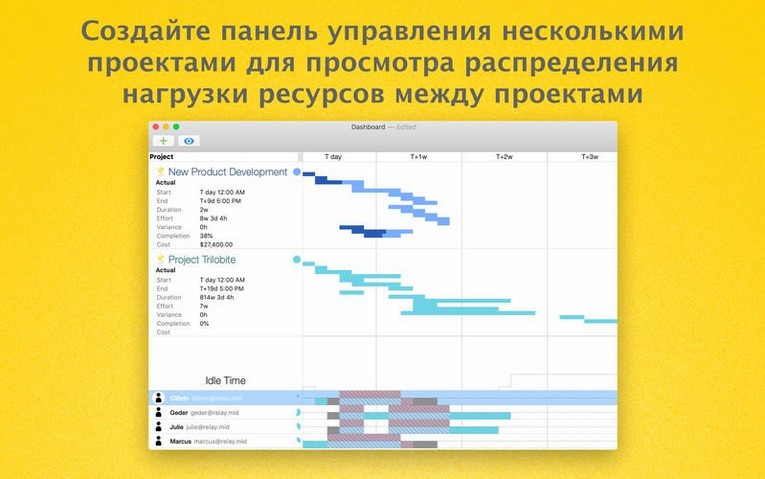
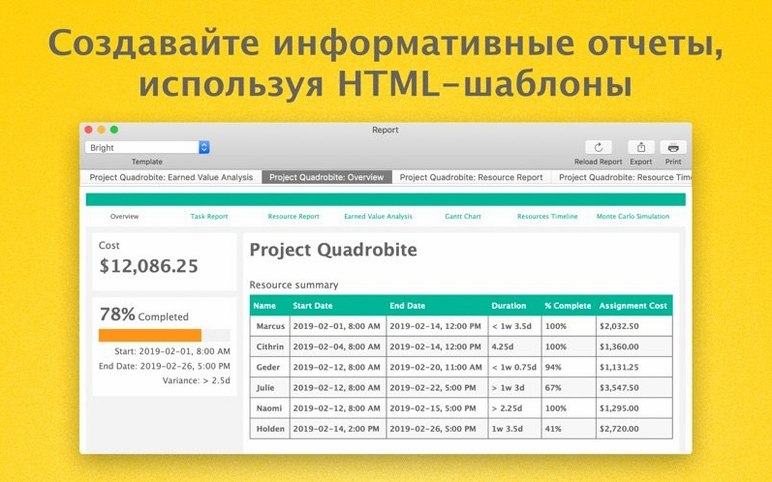
The Pro edition adds features that go beyond a single project timeline. A multi-project dashboard lets you spot bottlenecks across several jobs at once. Monte Carlo simulation runs thousands of scenarios to give you a realistic sense of when a milestone might land, instead of one optimistic guess. Change tracking records who adjusted what and when, so nothing slips by unnoticed. Automatic effort estimation and HTML reports round out a set of tools built for people who need to forecast honestly and share progress without a lot of manual formatting.
When Monte Carlo earns its keep
Say you’re coordinating a website relaunch across design, content, and development. Each team lead gives you their best timeline, but one sick week or a delayed asset handoff could push the launch back by a month. You load the three phases into OmniPlan Pro, assign resources, and run a Monte Carlo simulation. Instead of one finish date, you get a spread — an 85% confidence window that shows the board what “probably” actually means. That one chart replaces a dozen nervous email threads.
A native Mac project engine, not a Windows transplant
Compared to Microsoft Project, OmniPlan Pro feels native on a Mac in ways that go deeper than just the interface. Project handles enormous enterprise setups and earned value analysis with decades of maturity, but it carries a learning curve that can overwhelm a small team. OmniPlan Pro keeps the same core techniques — Gantt charts, resource leveling, critical path — without burying you in menus. For a project coordinator running three to five concurrent jobs, the trade-off usually favors speed over raw feature count.
Merlin Project is closer in spirit — another Mac-native app built around Gantt logic. It leans harder into Kanban views and budget tracking, and its interface can feel busier. OmniPlan Pro counters with cleaner change tracking and the Monte Carlo simulation, which Merlin doesn’t offer. Where Merlin adds visual polish, OmniPlan stays focused on the numbers that schedulers actually argue about: effort, cost, and the odds of hitting a deadline.
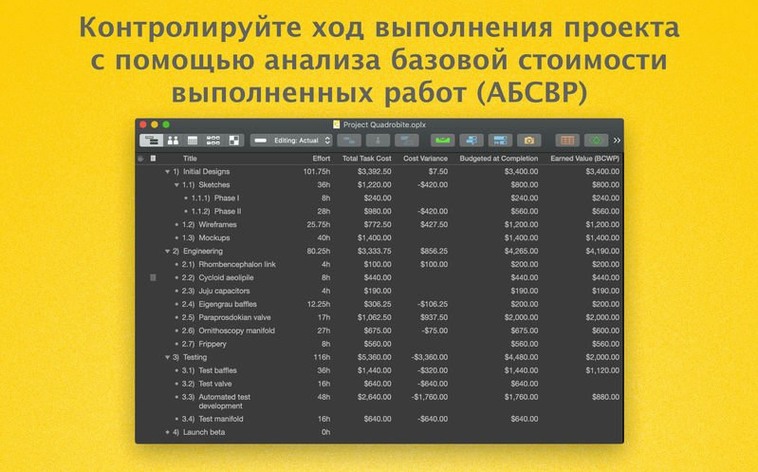
For lightweight planning, a tool like GanttProject does basic task linking and resource assignments without any cost. But it stops short of the Pro features — no multi-project dashboard, no earned value analysis, and no Microsoft Project exchange. OmniPlan Pro isn’t trying to compete with free; it’s for the moment when a volunteer-run project turns into something with payroll attached.
Version 4.11.0 tightens things up where it counts. The update brings:
- Better compatibility with recent macOS releases.
- Smoother performance when editing a task that has a lot of resources assigned to it — less beachball, more doing.
- macOS 12 or newer
- Works on Intel and Apple Silicon Macs
Questions I actually get
Which Macs can run OmniPlan?
OmniPlan requires macOS 12 or later and runs natively on both Intel and Apple Silicon Macs.
Notes from the tables 0
Sign in or pull up a chair to leave a note.
No notes on this one yet. They go up after I read them.
More from the Office page
The whole page Office 47 MB
OmniReader Pro
3.4.4
Office 47 MB
OmniReader Pro
3.4.4
 Office Updated 33 MB
Numbers Creator Studio
15.3.1
Office Updated 33 MB
Numbers Creator Studio
15.3.1
 Office 243 MB
Nitro PDF Pro
13.3.1
Office 243 MB
Nitro PDF Pro
13.3.1
 Office 272 MB
PDF Expert
3.13.4
Office 272 MB
PDF Expert
3.13.4
 Office Updated 128 MB
PDF Reader Pro
6.0.0
Office Updated 128 MB
PDF Reader Pro
6.0.0
 Office 326 MB
PDFelement Pro
12.1.28
Office 326 MB
PDFelement Pro
12.1.28
 Office 807 MB
QuickBooks Mac Plus
23.1.9.R10 Plus
Office 807 MB
QuickBooks Mac Plus
23.1.9.R10 Plus
 Office 169 MB