

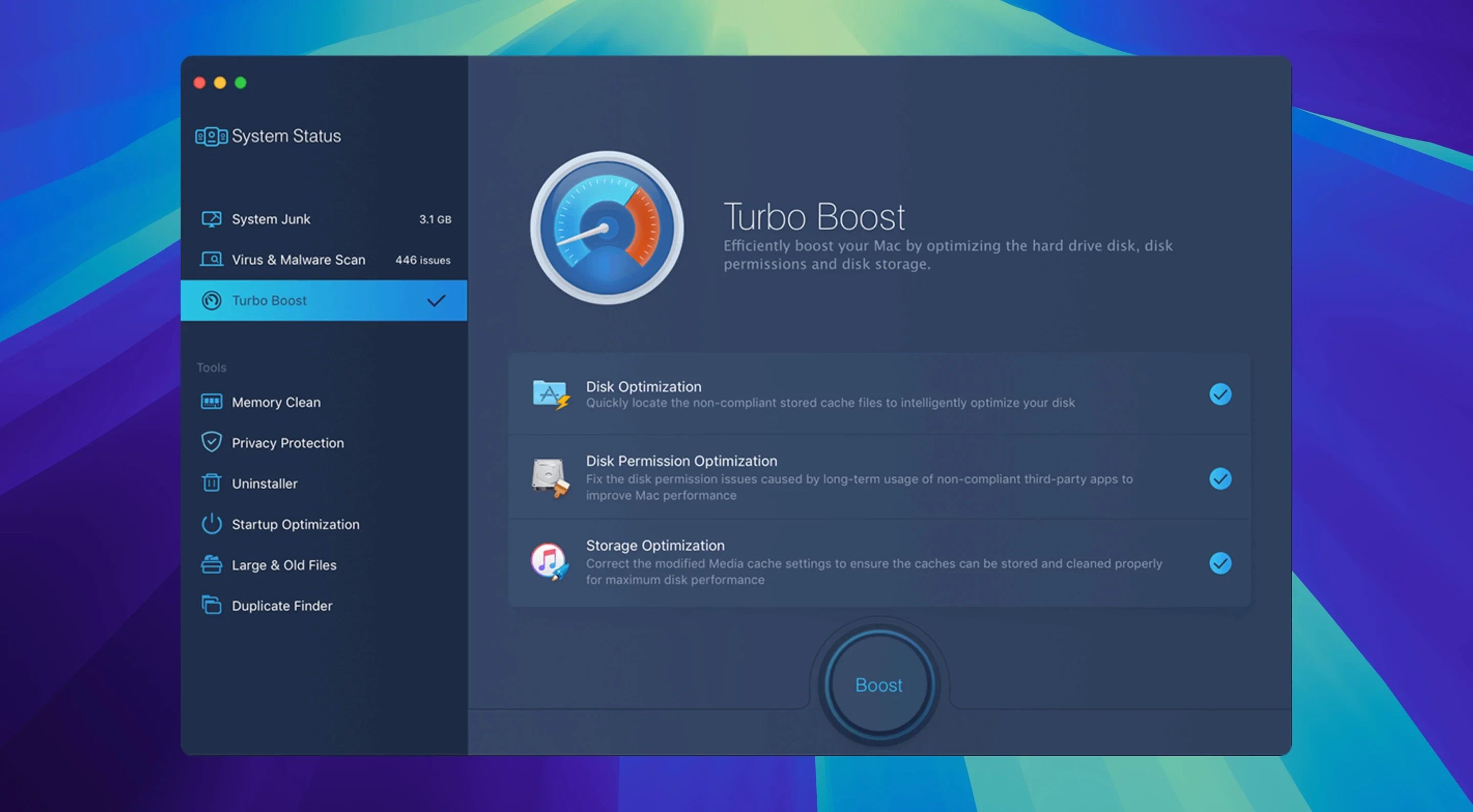
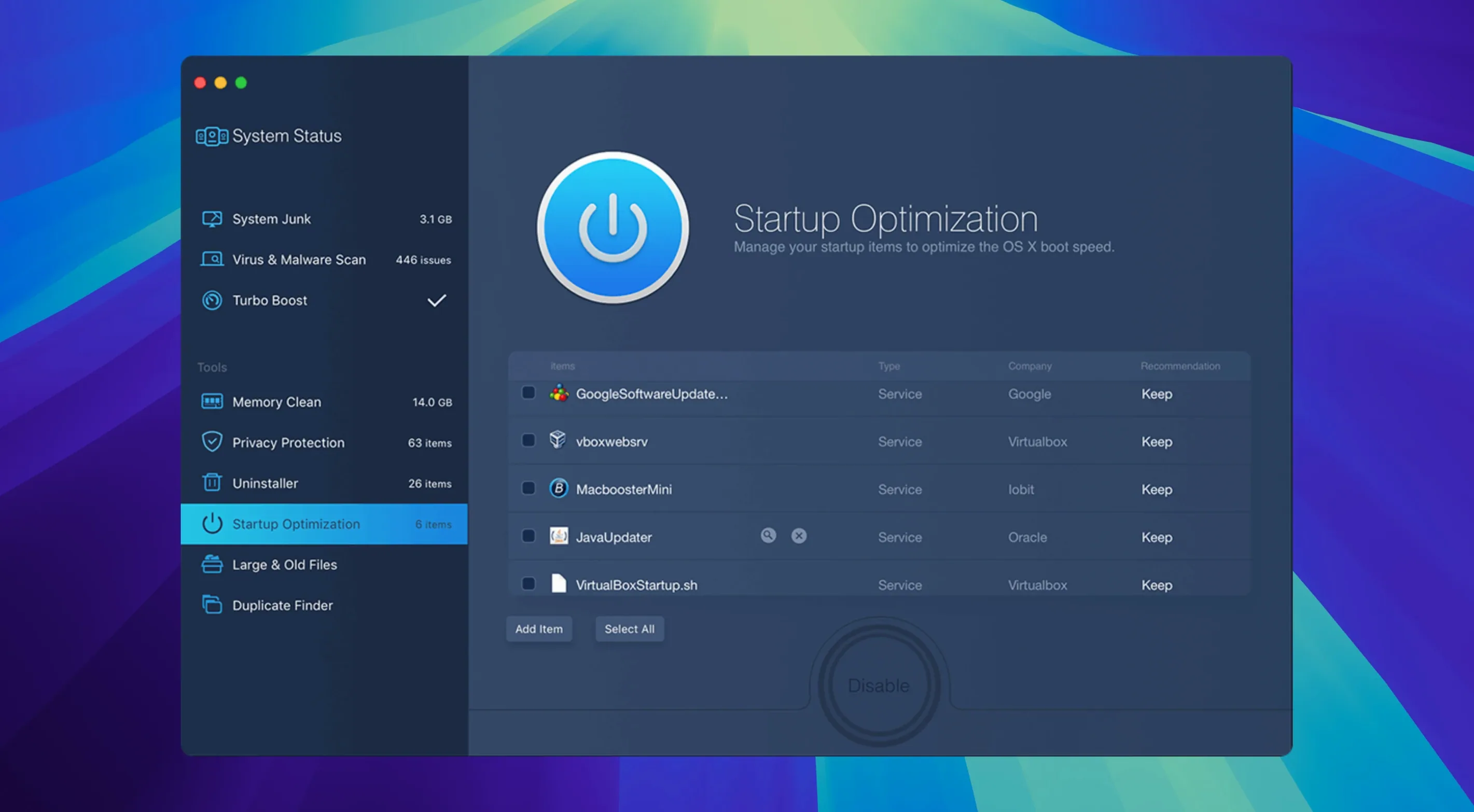
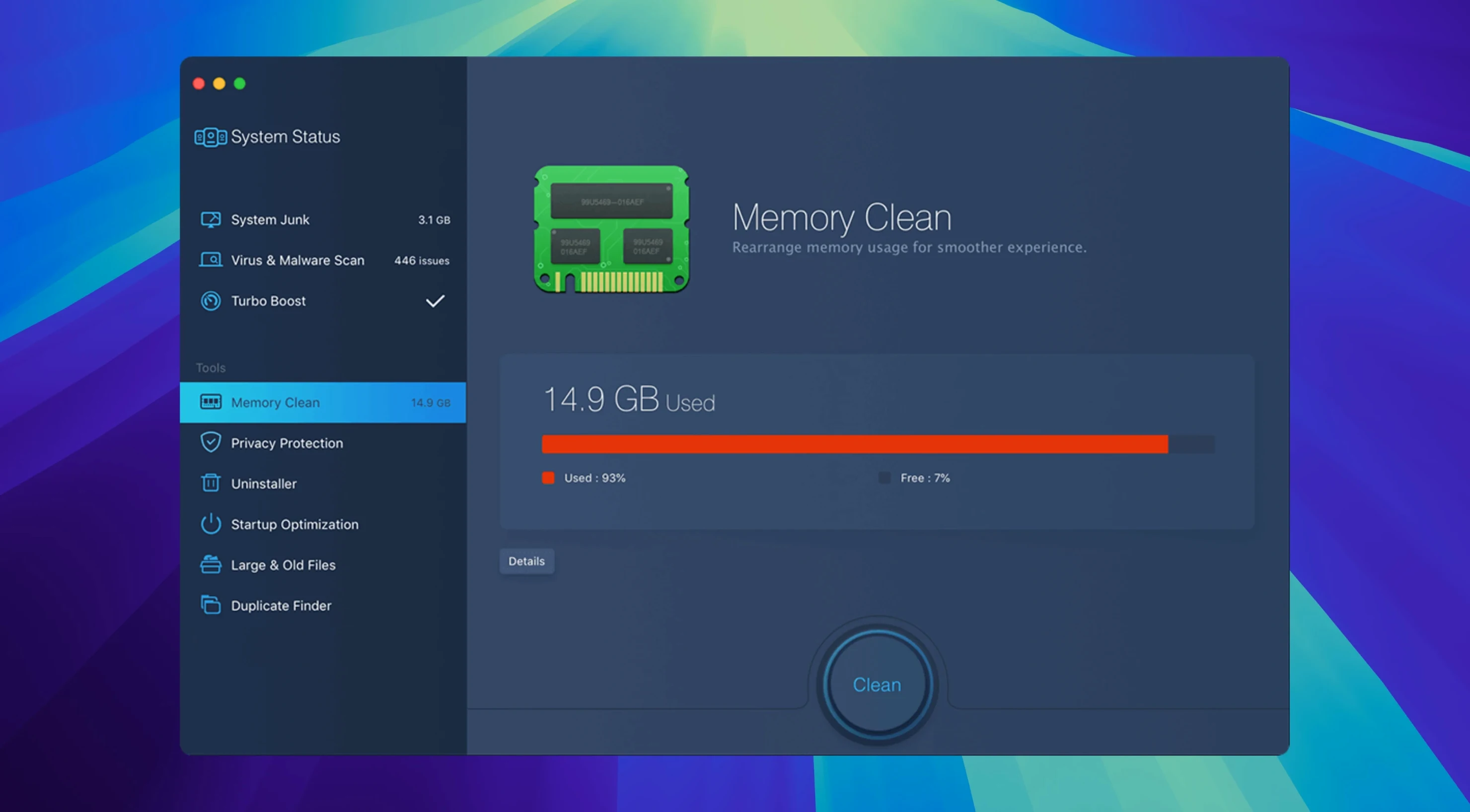
IObit built MacBooster 8 to require macOS 11.5 or later, so older Macs stuck on Catalina or Mojave are out of luck. If your machine makes the cut, here is what lands on your drive:
- Junk file cleanup that sweeps out system caches, logs, and leftover bits
- Memory cleaning to free up RAM when things get sluggish
- Malware and virus removal baked right into the main window
- Disk permission repairs for when apps act stubborn
- Hard disk optimization that tidies up the drive for smoother reads and writes
It is a maintenance utility in the classic sense — the kind of tool you fire up when the spinning beachball overstays its welcome. Nothing flashy, just a handful of chores wrapped in one package. The app speaks fourteen languages, so you can poke around in English, Spanish, German, or whatever feels like home.
Full scan finishes in under two minutes on M1 Air
On an M1 MacBook Air with 16 GB of RAM, a full scan of junk files and malware finishes in under two minutes. The memory cleaner works instantly — click the button, watch the pressure drop, get on with your day. On older Intel machines the disk optimization step takes noticeably longer, sometimes five or six minutes if you haven't run it in a while, but the app stays responsive the whole time. I have never had it beachball or lock up mid-scan.
Resource use is reasonable when it is just sitting in the background. The real-time malware monitor sips memory, hovering around 120 MB on my machine. When a deep scan kicks in, CPU usage jumps for a minute or two, then settles right back down. If you are the type who obsesses over Activity Monitor, you will notice it, but your browser tabs probably cost you more RAM than MacBooster ever does.
Stability has been solid through version 8.3.0. No kernel panics, no mysterious crashes, no permission headaches after a repair run. I have seen one quirk: after a disk permission fix, a couple of third-party menu bar apps needed a relaunch before they behaved again. Small thing, easy fix.
Never hit clean before checking browser download folders
People new to macbooster 8 tend to do the same three things wrong. First, they run the junk file scanner and hit "clean" without glancing at what it flagged. The tool is thorough, and sometimes it marks browser download folders or recent file caches you actually want to keep. A thirty-second review saves a small headache later.
Second mistake: thinking the memory cleaner replaces proper RAM management. It doesn't. If your Mac is swapping constantly because you keep forty Chrome tabs and a 4K video edit open, clicking "free memory" gives you a temporary bump, nothing more. Close some tabs. Quit the video editor. Then clean up what's left.
Third, and I see this often in comments about macbooster 8 pro, people expect the malware scanner to replace a full security suite. It catches adware, browser hijackers, and common Mac nuisances, but it is not a replacement for careful downloading habits. Think of it as a good mop, not a hazmat team.
Friday cleanup when the fan starts complaining
Let me walk you through what a real cleanup looks like around here. Friday afternoon, the Mac feels a little thick — windows lag when I drag them, and the fan has opinions. I open MacBooster and land on the main dashboard.
First stop is the system status ring. It shows "fair" with a yellow glow, so I tap the big scan button. The app chugs through junk files, memory status, and a malware sweep all in one pass. About ninety seconds later it hands me a list: 2.3 GB of system caches, some old iOS software updates I forgot about, and a couple of duplicate photos sitting in three folders. No malware, but the memory graph is sitting at 78% pressure.
I uncheck the duplicate photos — I want to sort those myself later — and let it eat the rest. Click "clean," watch the progress bar, and the junk is gone. The disk optimization runs next, a quieter step that just rearranges things so the drive reads faster. I grab a coffee while it finishes.
After the cleanup, I hop over to the memory tab and free up what is left. The pressure drops to 32%. The fan slows down. Safari stops stuttering when I scroll. Whole session, from opening the app to closing it, takes about six minutes. That's a fair trade for a Mac that acts like itself again.
- macOS 11.5 or later
- Intel or Apple Silicon Mac
- 70+ MB of free disk space
Questions I actually get
Does MacBooster 8 work on Apple Silicon Macs?
Yes, the current version supports both Intel and Apple Silicon Macs running macOS 11.5 or later.
What does the disk optimization actually do?
It reorganizes data on your hard disk to help macOS find files faster, which can improve overall system responsiveness.
Notes from the tables 0
Sign in or pull up a chair to leave a note.
No notes on this one yet. They go up after I read them.
More from the Mac Cleaners page
The whole page Mac Cleaners 128 MB
Magic Disk Cleaner
5.5.1
Mac Cleaners 128 MB
Magic Disk Cleaner
5.5.1
 Mac Cleaners Updated 7 MB
Mole
1.14.0
Mac Cleaners Updated 7 MB
Mole
1.14.0
 Mac Cleaners 20 MB
Ghost Buster Pro
6.3.1
Mac Cleaners 20 MB
Ghost Buster Pro
6.3.1
 Mac Cleaners Updated 11 MB
Remove-It
2.0.0.3.300
Mac Cleaners Updated 11 MB
Remove-It
2.0.0.3.300
 Mac Cleaners 47 MB
CleanMyMac
5.7.0
Mac Cleaners 47 MB
CleanMyMac
5.7.0
 Mac Cleaners 180 MB
CCleaner Pro
1.18.30
Mac Cleaners 180 MB
CCleaner Pro
1.18.30
 Mac Cleaners 6 MB
AppZapper
2.0.3
Mac Cleaners 6 MB
AppZapper
2.0.3
 Mac Cleaners 4 MB