

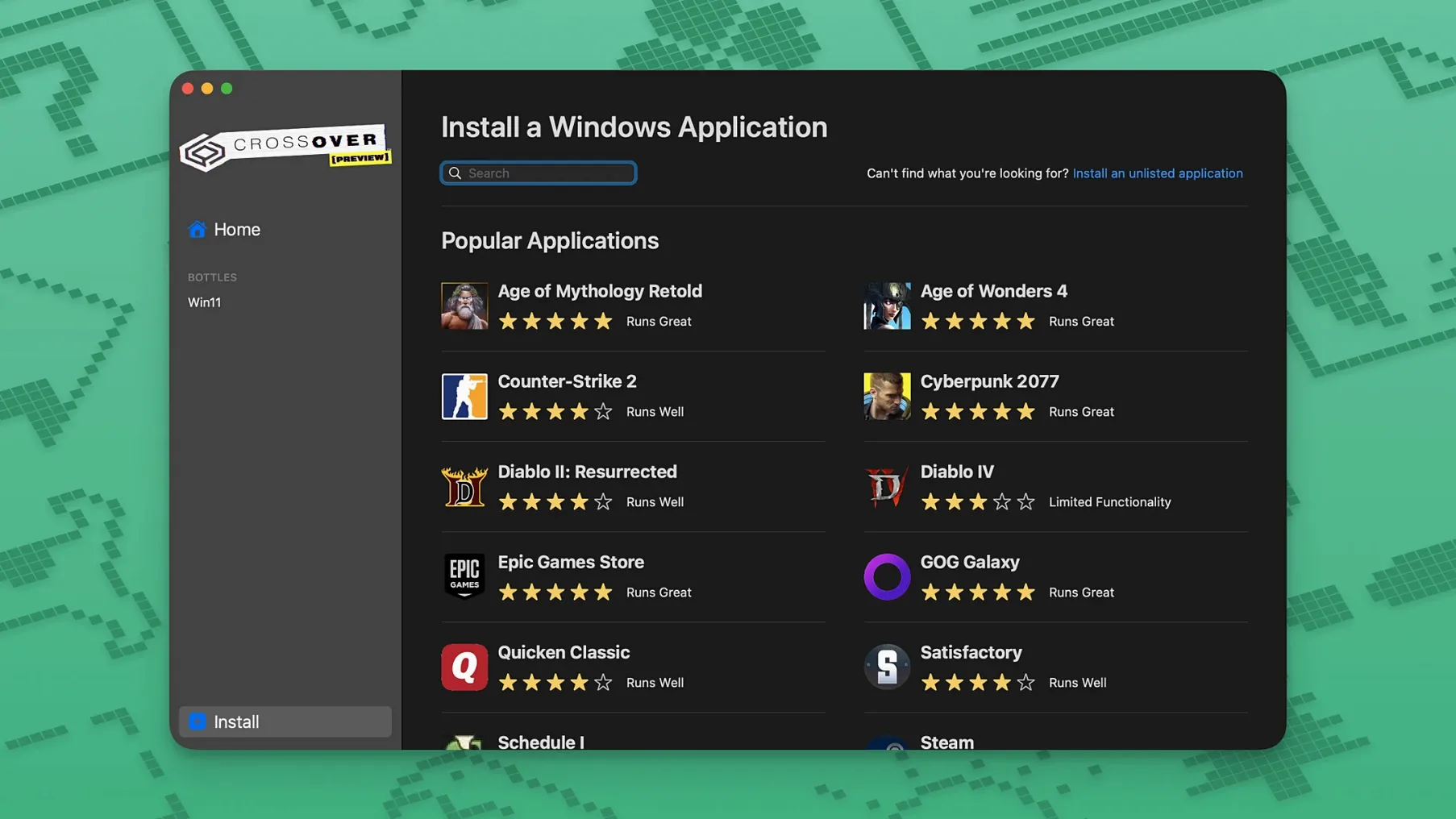
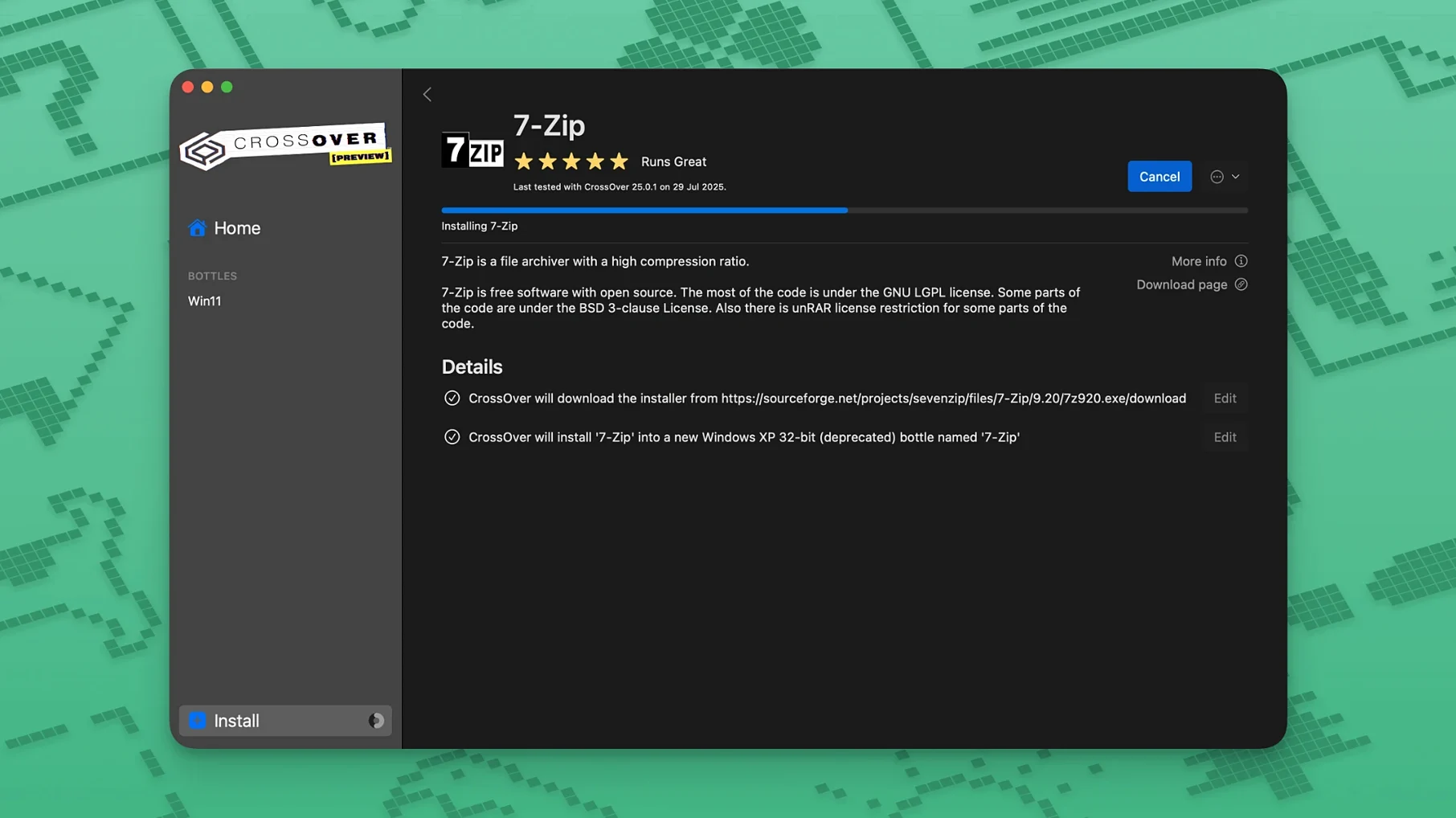
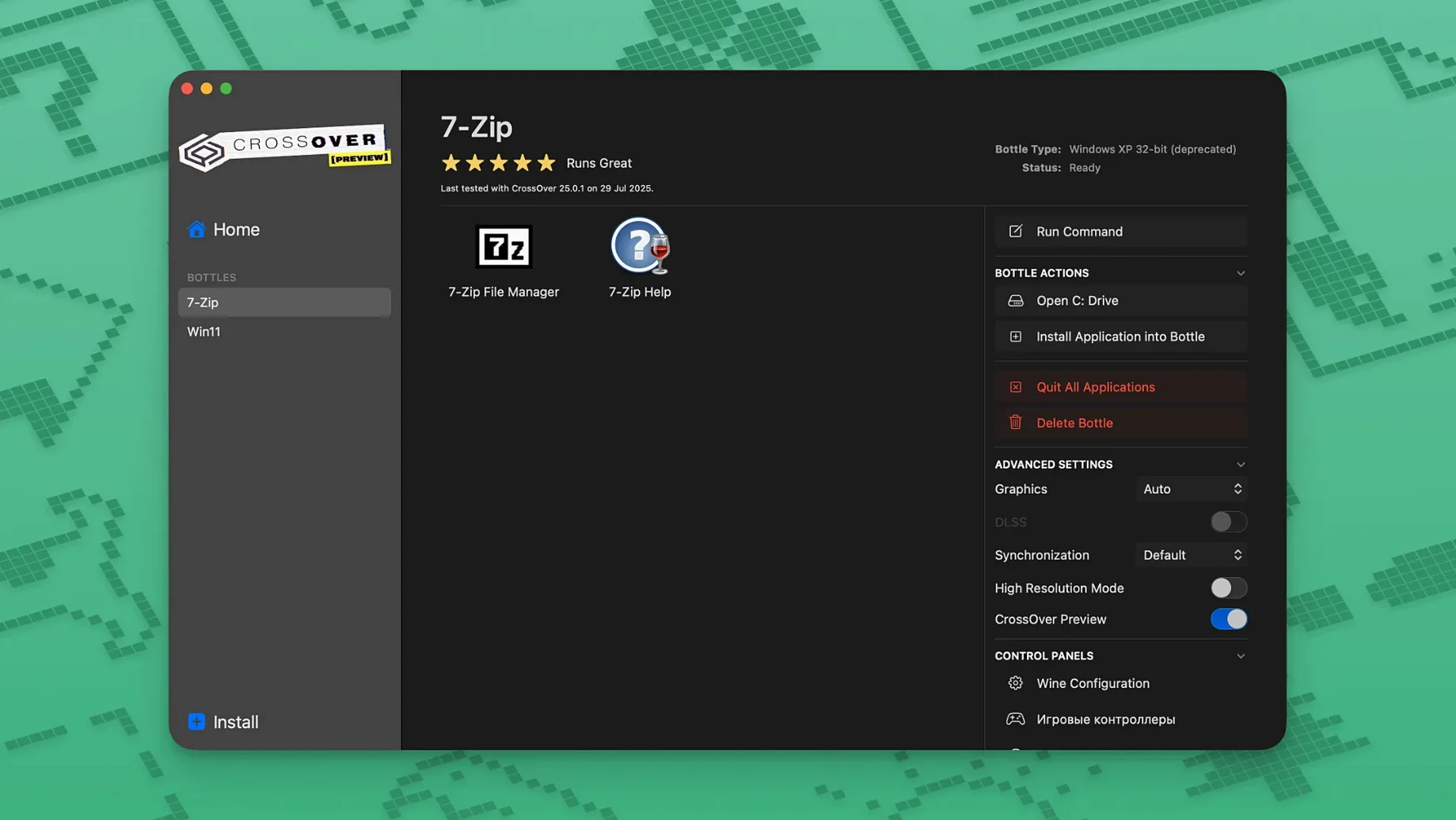
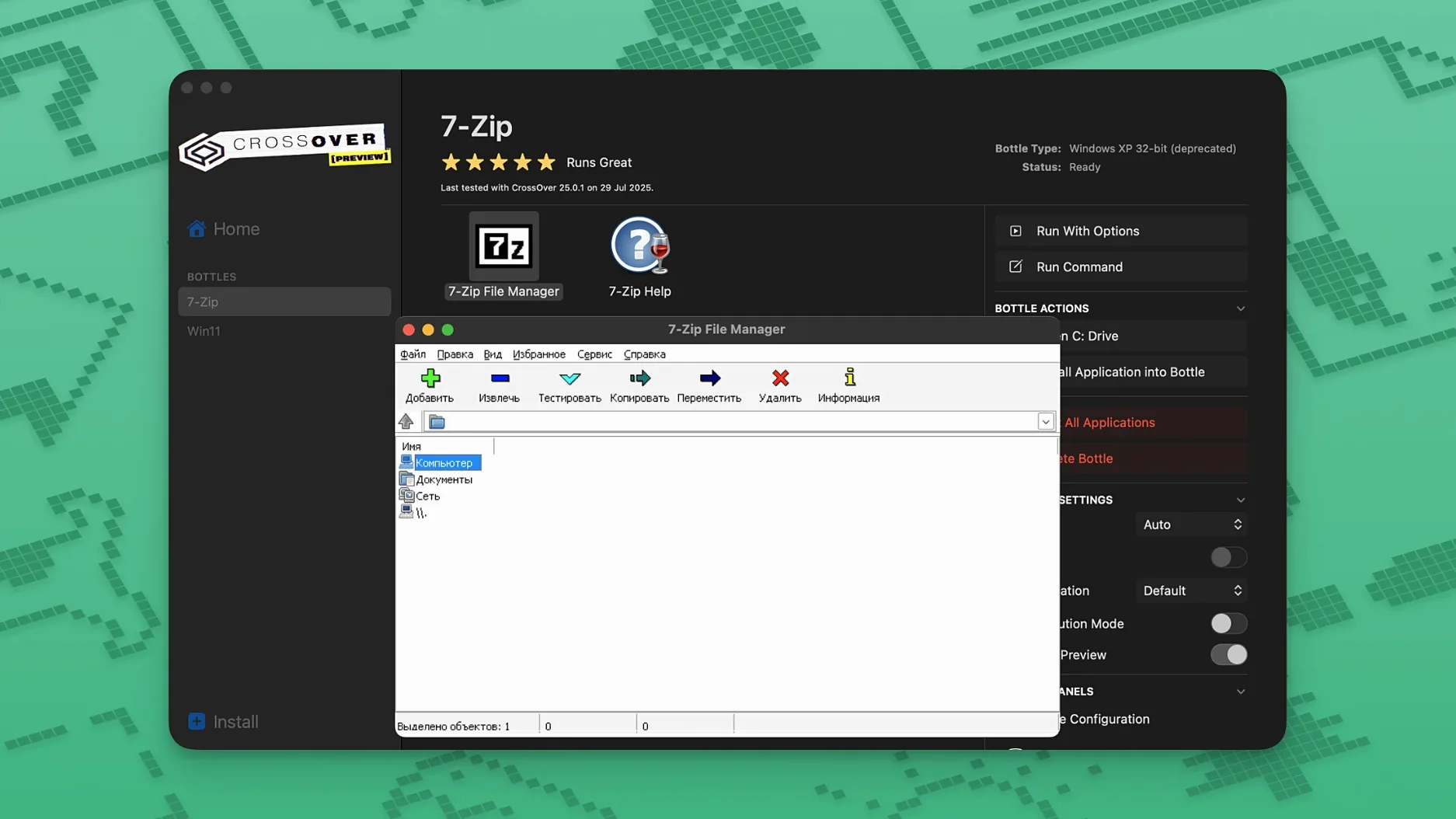
Installing a whole virtual machine just to open one Windows program feels like firing up the pizza oven to heat a slice. CrossOver takes a different route. It translates Windows application commands directly to macOS, so supported software launches right from your Dock without a copy of Windows anywhere in sight. It is built on Wine and wraps each application in a self-contained environment called a bottle, complete with its own virtual C drive and registry.
Bottles keep applications tidy
Every Windows program you run gets its own bottle. That means a misbehaving installer cannot scatter files across the rest of your system. Each bottle holds its own folder structure and registry, so you can tweak one application without upsetting another.
No Windows licence required
Because CrossOver translates commands instead of emulating a PC, it skips the whole Windows installation step. You grab the application installer, point CrossOver at it, and the bottle does the rest. Some programs still need their own installer run inside the bottle, but the heavy lifting stays behind the scenes.
Turn off automatic update checks early
Out of the box, CrossOver picks sensible defaults, but a few tweaks make the first week smoother. Open Preferences and head to the General tab. I turn off “Check for updates automatically” and handle that manually — it keeps the bottles stable while I am mid-project. Under Advanced, enable “Show advanced options” so you can see per-bottle settings later without hunting for them.
Next, create a dedicated bottle for experiments. Call it Sandbox or Test Kitchen. Install unfamiliar software there first. If an installer drags in unwanted toolbars or breaks the bottle, you delete the whole thing and move on. Your main bottles stay clean.
For gaming, switch the bottle’s performance setting to High resolution mode if you run a Retina display. Some older Windows apps render blurry without it. The toggle lives in the bottle’s settings under Screen Options.
First days with CrossOver
Install one application on day one, not five. Each piece of Windows software you add teaches you something about how bottles behave. A person who dumps six programs into one bottle on the first afternoon usually ends up deleting everything and starting over.
Check the CodeWeavers compatibility database before installing anything mission-critical. Not every Windows application works, and some run with quirks you want to know about beforehand. The database lists user reports, workarounds, and gold-to-garbage ratings that save hours of guesswork.
Keep your original installers in a folder outside the bottles. If a bottle goes sideways, you reinstall the application in minutes instead of hunting down setup files again. I keep mine in a plain Windows_Installers folder in Documents.
Also, give each bottle a name that means something three months from now. “Bottle1” tells you nothing. “QuickBooks2020” does.
A small-office morning
Marta runs a two-person bookkeeping practice from her MacBook Air. She uses a Windows-only payroll tool that her accountant has relied on for years. After installing CrossOver, she created a bottle named Payroll, ran the payroll installer inside it, and pinned the application shortcut to her Dock. Monday morning she opens the app like any other Mac program, pulls up last week’s timesheets, and processes wages. The PDF reports save to her Mac’s Documents folder because she mapped that folder inside the bottle’s drive settings. By nine-thirty she closes the bottle, and the rest of her Mac stays untouched. No Parallels window, no Windows update nag, no fan noise.
One bottle per app keeps DLL conflicts away
The most common slip is installing everything into one bottle. It works until two applications need different DLL overrides or registry settings, and then the whole house of cards falls apart. Separate bottles for separate applications avoid that drama.
Another mistake is ignoring the bottle’s Control Panel. That little icon opens a familiar-looking Windows settings window where you add fonts, tweak runtime libraries, or adjust display scaling. Beginners often search the web for fixes when the answer sits right there.
Some people grab a crossover macos torrent or look up how to pirate crossover mac thinking they will skip straight to the finish line. Those copies often ship with outdated Wine builds or broken bottle templates, so you will want to check the included Wine version and rebuild any bottle templates right away to avoid errors you cannot trace. A crack crossover download can give you a working setup today, and if you keep your bottles backed up before a macOS point update, you can restore them without a hitch. The same goes for crossover 25 cracked releases floating around — just know that version 26.3.0 already fixed Epic Games Launcher downloads and GOG Galaxy loading, fixes you simply do not get with an older, tampered build unless you manually patch in those updates yourself.
Version 26.3.0 sweeps up a few recent breakages so Windows apps keep behaving on macOS.
- Diablo IV launches again after a game update blocked it.
- Epic Games Launcher downloads work correctly on Mac again.
- GOG Galaxy client loads without trouble after its last update.
- macOS 10.15 Catalina or newer
- Intel processor
Questions I actually get
Can CrossOver run every Windows application?
No, it runs a large subset and the CodeWeavers compatibility database shows what works well.
Does CrossOver work on Apple Silicon Macs?
The current version lists Intel architecture support, so check CodeWeavers' latest notes for Apple Silicon compatibility.
What is a bottle in CrossOver?
A bottle is a self-contained environment with its own virtual C drive, subfolders, and registry that holds one or more Windows applications.
Notes from the tables 0
Sign in or pull up a chair to leave a note.
No notes on this one yet. They go up after I read them.
More from the Mac Apps page
The whole page Mac Apps 2.1 GB
CorelCAD
2022.5 Build 22.3.1.4090
Mac Apps 2.1 GB
CorelCAD
2022.5 Build 22.3.1.4090
 Mac Apps 293 MB
Cookie
8.6.4
Mac Apps 293 MB
Cookie
8.6.4
 Mac Apps Updated 8 MB
Cursor Pro
2.4
Mac Apps Updated 8 MB
Cursor Pro
2.4
 Mac Apps Updated 30 MB
Compressor
5.3
Mac Apps Updated 30 MB
Compressor
5.3
 Mac Apps 122 MB
DaisyDisk
4.34.2 admin
Mac Apps 122 MB
DaisyDisk
4.34.2 admin
 Mac Apps 9 MB
Commander One PRO
3.18.0
Mac Apps 9 MB
Commander One PRO
3.18.0
 Mac Apps Updated 53 MB
DaVinci Resolve Studio
21.1.1
Mac Apps Updated 53 MB
DaVinci Resolve Studio
21.1.1
 Mac Apps Updated 7.9 GB