
If you spend your day bouncing between a Mac and a pair of AirPods, this app was basically built for you. It lives in your menu bar, showing battery levels and letting you connect with a single click instead of digging through Bluetooth settings.
Using AirBuddy 3
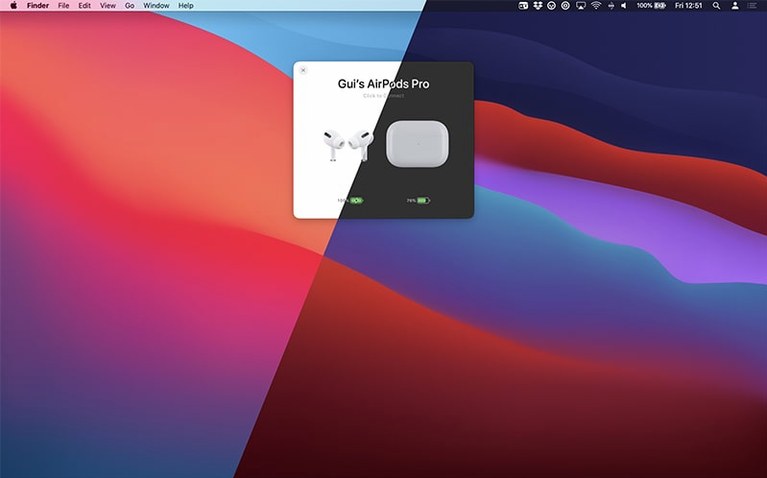
- Glance at the menu bar. As soon as you open your AirPods case nearby, the battery status pops up for the case and each earbud. The same goes for Beats headphones and other Apple gear.
- Click to connect. One click switches your audio from your phone to your Mac. No Bluetooth menu, no waiting.
- Switch listening modes. Right from the menu bar or a keyboard shortcut, flip between noise cancellation and transparency without touching your earbuds.
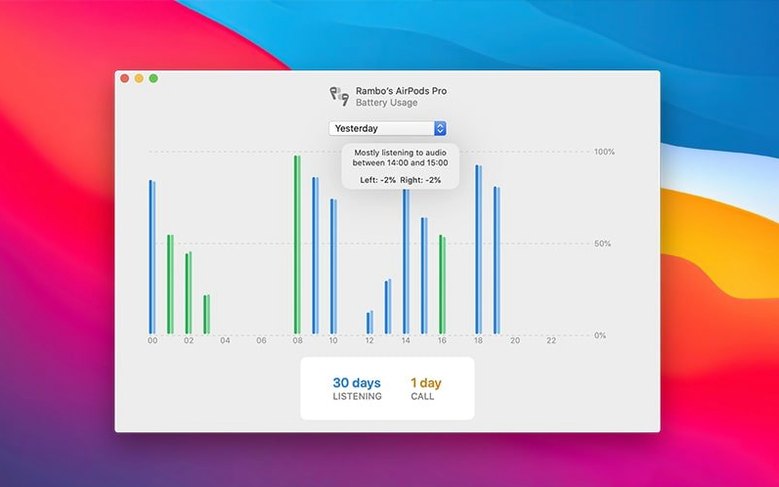
- Check talk time. The status window now shows total listening time and total talk time separately, so you know what's left for calls versus music.
- Set up custom connections. Tell AirBuddy what should happen when certain devices connect — a specific volume level or playback action, for instance.
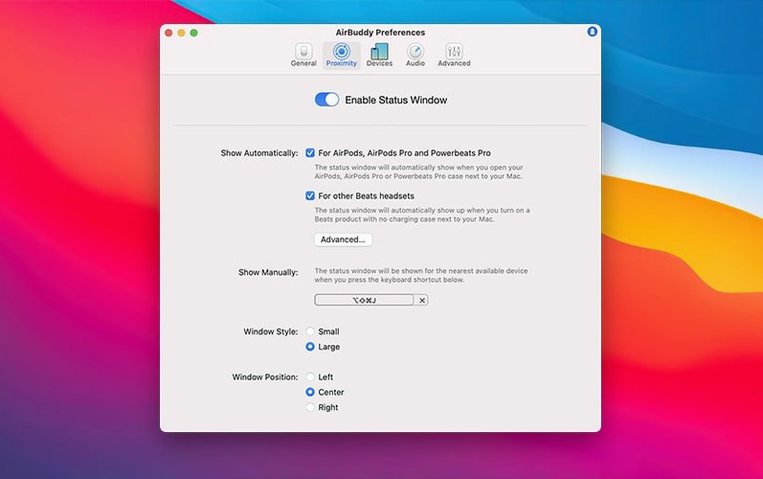
Version 3 keeps the small and large status window designs from earlier releases but adds a new menu bar icon option. You can stick with the app icon, switch to a slim battery indicator, or hide the icon entirely if you prefer a cleaner bar. The app still groups devices based on how they relate to each other, so your AirPods appear alongside their charging case rather than scattered across a list. It runs on both Intel and Apple silicon Macs as long as you're on macOS 14 or later.
One-click connection if you bounce between Mac and iPhone
Not every Mac user needs AirBuddy, but a few groups will wonder how they ever lived without it. If you regularly switch between a Mac and an iPhone during the day, the one-click connection alone justifies the install. You finish a call on your phone, sit down at the desk, and your AirPods jump to the Mac before you've even opened Apple Music.
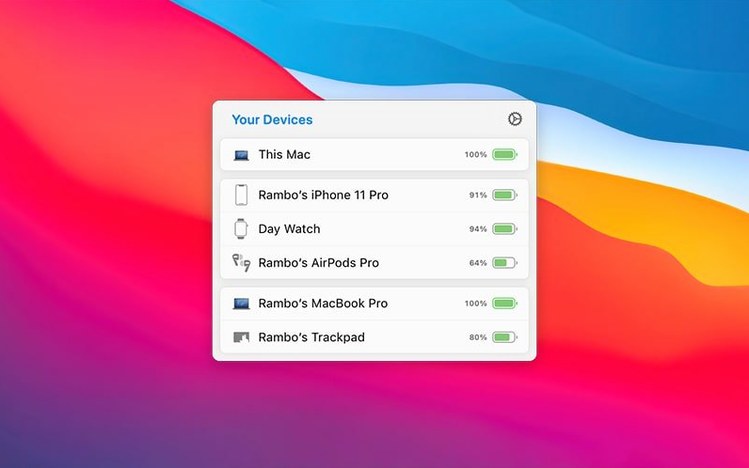
Folks who use a MacBook alongside an iPad will appreciate that both tablets and other Macs show up in the device status view. Seeing your iPad battery right next to your AirPods case removes the guesswork when you're about to walk into a meeting. The Magic Handoff feature is a quiet standout for anyone who moves a Magic Mouse or trackpad between two Macs — it turns a minor daily friction into a single gesture.
If you spend hours on video calls, the talk time tracking becomes genuinely useful. Watching the left and right AirPod drain at different rates tells you when to swap one earbud out during long sessions. And if you've ever fumbled with noise cancellation settings mid-call, the keyboard shortcut for listening modes will feel like a small act of mercy.
It already tracks its own beta releases
Does AirBuddy 3 work with the latest AirBuddy beta builds? The app tracks its own beta releases, so if you're running an AirBuddy beta version, you're already on the path the developer intends. The current stable release handles everything the betas promised — battery indicators, connection shortcuts, and peripheral handoff.
Will this interfere with other Bluetooth utilities? Generally, no. AirBuddy reads battery and connection data that macOS already exposes; it doesn't hijack the Bluetooth stack. That said, if you run another menu bar utility that also polls device status, you might see a brief duplication. Pick one and stick with it.
How does this differ from what macOS already shows? The native Bluetooth menu gives you a battery percentage if you dig for it. AirBuddy surfaces that information the moment you open a case lid, adds listening mode controls, and lets you act on the information — connect, switch modes, or hand off peripherals — without extra clicks. It's the difference between a parts list and a dashboard.
Does it show the same detail for Beats as for AirPods? Most Beats models with Apple's H1 or H2 chip show battery levels for the headphones and the case. Playback controls and listening mode switching depend on the specific model, but the status window treats them as first-class devices alongside AirPods.
AirBuddy 3 adds control over what lives in your menu bar. You can now choose between the full app icon, a compact battery indicator, or no icon at all. The update also refines battery reporting with separate listening and talk time readouts, and keeps the one-click connection and playback controls that were already there.
- macOS 14 or later
- Works on Intel and Apple silicon Macs
Notes from the tables 0
Sign in or pull up a chair to leave a note.
No notes on this one yet. They go up after I read them.