
You drop a field recording into a track, hoping for a texture that moves. Instead of looping a static slice, you load it into Solstice and suddenly you're clicking across a cloud of related sounds — some glassy, some woody, all from the same source file.
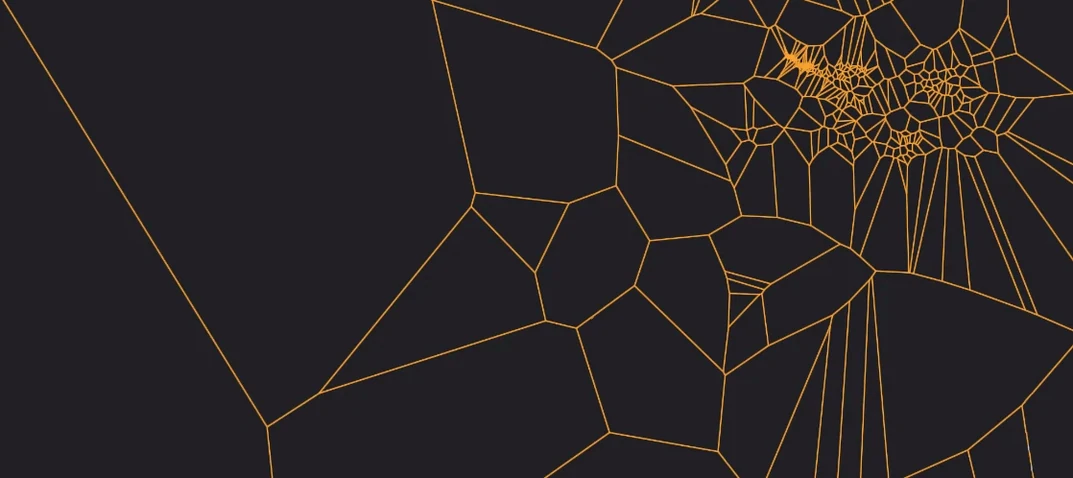
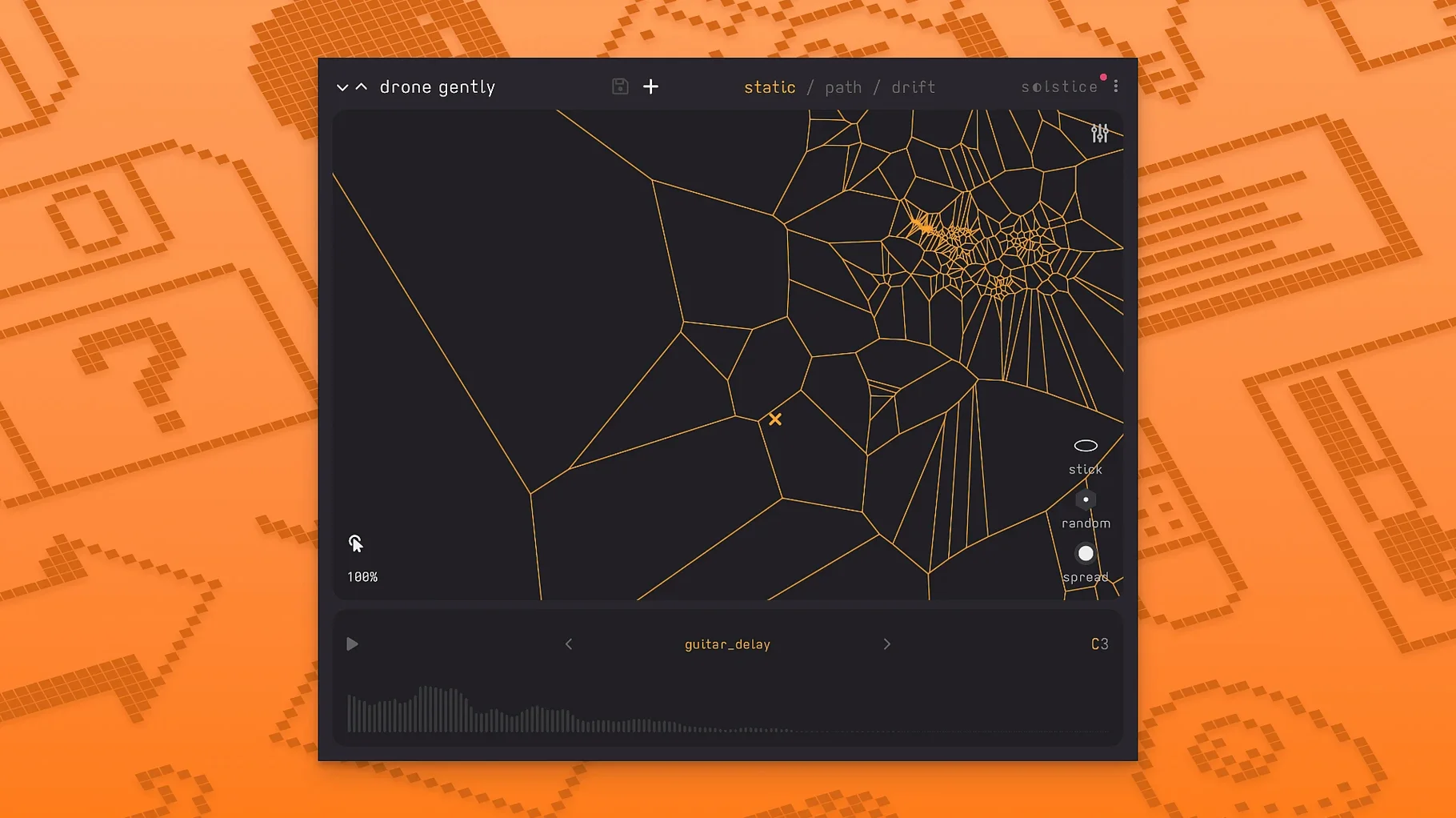
- Place Solstice on an instrument track and feed it a sample. The plugin analyzes the audio and spreads it onto a flat map, grouping similar timbres close together.
- Click around the map to audition spots. Each position triggers a different spectral moment from the original recording.
- Drag through the map while a note holds, and the tone shifts continuously. This is where pads and beds start to form — long, evolving textures that work well on a dedicated bus with reverb and delay downstream.
- On a second track, load the same sample again but stay in a narrow cluster of points. That gives you a lead sound with a consistent character, pulled from the same source so it blends with the bed.
The map isn't random; it's a projection of the sample's own timbral makeup. What you get depends entirely on what you feed it — a piano note spreads differently than a metal scrape. For drone pieces or aleatoric scoring, it becomes a quick way to generate variations without opening a sampler and slicing by hand. It's not a synth, not a traditional sampler, just a fresh way to pull apart a sound and play the pieces.
I usually start a session by dragging a short piano phrase into Solstice and just driving the cursor around while holding a low note. The map clusters the brighter transients in one corner and the warm sustain tails in another, so a slow diagonal swipe paints a drone that keeps thinning out and thickening back up, almost like bowing a glass bowl. After a few takes I'll hit record in the DAW and print a long pass — maybe four minutes — then chop the best sixty seconds into a sampler track downstream. That way the sampler gets a finished texture I can trigger like a one-shot, and Solstice stays free to cook up the next layer.
I keep the built-in spectral effects light during the exploratory phase, then treat them like finishing salt once the take is in the timeline. Bloom softens the transient edges so the map points blur together, flutter adds a tape-like warble that suits ambient beds, and stretch pulls the tail into slow-motion territory without touching your DAW's time-stretch. All five effects — texture, tilt, flutter, stretch, bloom — respond to how far you've dragged the cursor, so changing position mid-note also changes the effect intensity.
Where Solstice sits in a real setup
I don't treat it as a standalone instrument. It works best feeding something else. A typical chain on my machine: Solstice on an instrument track, then a MIDI clip with a single long note, then the audio routed to a bus with Valhalla Supermassive and a gentle compressor. The bus captures the morphing output as a continuous pad, and I automate the cursor position by hand with the mouse. For microtonal work, the MTS-ESP support means it follows the same tuning table as the rest of the project — no need to retune by ear.
MPE support in version 1.2.0 opens up a different approach. With an MPE controller connected, each finger on the pad can drive its own cursor position, so you get multiple simultaneous explorations of the same sample map. It's a lot of data for a mix, but filtered down to a narrow band it becomes a responsive texture layer under a vocal or a lead.
Drag-and-drop from Finder works too. I keep a folder of field recordings on the desktop — rain on a car roof, a train station in Lyon, my kid tapping a spoon on a table — and I'll pull three or four into separate Solstice instances on different tracks. Each one spits out a related but distinct palette from the same source folder, and panning those tracks left, center, and right builds a wide ambient field without any synth oscillators involved.
Version 1.2 brings some useful additions, especially if you like to shape the sound after it hits the map.
- Basic MPE support, so per-note gestures from compatible controllers translate to the map.
- MTS-ESP support for microtuning — handy if you work outside equal temperament.
- Five new spectral effects: texture, tilt, flutter, stretch, and bloom, each pushing the sample further from its original form.
- macOS 12 or later
- Intel 64-bit or Apple Silicon Mac
Questions I actually get
What kind of music is the Solstice plugin built for?
It's aimed at ambient, experimental, and aleatoric work, though it can slip into other genres when you need an unusual texture.
Does Solstice work on Apple Silicon Macs?
Yes, it runs natively on both ARM-based Macs and 64-bit Intel machines with macOS 12 or later.
Can I control Solstice with an MPE controller?
Version 1.2 added basic MPE support, so you can use controllers like a ROLI Seaboard for per-note expression on the map.
Notes from the tables 0
Sign in or pull up a chair to leave a note.
No notes on this one yet. They go up after I read them.
More from the VST Plugins page
The whole page VST Plugins 103 MB
Metric Halo Production Bundle
2025.05
VST Plugins 103 MB
Metric Halo Production Bundle
2025.05
 VST Plugins 318 MB
Melodyne
5.4.2.006
VST Plugins 318 MB
Melodyne
5.4.2.006
 VST Plugins 97 MB
MeldaProduction MCompleteBundle
2026.07
VST Plugins 97 MB
MeldaProduction MCompleteBundle
2026.07
 VST Plugins 1.2 GB
Native Instruments Massive X
1.7.1
VST Plugins 1.2 GB
Native Instruments Massive X
1.7.1
 VST Plugins 1.6 GB
Neural DSP Archetype John Mayer X
1.0.0
VST Plugins 1.6 GB
Neural DSP Archetype John Mayer X
1.0.0
 VST Plugins 498 MB
Neural DSP Archetype Petrucci
1.0.0
VST Plugins 498 MB
Neural DSP Archetype Petrucci
1.0.0
 VST Plugins 745 MB
Neural DSP Archetype Rabea X
1.0.1
VST Plugins 745 MB
Neural DSP Archetype Rabea X
1.0.1
 VST Plugins 742 MB