
You can run Effectrix on a Mac going back to macOS 10.14 Mojave, and it's happy on both Intel and Apple Silicon machines. The installer gives you every format you're likely to need—Audio Unit, VST2, VST3, AAX, and a standalone app.
Step-sequenced movement for static loops
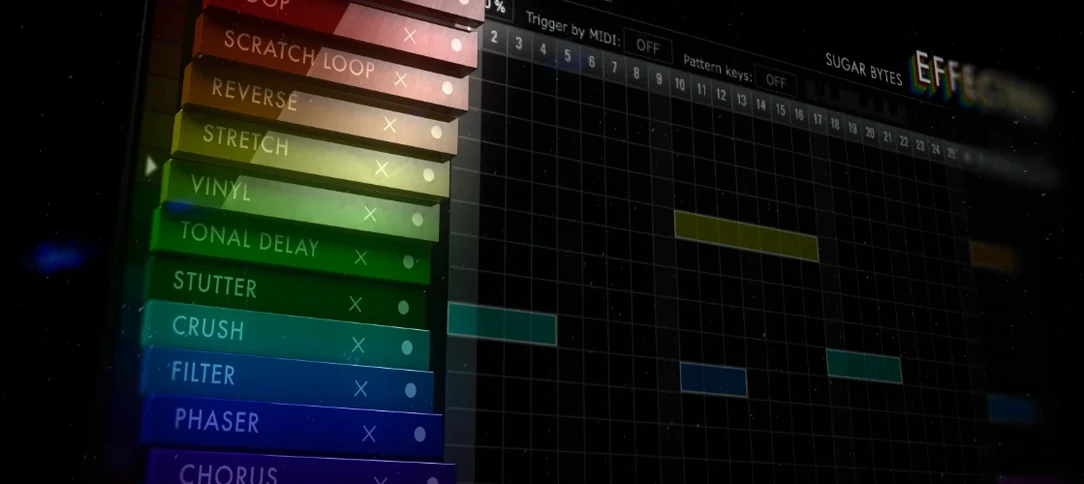
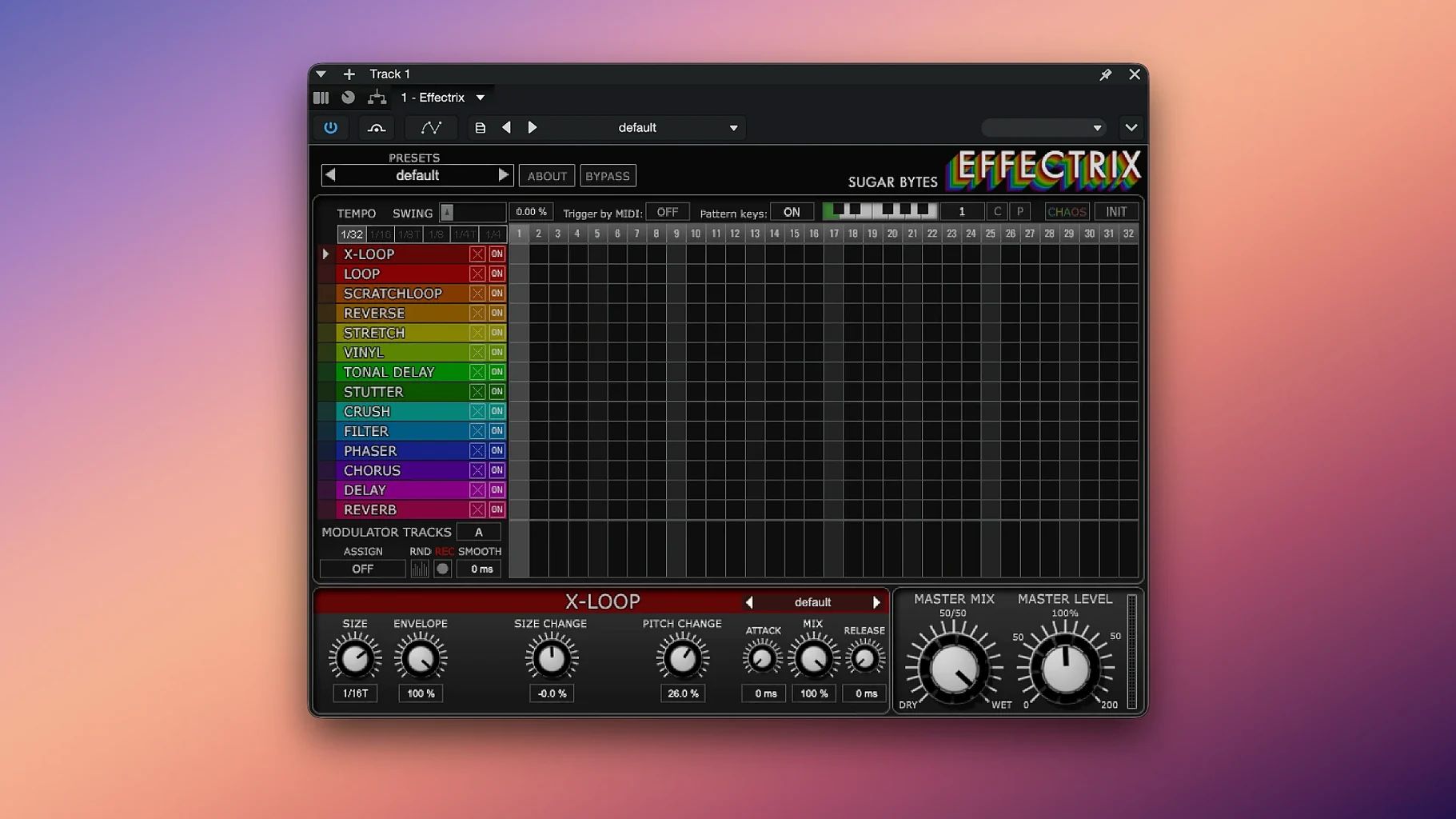
I think of Effectrix as a track-level tool first. Drop it on a synth line, a guitar part, or a vocal chop and it turns a static loop into something that moves with the song. The step grid lets you dial in 14 different effects—filter, lo-fi, vinyl, stutter, and a bunch more—each with its own lane and its own set of knobs. You adjust the cycle length to match your phrase, then paint in changes where you want them. It's not a mix bus processor. It's the thing you reach for when a part needs a rhythmic hook.
Patterns and control
You can store 12 patterns and recall them from a MIDI keyboard, which makes it practical for live performance or for trying out variations while the track plays. The swing function helps it lock into a groove instead of feeling robotic. Copy and paste works across patterns, so building a new sequence from an existing one is quick. The presets cover a lot of ground and give you a solid starting point for each effect.
I'll walk you through a quick vocal chop session so you can see how Effectrix works in practice. Let’s say I’ve got a dry phrase sitting on a track—four bars, kind of static. First, I drop Effectrix onto the channel and set the cycle length to match those four bars. The default pattern is blank, so everything passes through clean.
I head straight for the stutter lane and paint a few steps on the grid. Immediately, the vocal starts cutting in a rhythmic way that follows the tempo. I tweak the stutter’s rate knob until it feels less like a glitch and more like a hook. Then I add some lo-fi on the last two steps of the phrase—just a quick drop in sample rate that gives the tail end a dusty texture. The vinyl effect goes on beat one of the third bar, adding a short crackle and pitch wobble right where the phrase repeats.
Now I’ve got something that moves. I copy that pattern to slot two and swap the stutter for a gater, keeping the lo-fi and vinyl placements. A quick A-B comparison from my MIDI controller tells me which one fits the chorus better. Near the end, I hit the Chaos button while the track plays—it scrambles the step assignments temporarily, and one of the accidental results sounds better than what I had planned. I grab that pattern and save it as a third variation. Twenty minutes, three distinct vocal treatments, no automation lanes drawn.
How Effectrix fits with other apps and macOS
Effectrix slides into a larger setup pretty naturally. In a DAW like Logic Pro, you can run it after a synth from Arturia or u-he and before a reverb like Valhalla Supermassive—the sequenced effects hit first, then the space fills in around them. If you’re working with a drum rack in Ableton Live, dropping Effectrix on a single percussion channel lets you add fills and glitches that change every two bars without touching the MIDI clip.
The standalone app talks to Core Audio directly on macOS, so you can route a microphone or an instrument through it for live processing without even opening a DAW. Keyboard shortcuts for copy and paste work the same way they do everywhere else on a Mac. Patterns you save inside the plug-in stay with the preset file, so moving a project between machines—or sharing it with someone who also has an effectrix download on their system—keeps everything intact. The MIDI recall feature plays nicely with any controller that sends program change messages, which means your Launchpad or keyboard can switch sequences while you keep both hands on the music.
- macOS 10.14 or later
- Intel or Apple Silicon Mac
- 64-bit host for plug-in formats
Questions I actually get
What effects are included in Effectrix?
Effectrix includes 14 effects, each with its own set of parameters you can sequence on the step grid.
Can I control Effectrix with a MIDI keyboard?
Yes, you can store and recall up to 12 patterns directly from a MIDI keyboard.
Notes from the tables 0
Sign in or pull up a chair to leave a note.
No notes on this one yet. They go up after I read them.
More from the VST Plugins page
The whole page VST Plugins 17 MB
EZbass
1.3.3
VST Plugins 17 MB
EZbass
1.3.3
 VST Plugins 81 MB
EZdrummer
3.1.2
VST Plugins 81 MB
EZdrummer
3.1.2
 VST Plugins 786 MB
FabFilter Total Bundle
25.06.2026
VST Plugins 786 MB
FabFilter Total Bundle
25.06.2026
 VST Plugins 347 MB
Devious Machines Infiltrator
2.5.26
VST Plugins 347 MB
Devious Machines Infiltrator
2.5.26
 VST Plugins 46 MB
Cymatics VOXITY
1.0.0
VST Plugins 46 MB
Cymatics VOXITY
1.0.0
 VST Plugins 97 MB
Cymatics QUAKE
1.0.0
VST Plugins 97 MB
Cymatics QUAKE
1.0.0
 VST Plugins 1.6 GB
Cableguys Snapback
1.1
VST Plugins 1.6 GB
Cableguys Snapback
1.1
 VST Plugins 37 MB