

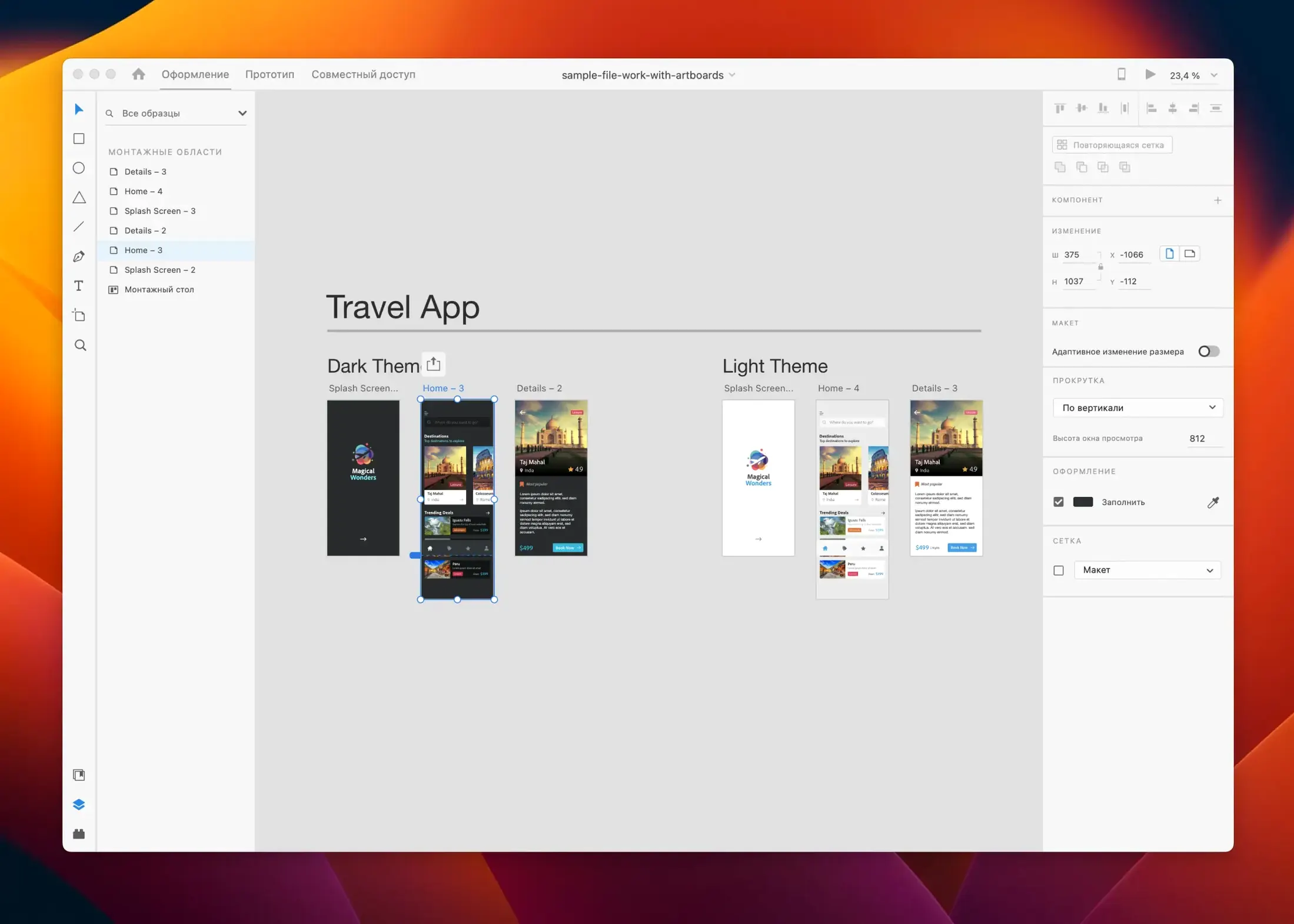
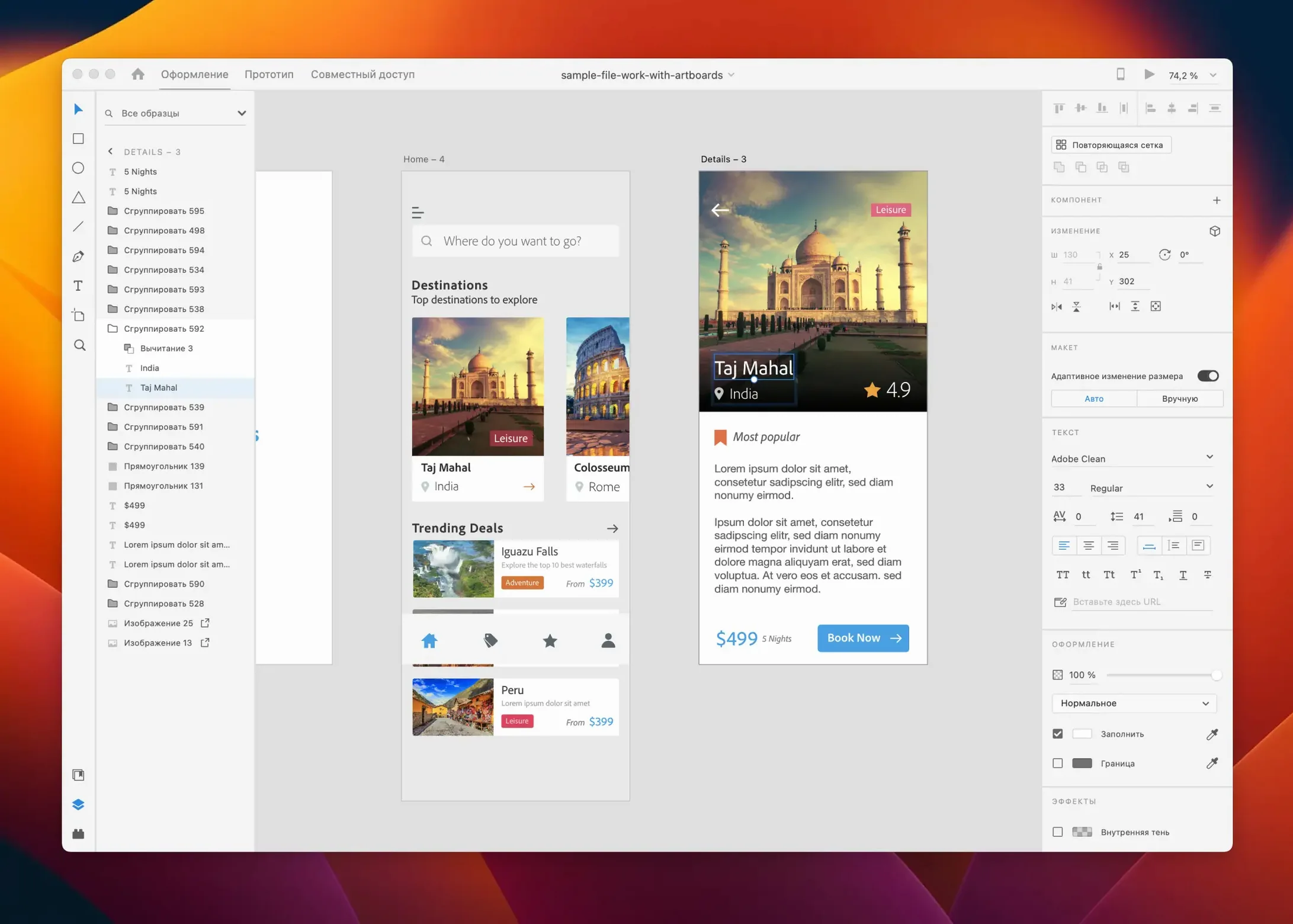
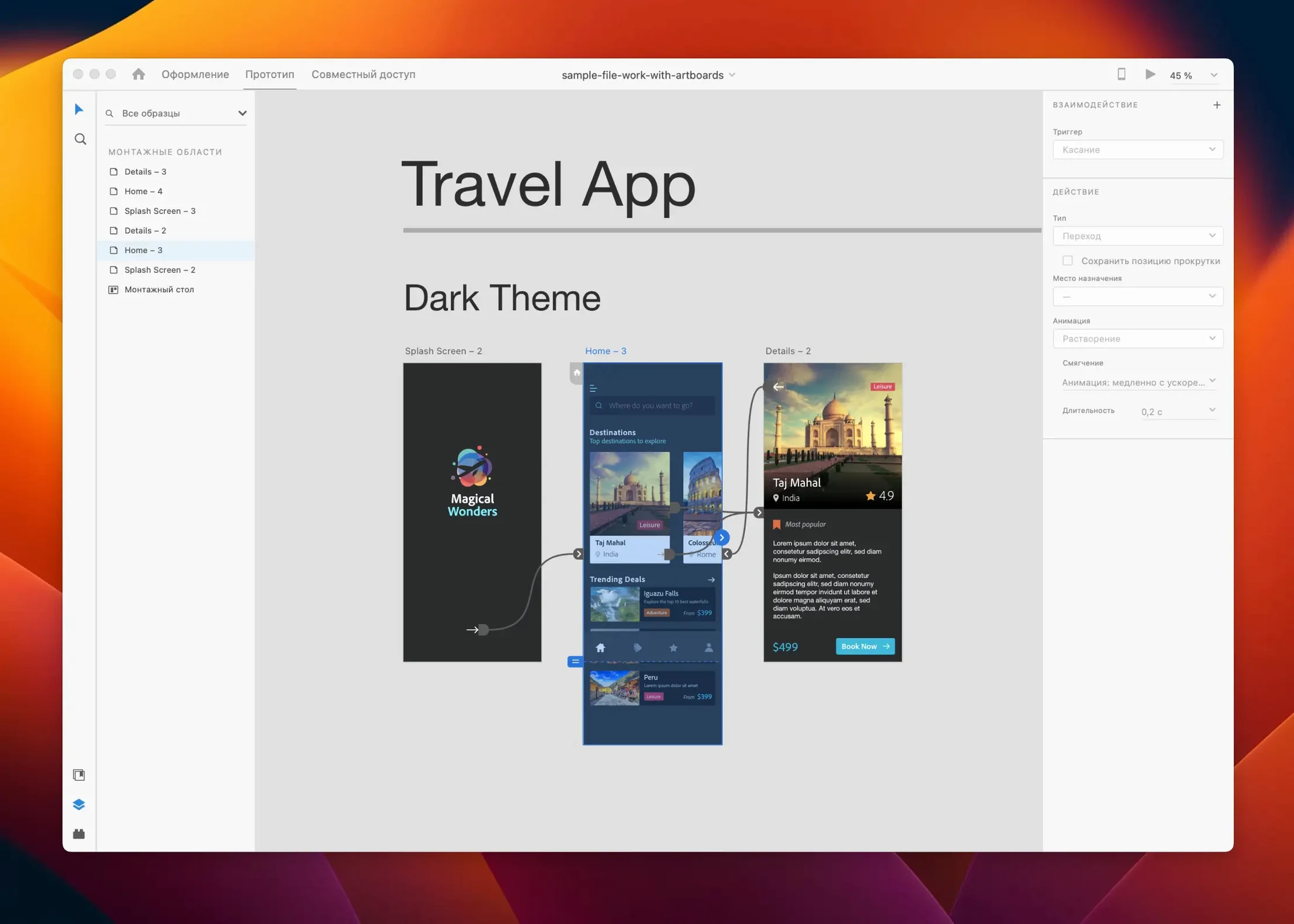
Interface designers, product teams, and web folks use Adobe XD to sketch out layouts, link screens together, and hand off ideas without writing code first. It's a UI/UX tool for websites, mobile apps, voice interfaces, game menus, and email templates.
macOS 10.15 or later, Apple Silicon support
Adobe XD needs macOS 10.15 or later, and it runs on both Intel and Apple Silicon machines. The app is in maintenance mode these days, so don't expect big new features — just fixes and small workflow tweaks. The July 2025 release covers bug fixes and minor improvements.
Repeat grid, auto-animate and Creative Cloud tie-in
You get tools like repeat grid, responsive resize, auto-animate, and content-aware layout for building interactive prototypes. It ties into Creative Cloud Libraries and Adobe Stock, and you can share design materials with other people. It supports Russian, English, German, Spanish, Chinese (Simplified), Korean, Portuguese, French, and Japanese.
Fix prototype links that won't trigger in preview
A few things trip people up when they first sit down with XD. Most of them are easy to fix once you know where to look.
- Prototype links don't work in preview. This usually means you wired the interaction to the wrong artboard or forgot to set a destination. Open Prototype mode, click the blue arrow on the element, and double-check the target artboard in the dropdown. If you're testing a component state, make sure the component has at least two states defined.
- Repeat grid won't pull images from a folder. You dragged a folder of images onto the grid and nothing happened. The trick: the images need to be on your local drive, not a cloud-synced folder that hasn't finished downloading. Also check that the grid cells are set to image fill, not a solid color.
- Auto-animate looks choppy. The two artboards need the same layer name for XD to tween between them smoothly. If you renamed a button on artboard two, the animation breaks. Group names matter too — keep the structure identical across artboards.
- Fonts go missing when sharing with a teammate. XD doesn't embed fonts in the file. If your teammate doesn't have the same typeface installed, the text falls back to a system font. Stick to Adobe Fonts from Creative Cloud, or outline the text before sharing if it's a small chunk of display type.
Learning XD while it's in maintenance mode
Here are a few things I get asked about by folks who are curious but haven't pulled the trigger yet.
Does it still make sense to learn XD now that it's in maintenance mode? For UI prototyping and quick layout work, absolutely. The core toolset is stable and complete — designing screens, linking interactions, sharing prototypes for feedback. If you're not chasing bleeding-edge collaboration features, XD does the job without the bloat. A lot of designers keep it around specifically because it doesn't change every month.
Will it play nice with my existing Creative Cloud setup? Yes. Libraries, colors, character styles, and Adobe Stock assets all sync through your Creative Cloud account. You can pull Illustrator vectors or Photoshop comps straight onto an artboard without exporting first.
Can I open Sketch or Figma files in XD? Not directly. You'll need to export from those tools as SVG or PDF and bring them in. Some conversion plugins exist, but expect to do a little cleanup on complex files.
Does it handle multiple displays well? It does, though the workspace panels can get a little scattered if you unplug an external monitor mid-session. Save your workspace layout once you have it set up how you like it.
Swap scroll wheel from pan to zoom
Right after you open XD for the first time, a couple of tweaks make the whole experience smoother.
- Turn on "Use scroll wheel to zoom" in Preferences. By default the scroll wheel pans vertically. Swapping it to zoom feels more natural if you come from Illustrator or Photoshop.
- Set your default font. XD ships with a system fallback. Go to Preferences and pick the typeface you use most often. Your artboards will start with that font instead of something you'll immediately change.
- Enable "Show pixel grid on zoom." When you're nudging icons or alignment guides at high zoom, seeing the pixel grid helps catch half-pixel blur before it goes into production.
- Adjust nudge spacing. The default arrow-key nudge is 1px. If you work on dense mobile layouts, bump it to 8px or 10px in Preferences to match a typical grid unit.
Bottom line: a handful of settings and a little troubleshooting know-how turn XD from something that might fight you into a tool that mostly stays out of your way.
The July 2025 release keeps things simple: bug fixes and a few small workflow improvements, nothing flashy.
- macOS 10.15 or later
- Runs on both Intel and Apple Silicon
Notes from the tables 0
Sign in or pull up a chair to leave a note.
No notes on this one yet. They go up after I read them.
More from the Adobe page
The whole page Adobe Updated 3 GB
Adobe Premiere Pro
26.5.2
Adobe Updated 3 GB
Adobe Premiere Pro
26.5.2
 Adobe Updated 4.1 GB
Adobe Photoshop
27.11
Adobe Updated 4.1 GB
Adobe Photoshop
27.11
 Adobe Updated 3.5 GB
Adobe Media Encoder
26.5.0
Adobe Updated 3.5 GB
Adobe Media Encoder
26.5.0
 Adobe 3.4 GB
Adobe Lightroom Classic
15.6.0
Adobe 3.4 GB
Adobe Lightroom Classic
15.6.0
 Adobe Updated 3.7 GB
Adobe InDesign
21.6.0
Adobe Updated 3.7 GB
Adobe InDesign
21.6.0
 Adobe Updated 1.5 GB
Adobe Illustrator
30.8.2
Adobe Updated 1.5 GB
Adobe Illustrator
30.8.2
 Adobe Updated 3.4 GB
Adobe Dreamweaver
21.8.0
Adobe Updated 3.4 GB
Adobe Dreamweaver
21.8.0
 Adobe 3.2 GB