



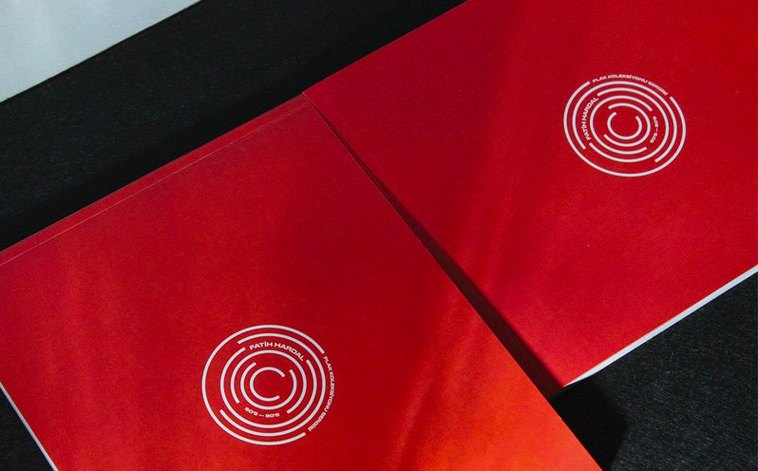
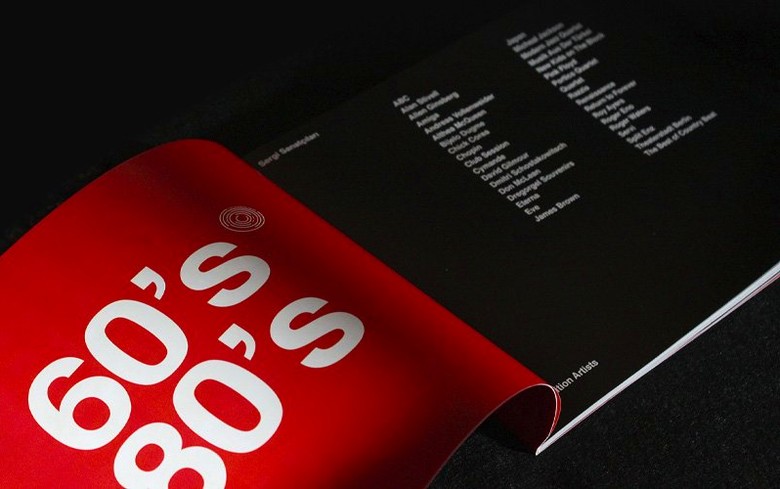
You have a stack of articles, a folder of photos, and a hole in your schedule where a printed magazine spread needs to appear. A word processor won’t cut it—you need real control over columns, image frames, and the kind of typography that readers feel without noticing. That’s the problem InDesign was built to solve.
Building the bones
I start with a facing-pages document, bleed included, because the printer expects it. Master pages handle the running headers and page numbers so I don’t have to draw them twice. A three-column layout gives me the rhythm, then paragraph styles lock in the body copy: Minion Pro at 10.5 on 14-point leading, nothing fancy. I place the main article text with a single File > Place and watch it thread across six pages automatically. The inline images land roughly where they belong; I fine-tune text wrap so pull quotes sit inside the flow instead of breaking it.
Finishing for print and screen
With the spread built, I package the job so the printer gets fonts and linked images in one folder. Then I export a PDF/X-4 preset for the press and a reflowable EPUB for the digital edition. The Preflight panel flags the one low-res graphic I forgot to replace—five minutes and it’s fixed. Alt Text goes on the hero images using the new bulk generation tool, then I save a cloud document from the home screen so I can tweak headlines from a laptop later. The whole job hangs together because InDesign treats type, images, and color like parts of a single machine, not separate apps squeezed together. Bottom line: when the job is a real publication, this is the workhorse that gets it out the door.
InDesign next to the other heavy hitters
I hear two names the second someone asks about layout software: QuarkXPress and Affinity Publisher. Quark was the king before InDesign showed up, and it still runs fast on older Macs. It handles long structured documents well—book chapters and technical manuals—but the interface feels like a time capsule from 2004, and collaborating with a team that uses Creative Cloud gets awkward.
Affinity Publisher is the nimble newcomer. It opens fast, costs nothing to keep, and shares a file format with Affinity Photo and Designer. For a short flyer or a one-off poster, it’s a pleasure. But once I need GREP styles, complex data merge with the new UTF-8 support, or a preflight profile that matches a commercial printer’s specs, InDesign pulls ahead. Publisher still trips over long threaded stories and its table styling is basic by comparison.
So where does InDesign sit? Quark for the old guard who never left. Publisher for quick, pretty jobs with a small footprint. InDesign for the work that pays the bills—magazines, catalogs, annual reports, anything where the adobe 2020 workflow is already humming and you need an add page indesign command to do exactly what you expect.
Print designers, production artists, and long-document makers
Not every Mac user needs a page layout engine. The people who get the most mileage out of InDesign tend to fall into three camps:
- Print designers and production artists. If your day ends with a packaged folder heading to a commercial press, InDesign’s color management, bleed controls, and preflight tools aren’t luxuries—they’re survival gear. The new table accessibility in PDF exports just makes the handoff cleaner.
- Editorial teams and long-document wranglers. Magazines, textbooks, and manuals live or die on consistent styles and threaded text. The keyboard shortcut search in 21.5.1 is a small gift for anyone who edits ten hours a day and can’t remember the obscure keystroke for optical margin alignment.
- Creative Cloud households. If Photoshop and Illustrator are already open, InDesign becomes the natural place to assemble the pieces. Placing native .ai and .psd files without flattening them keeps everything live right up to the deadline.
If you design a single business card twice a year, the muscle memory probably isn’t worth building. But if you regularly ask yourself how to add page indesign documents without breaking your master spread, this is the tool that answers without fuss.
Adobe InDesign 21.6.0 lands with the latest round of fixes so your layouts and linked files stay reliable.
- macOS 13 or later
- Works on Apple Silicon and 64-bit Intel Macs
Questions I actually get
Can I export an InDesign document to HTML?
Yes, InDesign 21.5.1 can export documents to EPUB, PDF, and HTML, and HTML previews no longer require a separate plugin.
Does this version of InDesign run on Apple silicon Macs?
It does. InDesign 21.5.1 runs natively on Apple silicon and Intel 64-bit Macs running macOS 13 or later.
What's the Data Merge improvement in the latest release?
Data Merge now supports multiline records and UTF-8 encoded data files, which makes handling varied text entries much smoother.
Notes from the tables 0
Sign in or pull up a chair to leave a note.
No notes on this one yet. They go up after I read them.
More from the Adobe page
The whole page Adobe Updated 3.4 GB
Adobe Lightroom Classic
15.6.0
Adobe Updated 3.4 GB
Adobe Lightroom Classic
15.6.0
 Adobe Updated 3.7 GB
Adobe Dreamweaver
21.8.0
Adobe Updated 3.7 GB
Adobe Dreamweaver
21.8.0
 Adobe 3.2 GB
Adobe Media Encoder
26.5.0
Adobe 3.2 GB
Adobe Media Encoder
26.5.0
 Adobe 3.4 GB
Adobe Dimension
4.1.7
Adobe 3.4 GB
Adobe Dimension
4.1.7
 Adobe 3.5 GB
Adobe Photoshop
27.11
Adobe 3.5 GB
Adobe Photoshop
27.11
 Adobe Updated 3.5 GB
Adobe Bridge
16.0.8
Adobe Updated 3.5 GB
Adobe Bridge
16.0.8
 Adobe Updated 3.7 GB
Adobe Premiere Pro
26.5.2
Adobe Updated 3.7 GB
Adobe Premiere Pro
26.5.2
 Adobe Updated 4.1 GB